


For an existing WordPress site, I’d try the AI features in its current SEO plugin first. AIOSEO Lite users can buy AI credits without upgrading to Pro; Yoast Premium already includes AI titles and descriptions. For a new setup, Slim SEO offers AI metadata generation in its free plugin, with AI provider usage billed separately.
I’ve spent 20 years building publishing websites, led Reflector Media, and now own Search Engine Watch. That experience shapes this shortlist: I’m looking at the articles already in WordPress, the links between them, and the changes an editor will have to review.
| Plugin | Where I’d use it | What the AI costs | Place in your setup |
|---|---|---|---|
| Slim SEO | Titles and descriptions, including bulk generation, with your own provider account | Free plugin; separate provider usage charges | Main SEO plugin |
| AIOSEO | Reviewing AI metadata suggestions across a selected batch of posts | Lite can use purchased credits; displayed PAYG pack: $9.99 for 10,000 credits | Main SEO plugin |
| Yoast SEO Premium | Editors who already work in Yoast and want AI suggestions there | $118.80/year for Premium, excluding VAT; AI rate limits apply | Main SEO plugin |
| Rank Math AI | Several AI tasks within an existing Rank Math installation | Starter: €71.88 for the first year; €83.88 at renewal, excluding tax | AI subscription within Rank Math SEO |
| SEOPress PRO | Bulk metadata and image work, with a choice of provider billing or managed credits | $49/year for one site, excluding tax; provider charges or optional AI Credits subscription extra | Main SEO plugin with PRO extension |
| Link Whisper | Finding older articles that could link to a newer or overlooked page | Displayed one-site license: $97/year; confirm the AI allowance offered with your plan | Internal-linking add-on |
| AltText.ai | Describing existing images and handling new uploads | Free plugin and 25 introductory credits; 50-credit packs cost $3 | Image-description add-on |
This is a documentation-based comparison, checked on October 3, 2026. The order puts options with no paid plugin license first, followed by existing-plugin upgrades and specialist add-ons. Prices retain the currencies displayed by the vendors.
Start with the backlog you want to clear
A WordPress archive contains several different jobs. An article may need a clearer search title. A new guide may deserve links from older relevant posts. A screenshot may need a description that explains the detail the reader is meant to notice. Each calls for a different input, and a different kind of review.
The first five choices below manage your site’s SEO. I’d give one of them responsibility for titles, canonical URLs, sitemaps and structured data, then add a specialist only for a remaining job. A Link Whisper or AltText.ai installation has a clear purpose beside that main plugin. Installing another full SEO suite introduces a second set of settings for work your current plugin may already handle.
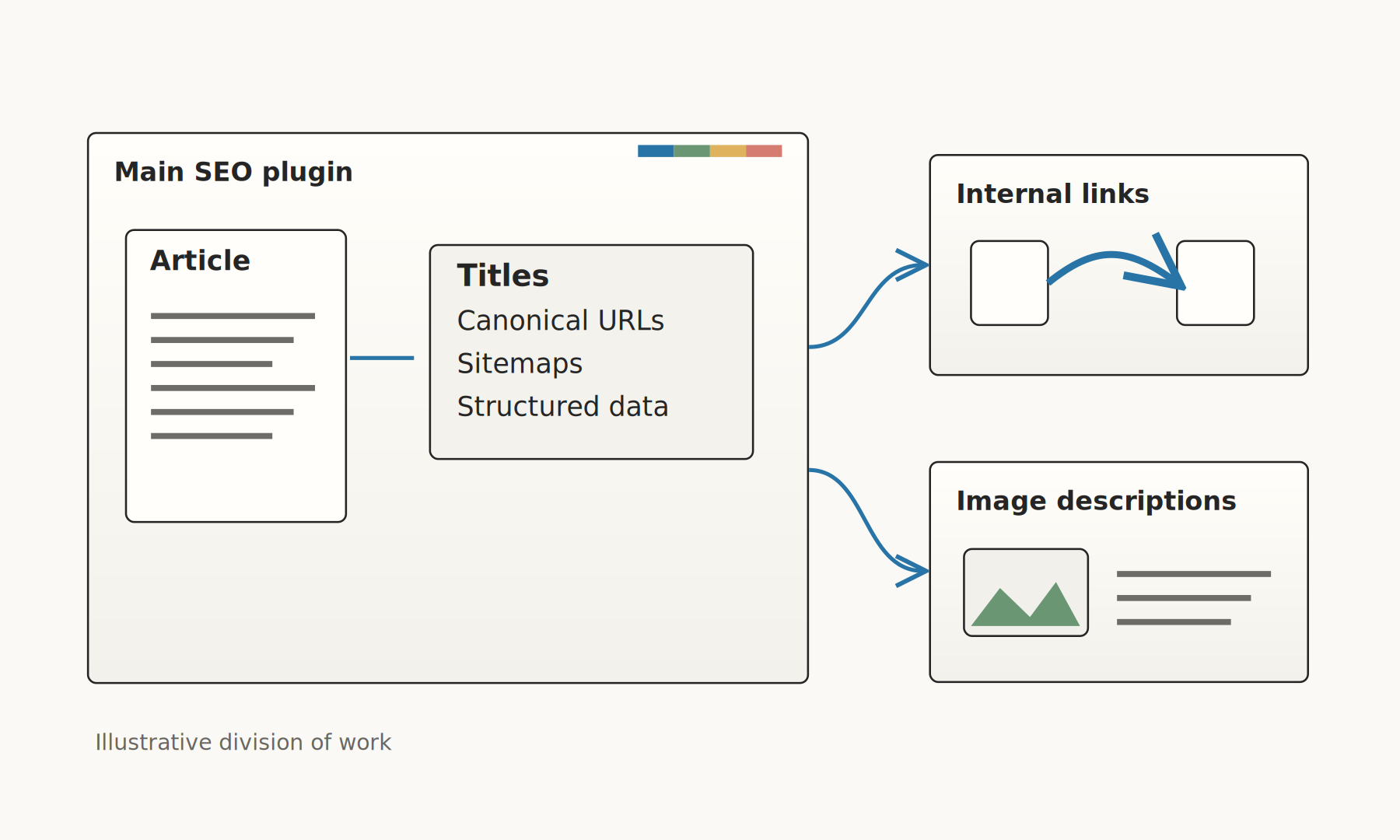
For a handful of articles, I’d write the titles myself and add relevant links in the editor. The attraction of AI becomes more specific when there are dozens of posts to revisit: a usable batch of suggestions, a way to preserve good existing metadata, and a review step before changes reach the site.
1. Slim SEO: my first look for AI metadata with no plugin license fee
Slim SEO includes its AI integration in the free plugin. You connect a supported provider account, choose a model and use it to generate titles and descriptions from your content. Its current documentation lists Anthropic, Google, OpenAI and OpenRouter, and requires provider billing to be set up.
The archive feature I like is its bulk generator. You can choose post types and taxonomies, and decide whether to keep existing metadata or overwrite it. That makes it a sensible candidate for filling empty fields while leaving titles an editor has already written alone.
I’d choose it for a new, straightforward publishing site, or for a site already using Slim SEO. Someone has to manage the provider account and usage bill. An editor who wants a small, vendor-managed credit purchase should also look at AIOSEO Lite below.
On a site already running another SEO plugin successfully, the license saving needs to cover the work of moving metadata and checking the resulting output. I’d want a reason beyond the presence of an AI button.
2. AIOSEO: a low-cost route to reviewing a batch of metadata
AIOSEO deserves a look before an upgrade purchase because its AI Bulk Actions are available to Lite users. Purchased credits can fund titles, descriptions and image alt text. The displayed pay-as-you-go offer is $9.99 for 10,000 credits, valid for one year.
Its metadata workflow lets you select posts, generate suggestions and choose a version for each post in the Bulk Generator. For an editor reviewing an archive, that selection step is more interesting than another promise to write an entire article.
This would be my first look for an existing AIOSEO Lite site whose immediate job is titles and descriptions. The paid SEO plans contain other features, but I’d assess those separately from the small metadata job. The documentation says a generated title or description uses 10 AI credits; extra versions and other AI features consume more of the balance.
My review would concentrate on whether the suggested title preserves the article’s actual contribution. A guide based on an original test should keep the test’s scope visible. A general advice article should retain that scope too, rather than acquire an impressive-sounding claim its body cannot support.
3. Yoast SEO Premium: the first option I’d try on a Yoast site
Yoast’s case is strongest when editors already use it. Premium costs $118.80 per year, excluding VAT, and includes AI help with titles and descriptions. Its generation workflow presents five options, lets you request more and apply your choice.
Yoast also provides AI Optimize. The documented checks cover keyphrase use in the introduction, density and distribution, plus paragraph and sentence length. I’d use those suggestions selectively. An editor can still prefer a clear opening that happens to differ from the plugin’s recommendation.
For an existing Premium subscriber, I’d try these features before paying for another metadata service. A Yoast Free user faces an upgrade decision: the included SEO features need to matter enough to justify Premium alongside its AI tools.
The operational limit is worth knowing. Yoast publishes 100 requests a day and 3,000 a month per subscription for each WordPress site, alongside shorter-window limits. A large archive refresh may need to be spread over several sessions, even when the monthly allowance looks ample.
4. Rank Math AI: several maintenance tasks inside Rank Math
Rank Math AI combines Content AI, AI Link Genius and AI Visibility. For this article, the useful questions concern generating metadata, reviewing link opportunities and describing images. Those are tasks an existing Rank Math user can assess within the same setup.
Its billing has changed. Rank Math’s migration documentation replaces the old credit system with monthly allowances for individual features. The displayed Starter price works out to €71.88 for the first year and €83.88 at renewal, excluding tax. Starter includes 50 image alt-text generations a month; Creator includes 100.
For archive work, the bulk metadata options generate titles, descriptions or both for selected items. Those bulk actions require a paid Rank Math AI plan. The limited free AI access gives you a way to inspect selected features, while a continuing paid workload needs the relevant subscription.
I’d shortlist this first for a Rank Math site with several maintenance jobs to do. I’d check its included link tools before adding Link Whisper, and its image allowance before paying for another image service. Buying Rank Math PRO and buying a Rank Math AI plan are separate decisions unless the offer explicitly bundles them.
5. SEOPress PRO: bulk work with a choice of AI billing
SEOPress PRO fits a team that wants to handle metadata and images in batches and choose how its AI usage is billed. The one-site license is $49 per year, excluding tax. Five sites cost $59 per year and an unlimited-site license costs $149.
Its current AI options include your own provider key or an optional SEOPress AI Credits subscription. The latter handles provider access through SEOPress, so a team can use that route without opening a separate account with each model provider.
The metadata documentation covers titles, descriptions, bulk generation and command-line use. The AI feature page also covers bulk image descriptions and related metadata. That gives it a practical place on an archive-heavy site, especially when someone on the team already manages provider billing.
The choice of billing changes the total cost. The plugin license buys the integration; AI usage is additional. With managed credits, several tasks draw from a shared allowance. I’d estimate the combined metadata and image workload before choosing that monthly plan.
6. Link Whisper: for older articles that should link to a newer page
Internal linking is the maintenance job I’d separate from drafting titles. A new guide can be linked from the next article you publish, but there may also be useful passages sitting in older posts. Someone has to find those passages and decide whether the new guide belongs there.
Link Whisper’s inbound-link workflow lets you choose a destination post and search across the site for suggestions. That is the direction I’d want to investigate when building links to a new article.
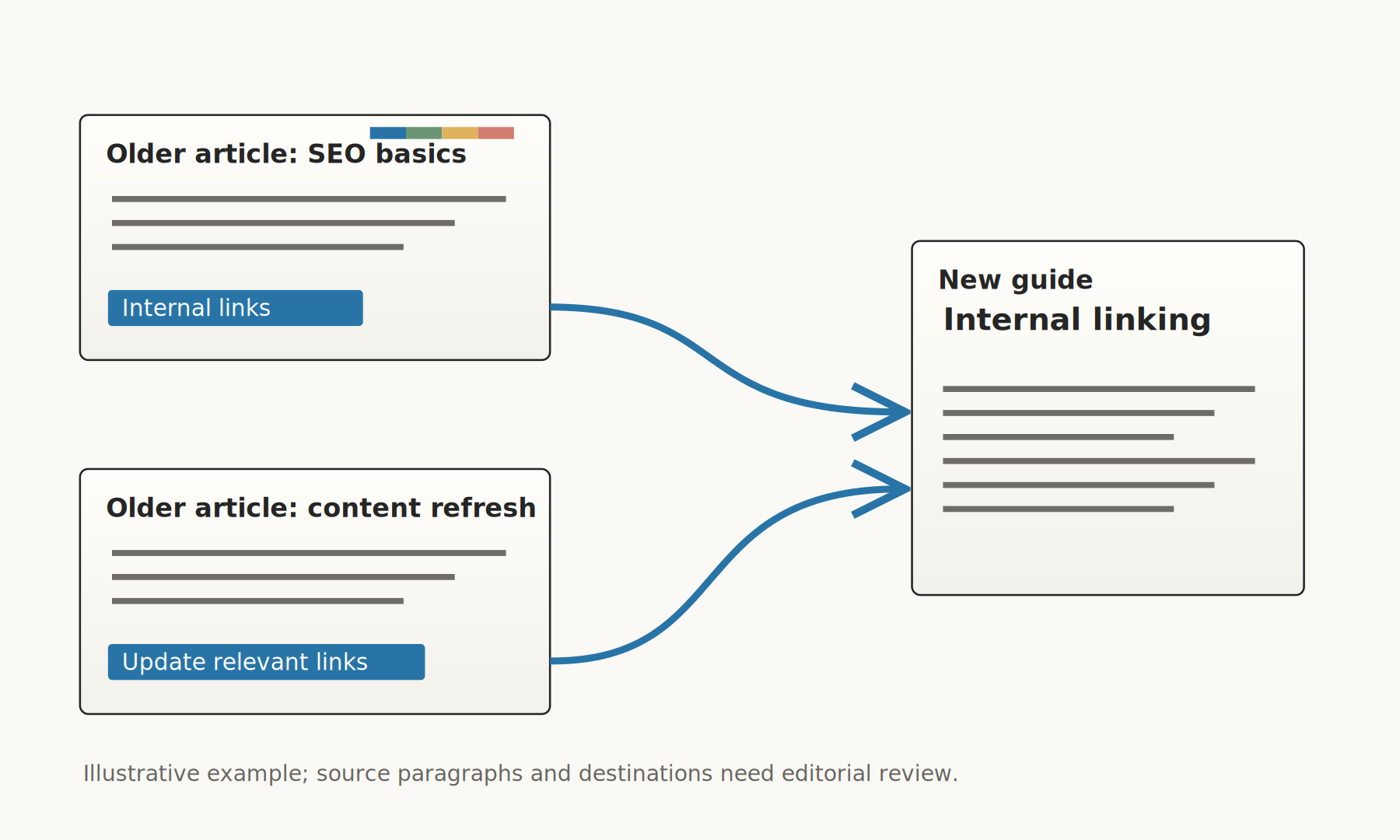
The free-versus-Premium documentation gives the paid version inbound and outbound suggestions with insertion after approval. The free version offers outbound suggestions that you insert manually. Its current displayed one-site license is $97 per year. Confirm the AI allowance in the purchase offer; the vendor’s pages describe credits and promotions differently.
I’d consider paying when finding inbound links across the archive is the actual backlog. If Rank Math AI or your existing suite supplies that workflow, assess it first. SEW’s internal-linking tools comparison explains the older-post-to-new-page problem in more detail.
For an editorial site, I’d approve the destination and the sentence together. A broad phrase such as “AI tools” may occur in many articles; the useful destination depends on what that particular paragraph is explaining.
What a 40-article refresh actually needs
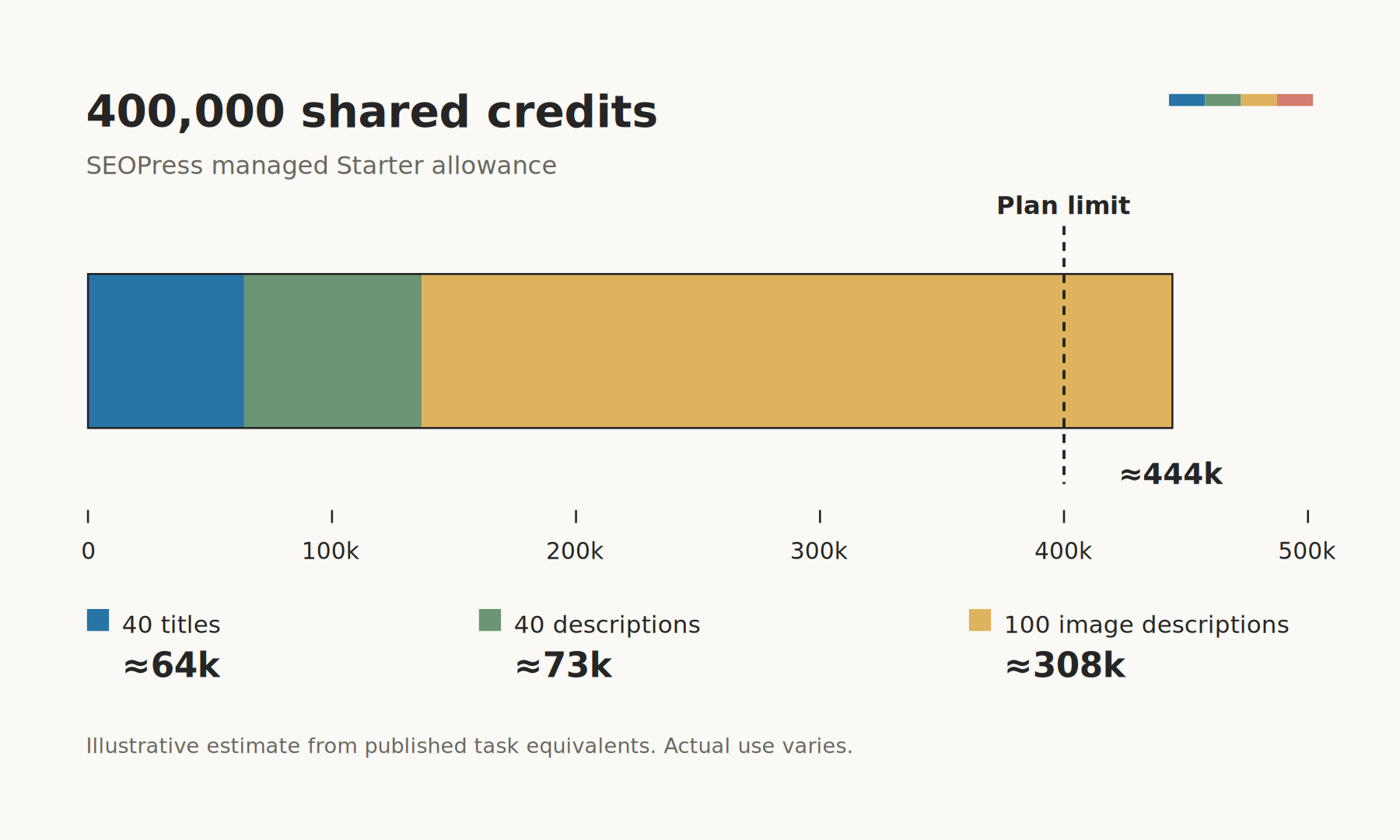
Here’s a hypothetical monthly workload: one title and one description for each of 40 existing posts, plus alt text for 100 standard-format images. That is 80 metadata outputs and 100 image descriptions, before retries. It gives the advertised allowances something concrete to cover.
| Option | How the same workload affects the purchase |
|---|---|
| Slim SEO | No plugin license fee for the metadata task. Provider cost depends on the model and input length. This example budgets the image work separately. |
| AIOSEO | 80 metadata outputs × 10 credits = 800 credits. Repeated monthly, that is 9,600 credits a year, before extra suggestions and other AI work. |
| Yoast Premium | 80 single title/description requests fit within the published 100-request daily limit, if other usage does not consume it. Follow the shorter-window limits too. This example budgets the image work separately. |
| Rank Math AI | Starter’s 50 monthly image descriptions cover half the image batch. Creator allows 100; its displayed annual price is €131.88 initially and €143.88 at renewal, excluding tax. |
| AltText.ai | 100 standard-format image descriptions use 100 credits: two $3 packs, or $6 upfront, ignoring introductory credits. This covers the image part only. |
AIOSEO’s 10,000-credit pack illustrates why I’d price the immediate job separately from a full SEO upgrade. At the documented rate, the basic metadata workload uses 800 credits per month. Producing several alternatives per field, or spending credits on images and other features, changes that calculation.
SEOPress’s managed Starter plan gives another useful comparison. It has 400,000 shared credits for $19 a month, with estimates of about 250 titles, 220 descriptions or 130 image descriptions. Using those estimates, our combined batch would consume about 64,000 credits for titles, 72,700 for descriptions and 307,700 for images: roughly 444,400 in total. Actual consumption varies with the model and content length. I’d check a sample batch before assuming Starter covers all three jobs together.
These figures cover generation and published limits. The editor still has to choose titles, review descriptions and check the images. I’d record that time alongside the bill when deciding whether a plugin deserves a place in the workflow.
Where AI search belongs in this decision
Several of these products also offer features described as AI visibility, agent readiness or llms.txt support. I’d assess those against the specific search service and task they address, separately from metadata generation.
For Google, the published requirements for AI Overviews and AI Mode emphasize an indexed page eligible for a search snippet, accessible content, internal links and structured data that matches the page. Google’s generative AI optimization guide also says Google Search ignores llms.txt and similar special files.
That gives me a concrete place to spend first: help editors maintain pages people can find and use. Other systems may use different files or interfaces; SEW’s guide to llms.txt generators covers that narrower question. I’ve also explained what I want an AI visibility subscription to show before I fund it.
What I’d check before committing the whole archive
I’d start with ten existing articles: a few with missing metadata, a few with strong titles worth preserving, and a few where the wording needs work. Give the candidate plugin the same selected posts and look at the suggestions before choosing a larger plan.
For each post, I’d keep the old title, the suggested title and the final choice in a small review sheet. I’d note whether the plugin preserved existing fields, how many credits or requests the batch consumed, and how long it took to reach an acceptable version. A suggestion that needs to be rewritten from scratch belongs in that record too.
For links, I’d choose one new guide and review suggested source paragraphs from older posts. For images, I’d include an informative photo, a screenshot and a decorative asset so the review covers their different purposes.
Start the conversation by posting the first comment