

Google has announced an addition to the Fetch as Google tool in Webmaster Tools, allowing webmasters to render their webpage as Googlebot sees it and address any issues.
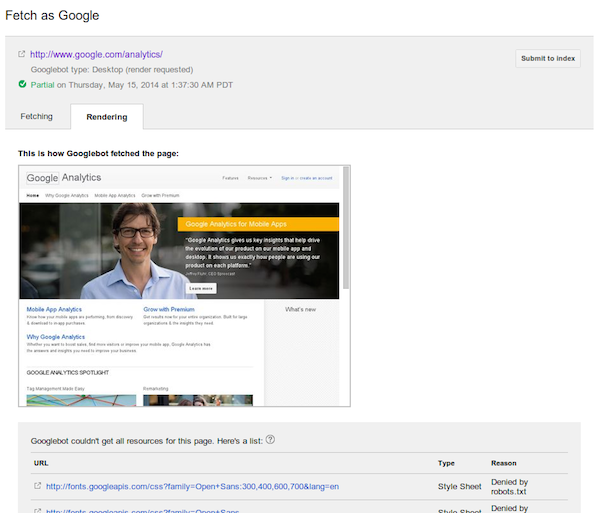
When selecting the Fetch and Render option, you have the option to have Googlebot fetch as Desktop, Mobile: Smartphone, Mobile: XHTML/WML or Mobile: cHTML. This option will help webmasters determine if there are any issues with the mobile version versus the desktop version of the site, as well as identify rendering issues.
The new Fetch and Render option takes longer than the usual Fetch option, which checks the crawlability of your site and then lets you submit pages to Google’s index.
To access the Fetch as Google tool, simply log into your Webmaster Tools account, click on Crawl > Fetch as Google. It will default to the homepage of the site you have selected, or you can specify a page on the site, then select the Render option.
Be aware that when you Fetch as Google, Googlebot will honor any robots.txt or meta-tags that prohibits Google from crawling correctly. So if your site is in development, you’ll need to temporarily allow Googlebot if you want to check for issues prior to launching.
Fetch as Google with rendering is now live on all Google Webmaster Central accounts.