


The best free starting point for YouTube SEO is YouTube Studio, because it shows how viewers actually find and watch your videos. For generating ideas before you publish, vidIQ and 1of10 gave us useful starting points in a small test, while Tella produced a wider range of title options without an account.
None of those outputs established that people were searching for every suggested phrase, or that a generated title would earn more views.
One result showed why that matters. We asked vidIQ’s free title generator about “how to track conversions in GA4.” Its highest-scored suggestion claimed that most GA4 conversion tracking is broken. Our prompt contained no evidence for that claim.
How we checked the tools
On November 6, 2026, we entered the same topic into publicly accessible tools:
how to track conversions in GA4
We compared the suggestions with Google’s current documentation and looked for three things:
- Did the output stay within the subject we provided?
- Did it add useful detail or an unsupported promise?
- Did it show evidence of demand, or only generate an idea?
We tested the free public interfaces of vidIQ, Tella and 1of10. We also tried Nuelink as a title-generator comparison. We did not connect a YouTube channel, purchase subscriptions or test whether any title improved rankings or clicks.
For YouTube Studio, TubeBuddy and YouTube Gap Analyzer, the assessment below comes from their published documentation. Their account-based features were not tested in this exercise.
| Tool | What we checked | What we found | Price |
|---|---|---|---|
| YouTube Studio | Official documentation | First-party analytics and native title and thumbnail tests; channel features not tested | Free |
| vidIQ | Free title and keyword generators | Six visible title suggestions; the highest-scored added an unsupported claim | Free tools available; Boost $19/month |
| Tella | Free title generator | Ten suggestions, including useful variations and several invented specifics | Free |
| 1of10 | Free keyword generator, twice | Useful related phrases, but no volume or competition numbers appeared in either run | Free tool; Basic $19/month |
| TubeBuddy | Product and testing documentation | Its A/B methodology differs from YouTube’s native test; title tool not tested | Free tier; paid pricing varies |
| YouTube Gap Analyzer | Semrush documentation | Competitor-video analysis with limits worth checking before purchase; not tested | $29/month |
Paid prices are US monthly list prices where available, checked November 6, 2026. Generated outputs can vary between runs.
The GA4 detail the tools needed to get right
Our test query uses the word “conversions”, which remains a natural phrase for a viewer to search. But Google’s current terminology is more specific.
In Google Analytics, important actions are called key events. Google uses conversions for important actions used to measure and optimize advertising performance. A creator explaining GA4 should understand whether the video covers key events, Google Ads conversions, or both.
That gives us a useful benchmark. A title does not have to include “key events” to be valid. But if it promises Google Ads setup, a 10-minute fix or a specific tracking method, the video needs to deliver those things.
An accurate title for a video that demonstrates key-event setup could be:
How to Track Conversions in GA4 Using Key Events
That is our editorial example, not a title generated by one of the tools.
1. YouTube Studio: start with the data from your own channel
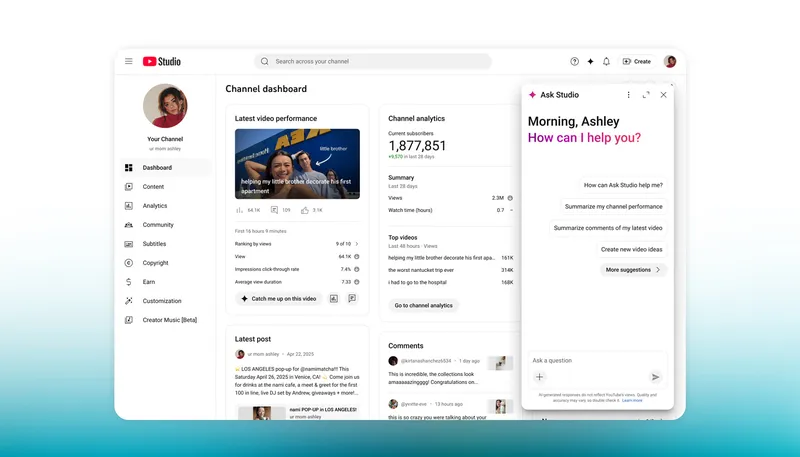
Use it for: Finding out which searches already bring viewers to your videos and testing your titles and thumbnails.
Before paying for an AI recommendation, check what is already working. YouTube Studio’s analytics can show the search terms associated with your YouTube Search traffic. Its Trends tab can also show audience searches and videos performing well with similar viewers, although the available insights vary by country, language and device.
Its built-in AI assistant, Ask Studio, can help eligible creators explore channel performance and brainstorm ideas. We did not connect a channel or test its answers, so we cannot judge whether its recommendations would be better than vidIQ’s for your audience.
YouTube also lets eligible creators test up to three titles and thumbnails. The result is based on watch-time share, and a test may end with a winner, similar performance or an inconclusive result. The feature requires advanced features, runs on desktop and is not available for Shorts.
Our take: Use Studio to measure the result even if you pay for another tool to research or generate ideas. A third-party score cannot substitute for seeing which searches brought viewers to your own video.
2. vidIQ: useful suggestions, but its highest score endorsed a claim we could not verify
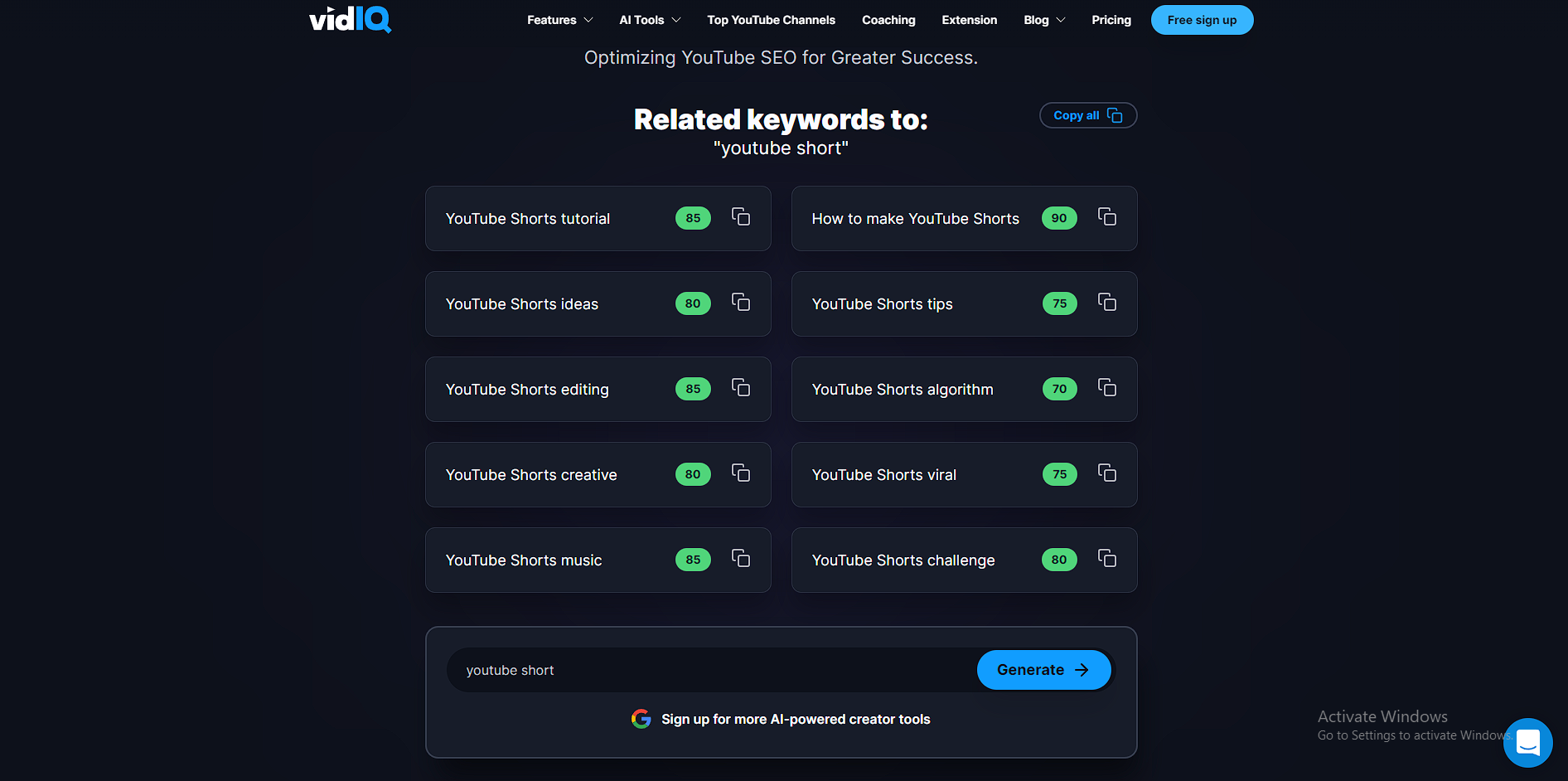
Use it for: Generating title and keyword starting points, then researching the ideas that fit your video.
We entered our GA4 topic into vidIQ’s public title generator. It returned six visible suggestions, divided between SEO and outlier-inspired ideas. The highest-scored result was:
“Most GA4 Conversion Tracking Is Broken: Fix It Fast”
vidIQ score: 91
That is a more dramatic title than the prompt justified. We had not supplied research showing that most GA4 conversion tracking is broken, nor had we supplied a video proving it.
Other suggestions included:
- “How to Track Custom Conversions in GA4 with Google Tag”
- “The NEW Way to Track Conversions in GA4 2026”
- “How to Set Up Purchase Tracking in GA4 in Minutes”
The first could be useful if the video demonstrates that setup. The last two add a claim of novelty or narrow the video to purchases. Neither detail came from our prompt.
The title score is a product-generated score. Our test gives no reason to treat 91 as a measure of factual accuracy or as proof that the title would outperform another option.
We also tried vidIQ’s free keyword generator with the same query. It showed six visible suggestions, including “ga4 conversion tracking” and “google analytics 4 tutorial.” The latter is substantially broader than conversion tracking. We did not see search-volume figures in that public result, and further results required sign-in.
The title interface offered a way to view outlier videos, but the panel returned an error in our session. We could not inspect the videos behind the outlier-inspired suggestions.
A separate warning about vidIQ’s SEO score
vidIQ’s video SEO score is different from the title score above. Its documentation says the SEO score considers factors including tag count, tag volume and keyword use. YouTube, meanwhile, says tags generally play a minimal role in discovery except for cases such as common misspellings.
That does not make vidIQ’s score useless. It does mean that raising the score by adding tags is not evidence that YouTube rankings improved.
Price: vidIQ lists a free plan with 150 monthly AI credits. One-channel Boost is $19 per month or $199 per year, with 2,000 monthly credits. Its features can also have limits separate from the credit balance.
Our take: The free generators are worth trying for ideas. Keep the suggestions that accurately describe the video, and question the scores before turning them into editorial decisions.
3. Tella: the most varied free title output in our small test
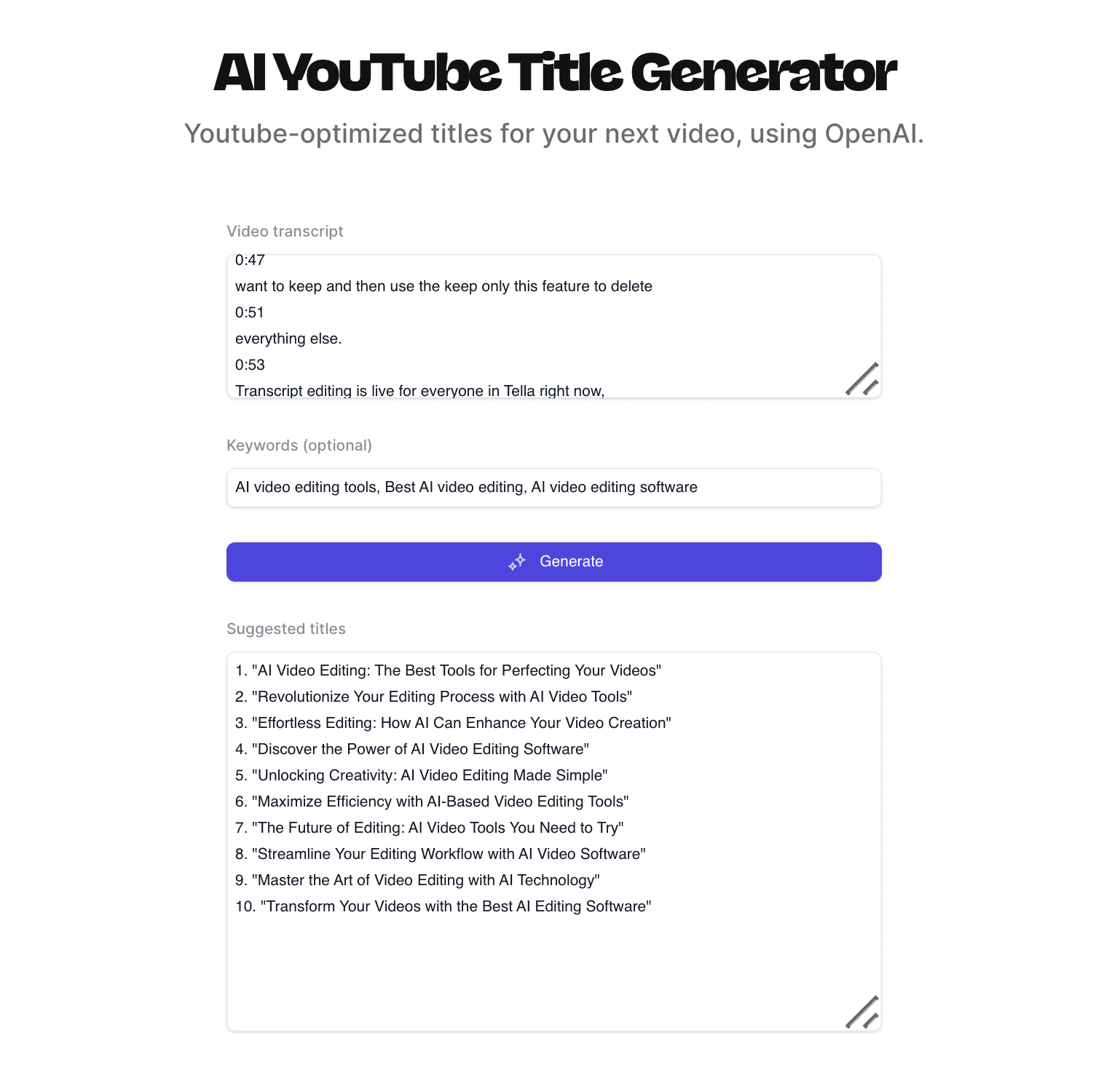
Use it for: Creating several title directions when you already know what the video covers.
Tella asks for a video topic and optionally accepts a transcript and keywords. We entered only the same GA4 query and left the optional fields empty.
It returned ten suggestions without requiring an account. Among them:
- “How to Track Conversions in GA4: Step-by-Step Setup”
- “GA4 Conversions Explained: What to Mark and Why”
- “Why Aren’t My GA4 Conversions Showing Up?”
- “Track Form Submissions and Purchases in GA4”
Those are different editorial directions: a setup tutorial, an explainer, troubleshooting and tracking specific actions. The tool gave us more to work with than simply rewriting the same sentence ten times.
It also added details we had not supplied:
- “Set Up GA4 Conversion Tracking in 10 Minutes”
- “Track Conversions in GA4 Without Any Coding”
- “5 Ways to Track Conversions in Google Analytics 4”
Each could be a good title if the video supports it. Our prompt did not establish the time required, whether coding was necessary or whether the video covered five methods.
One result, “Mark Key Events as Conversions in GA4 Properly,” also needs careful review against Google’s terminology. Google distinguishes marking an Analytics event as a key event from creating an advertising conversion. A tutorial would need to explain the applicable steps rather than assume those are the same action.
Tella says the tool is free without login, subject to a fair-use limit. It also accepts a transcript, which could give it more information about the actual video than our deliberately short prompt did. We did not test the transcript feature.
Our take: A good free brainstorming tool, especially when you want to consider different angles. In our run, it was most useful as an editor’s shortlist, not as an automatic headline picker.
4. 1of10: useful keyword ideas, but we did not see the promised metrics
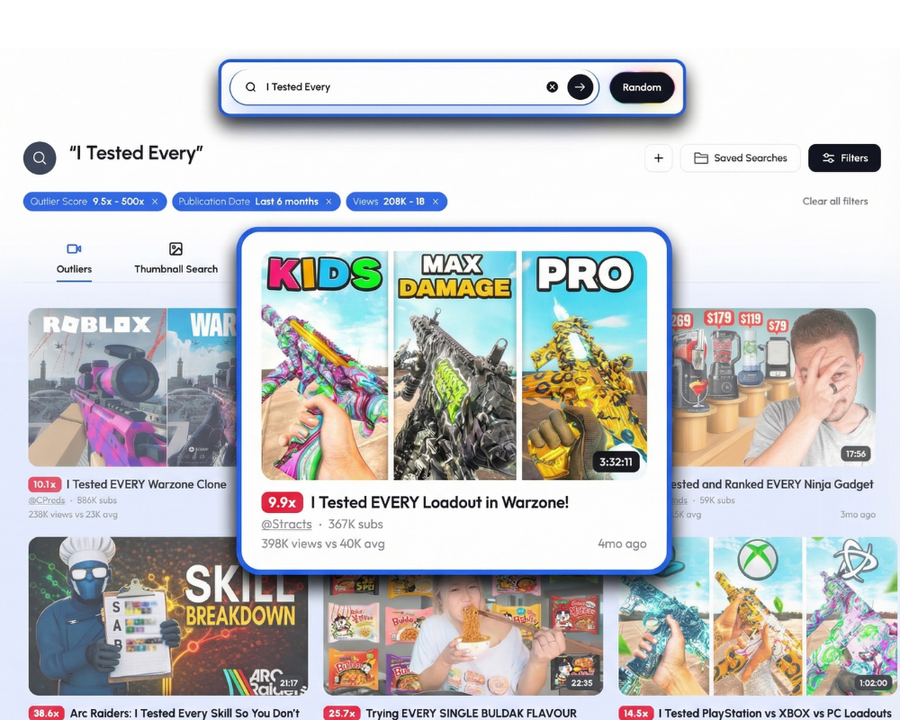
Use it for: Expanding one topic into related questions to investigate.
We submitted the GA4 query to 1of10’s free YouTube keyword generator twice, without signing in.
The first run returned 20 suggestions. Examples included:
- “ga4 conversion tracking”
- “track form submissions GA4”
- “track button clicks GA4”
- “troubleshoot GA4 conversion not showing”
- “difference between events and conversions GA4”
These are useful because they reveal different possible videos. Someone trying to track a form submission may need a different tutorial from someone whose existing tracking is not showing data.
The second run returned 19 suggestions, with some wording and ordering changed. That is a reminder to treat the output as generated ideas, not as a fixed inventory of known searches.
There was also a limitation: the page says each suggestion includes estimated search volume and competition, but neither run displayed those figures in our browser. We cannot say the metrics never appear for other users; we can say they did not appear in these two tests. The suggestions alone do not prove which phrases have meaningful demand.
We also attempted 1of10’s title-generation workflow. It redirected us to registration before returning a title, so we did not test its account-based title or outlier tools.
Price: The public keyword generator was available without login. For the account product, 1of10 lists a free tier and a Basic plan at $19 per month, or $180 annually. The free account plan lists five outlier-search results and 60 monthly AI credits.
Our take: Useful for breaking a broad video idea into smaller questions. Verify demand and accuracy elsewhere before using the list as a content calendar.
5. TubeBuddy: check how its tests work before paying for them

Use it for: A YouTube publishing workflow and, if its paid features fit your needs, testing variations beyond YouTube’s native options.
TubeBuddy offers keyword tools, SEO guidance and an AI title generator inside its YouTube workflow. Its title tool requires an account-based workflow involving YouTube Studio and the extension. We did not install the extension, connect a channel or generate a title, so we cannot compare its title quality with vidIQ or Tella.
One documented difference is worth understanding before buying it for A/B testing.
TubeBuddy says it alternates a video’s original and modified metadata every 24 hours and determines its winner using click-through rate. Its tests can include a thumbnail, title, tags or description.
YouTube’s native test serves title and thumbnail variants concurrently and evaluates them using watch-time share. It can return an inconclusive result.
Those methods can answer different questions. A title that earns more clicks does not necessarily produce the most watch time. Alternating versions across days can also expose them to changing circumstances, so inspect the full report rather than relying only on the winner label.
Price: TubeBuddy has a free tier, but its public pages showed varying paid prices and promotions when checked. Confirm the current price and the plan that includes the feature you need at checkout.
Our take: Consider TubeBuddy for its wider publishing workflow or a specific test YouTube does not offer. We cannot recommend its title generator over another tool without using it.
6. YouTube Gap Analyzer: promising for competitor research, with two restrictions to know
Use it for: Investigating weaknesses in videos already appearing for a topic.
YouTube Gap Analyzer is a separate app available through the Semrush App Center. According to its documentation, it analyzes competing videos for a keyword and flags possible gaps, such as production issues, outdated information and negative sentiment.
We did not run a paid scan, so we cannot verify whether its AI correctly identifies those issues or produces better video briefs.
Two documented restrictions should influence the buying decision:
- It does not apply a location filter. Its results may differ from the YouTube results a creator sees in the US or another target market.
- It does not show the comments themselves. Semrush says its sentiment analysis concerns reactions to the video or creator; you need to open YouTube to inspect the comments.
Price: The base subscription is listed at $29 per month for 30 searches. If you search the same topic twice in a month, that counts as two searches. You can reopen an existing report from the app’s saved scans without running it again.
Our take: It is an interesting option for a team that regularly researches existing videos before commissioning its own. The location limitation is significant for creators targeting a specific market, and we would want to test the quality of its gap analysis before recommending a subscription.
What our test changed about choosing a tool
Our original assumption was that the choice would come down to features and price. The actual outputs exposed a more useful question: what evidence sits behind the suggestion?
| Output | What it can help you do | What it does not establish |
|---|---|---|
| A generated title | Consider a different way to describe your video | That the claim is true or the title will win clicks |
| A generated keyword | Find a related topic or question | That people search for it in meaningful numbers |
| A third-party score | Apply that tool’s model or checklist | That YouTube uses the score or will rank the video higher |
| A YouTube Studio experiment | Compare eligible title or thumbnail variants using viewer data | That every test will produce a clear winner |
For a creator making one GA4 video, we would start with Tella or vidIQ for title ideas, check the wording against the finished video, and use YouTube Studio to measure performance after publication. Use 1of10 to find related questions, but do not mistake its generated list for verified search demand.
If you manage several channels or publish at scale, paid research and workflow tools may save time. Before subscribing, make sure the feature you need is available on the plan, inspect the usage limits, and compare it with what YouTube already provides.
Start the conversation by posting the first comment