


Google Ads is rolling out a dashboard card that shows how much money its systems estimate they saved you by filtering invalid traffic, alongside credits applied after you were billed.
The Invalid Traffic Overview Card puts those figures on your account’s Overview page. Google announced the rollout on November 12, and says access is expanding gradually.
You can see the savings and credits behind Google’s traffic filtering
Once the card reaches your account, open Campaigns, then Overview, and look for Invalid traffic. Estimated savings covers the cost Google calculates it prevented through automated filters and proactive reviews. Credited cost shows adjustments for invalid activity detected after a billing period closed.
Select View details for daily graphs, campaign breakdowns and links to invoices. Google’s invalid traffic guidance explains where to find each figure.
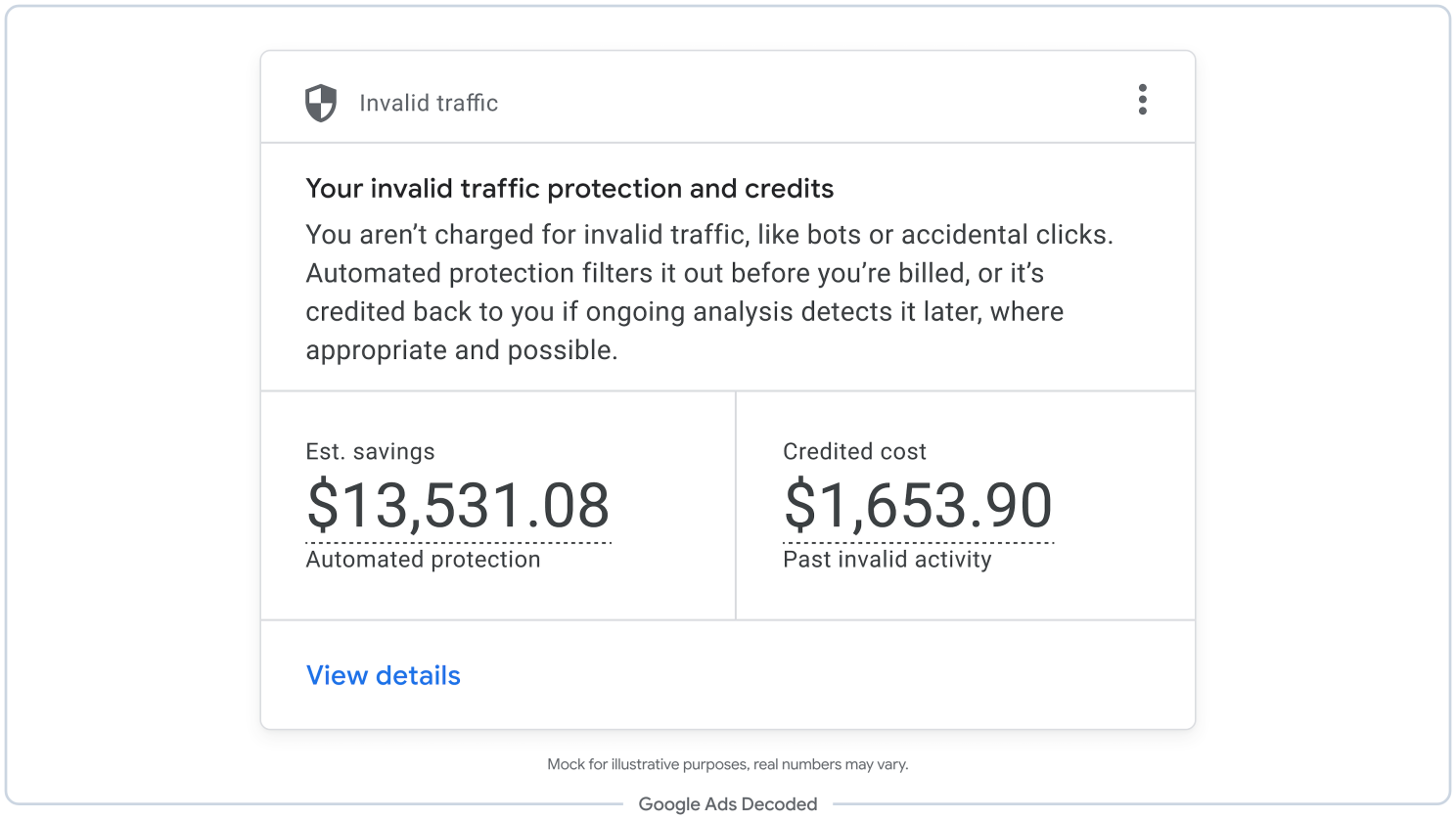
Invalid traffic includes bot activity, accidental clicks and attempts to inflate an advertiser’s costs. Google has filtered this activity and issued credits for years. The card makes the financial effect easier to see.
A credit on your invoice can leave your campaign report looking out of date
Google freezes campaign metrics at month-end. If it later credits you for invalid activity, the original campaign totals can still include the affected clicks and spending.
For Search and Performance Max, the separate Invalid Activity Credit Report shows performance after those credits. Open Report Editor under Campaigns and select its Search & PMax template.
You can see credited clicks, interactions and amounts, then add adjusted cost, click-through rate, conversion rate or cost per conversion. The adjusted cost subtracts invalid activity credits from invoiced campaign spending.
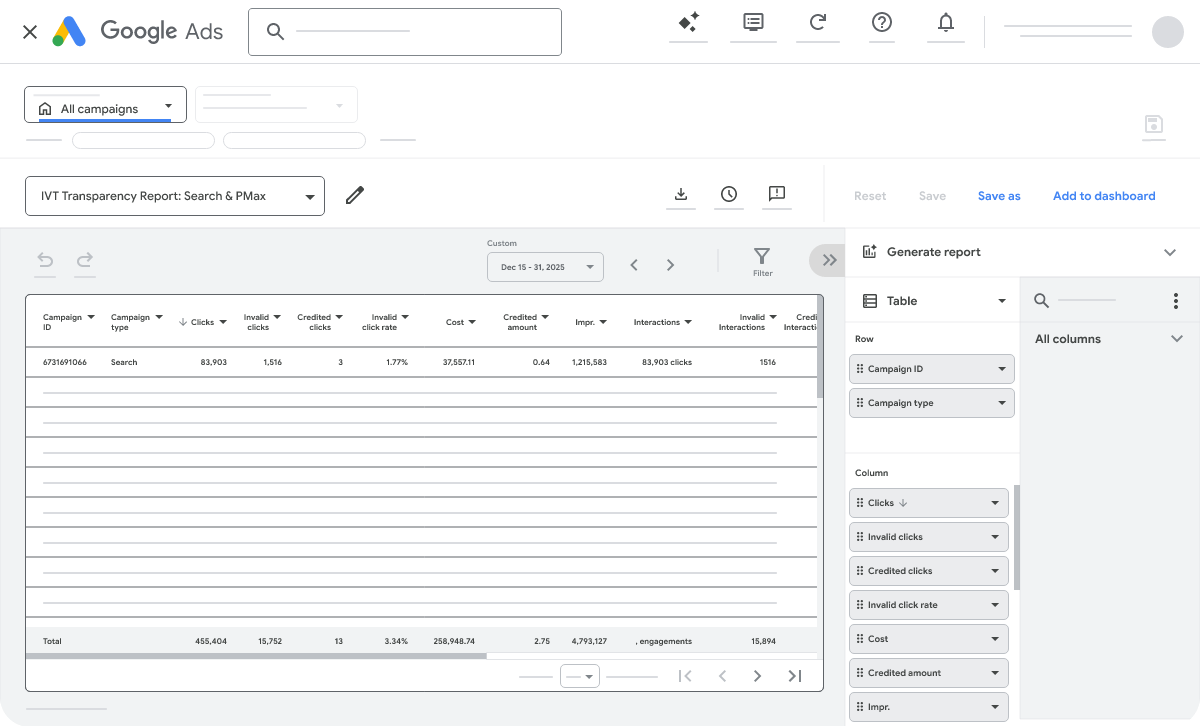
Google also flags a timing wrinkle. A click recorded near month-end can be identified as invalid after the billing cycle closes, putting the interaction and its credit in different months.
Check the adjusted cost before deciding which campaign earned its budget
Consider a campaign billed $1,000 that records 20 conversions. Its initial cost per conversion is $50. If Google later applies a $100 invalid activity credit and the conversion count stays at 20, the adjusted figure becomes $45.
That correction changes the cost comparison with other campaigns. Keeping the original $50 figure in a monthly spreadsheet would overstate what those conversions ultimately cost.
Recorded conversions can change too. SEW’s coverage of Google’s metric for recovering missing conversions explained how better tracking can count purchases that already happened. A comparison across months needs consistent conversion data as well as spending adjusted for credits.
Source: Google
Start the conversation by posting the first comment