


Google’s DV360 API v5 public beta lets advertisers edit YouTube video and channel exclusions at the advertiser level. The Display & Video 360 release arrived on October 22; v4 only allowed integrations to read those settings.
The Google announcement also adds digital out-of-home insertion orders and changes how integrations handle inventory and audiences. Google warns that breaking changes can still arrive during the beta, so production integrations need to account for further revisions.
YouTube exclusions become editable through the API
Advertiser-level exclusions let buyers specify YouTube videos and channels they want to avoid. The v5 release notes make that targeting manageable through the API, giving integrations a way to update those settings rather than simply report them.
The beta also supports creating digital out-of-home insertion orders. Tools that retrieve insertion orders need to recognize the newly included OUT_OF_HOME type when an advertiser uses that inventory.
Your saved inventory IDs need rebuilding
The migration guide warns that existing deals and auction packages receive different IDs in v5. Cached InventorySource IDs cannot be reused after migration, even when the underlying deal is familiar to the buyer.
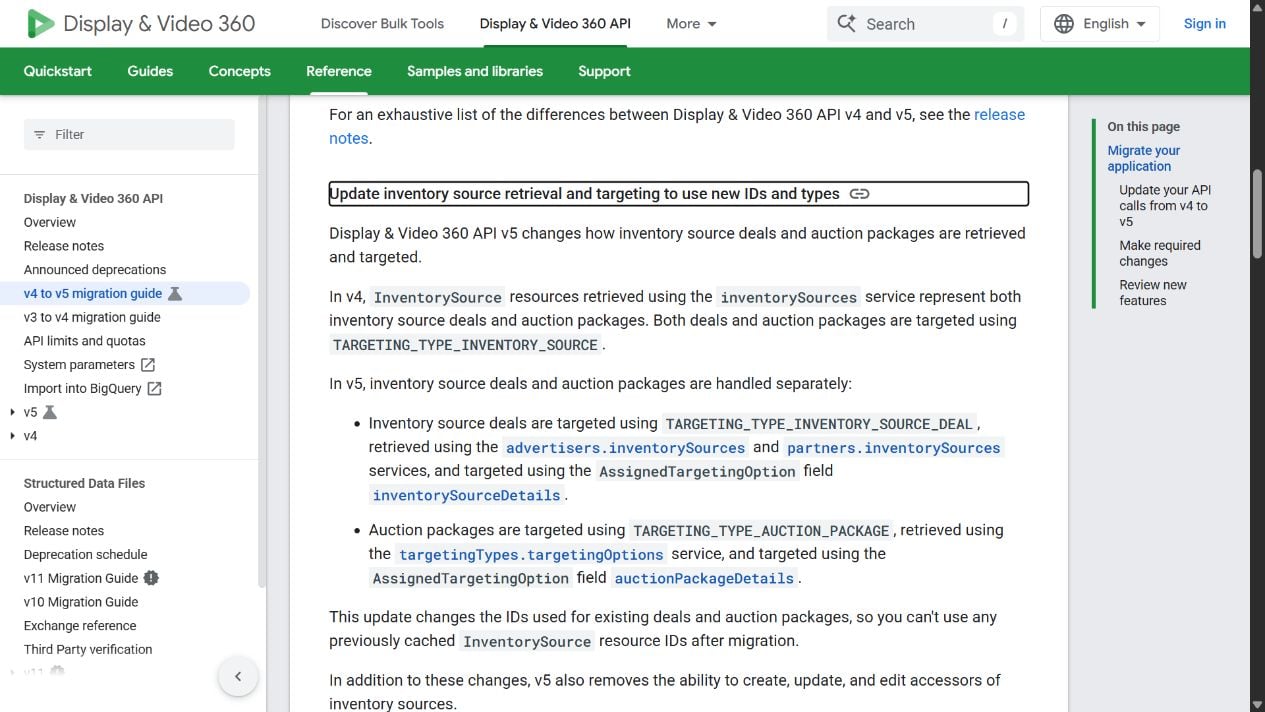
That creates a second job beyond changing the API version in a request: an integration must retrieve the new identifiers before rebuilding its inventory targeting. Otherwise, a previously valid saved deal reference no longer identifies the resource through the new API.
Audience handling also splits by resource. YouTube and Demand Gen ad groups move to individual targeting options for each audience list; line items retain their single audience-group option. A shared targeting routine needs to preserve that difference.
Customer Match uploads move to a separate API
V5 removes the methods for creating Customer Match audiences and changing their membership. Google directs those workflows to the Data Manager API, which supports audience creation and member additions or removals.
Its upgrade guide describes more visibility into uploads: diagnostics include processing status and a match-rate range. That gives a migration test something to check after a request succeeds, rather than treating acceptance of the request as the end of the upload.
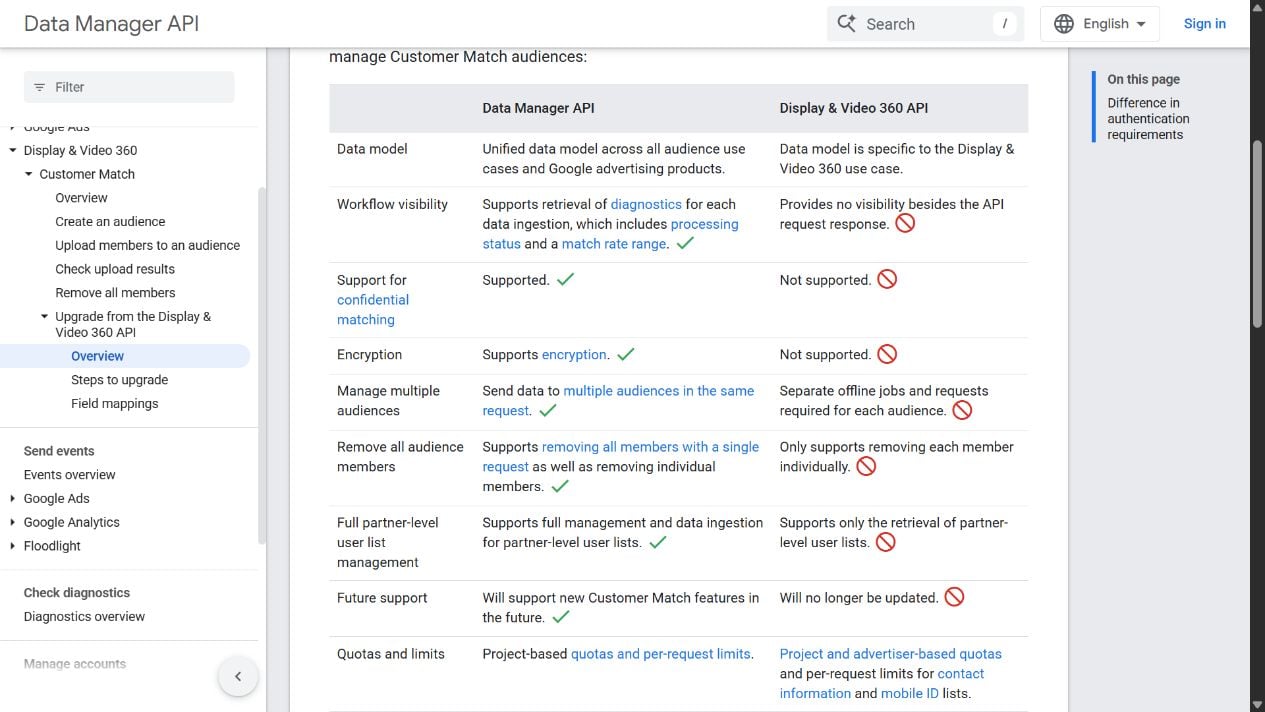
Access remains tied to the advertiser or partner. When a partner-level user manages an advertiser’s audience, the destination must specify that partner access in login_account. Agencies should include that field in their Customer Match migration checks.
Source: Google Ads Developer Blog
Start the conversation by posting the first comment