


Google has clarified why it recommends hyphens rather than underscores in URLs: hyphens mark word boundaries, while underscores have historically kept concepts together. For site owners, the change explains an existing preference rather than introducing a new ranking rule.
The October 23 documentation changelog says the revision brings the guidance into line with Google’s The Non-Canonical Cabinet video series. It announces no requirement to rename existing pages.
Underscores have a different history
Google’s URL structure guide points to programming conventions, where an underscore can keep a name such as format_date together. Hyphens provide a clearer boundary between words, helping people and search engines identify the concepts in an address.
Its examples favor /summer-clothing/ over /summer_clothing/. The same recommendation appears in a query string, using color-profile=dark-grey rather than the underscore-separated equivalent.
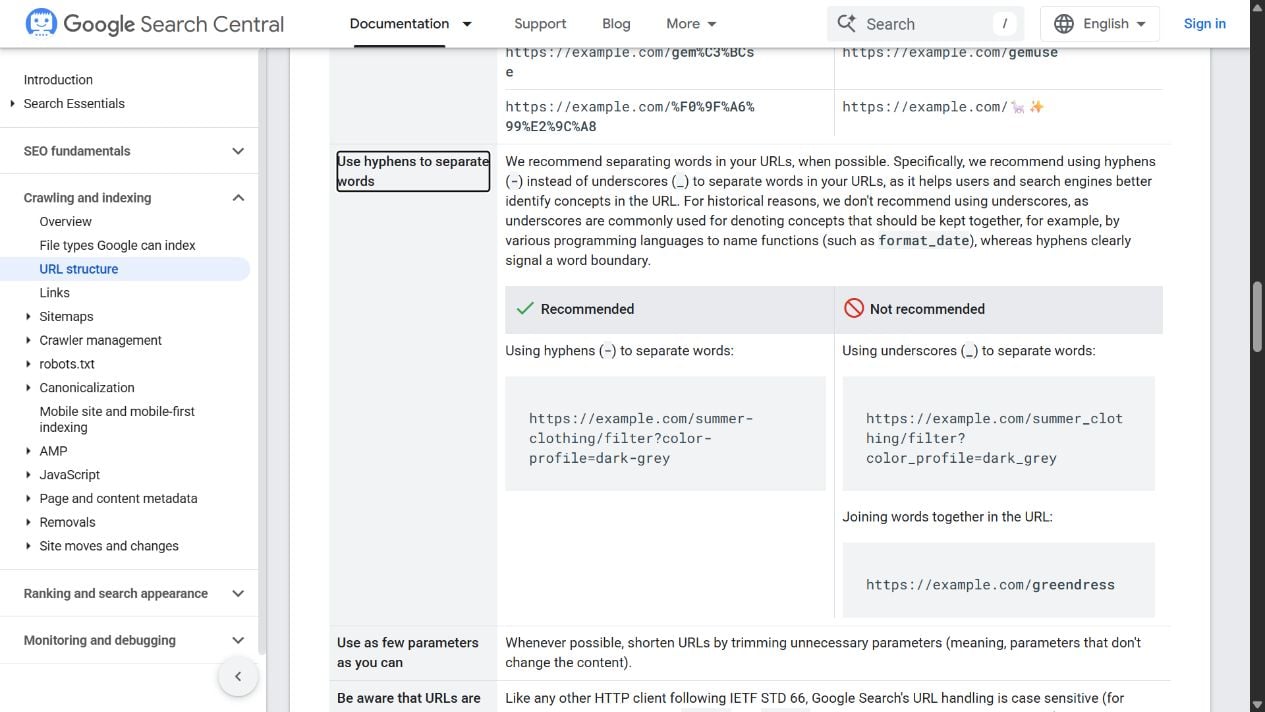
Google also recommends readable words, your audience’s language and as few unnecessary parameters as possible. These recommendations give teams a consistent format to use when planning a new section or catalog.
Check new slug defaults before renaming old pages
If your publishing system generates slugs automatically, inspect the address it creates for a new article or product. Setting an appropriate default there applies the recommendation without changing the location of pages that readers and other websites already link to.
Changing published addresses needs a separate plan. Google’s site-move guidance covers changes to URL paths as well as domains, so replacing underscores across an archive belongs in a migration workflow.
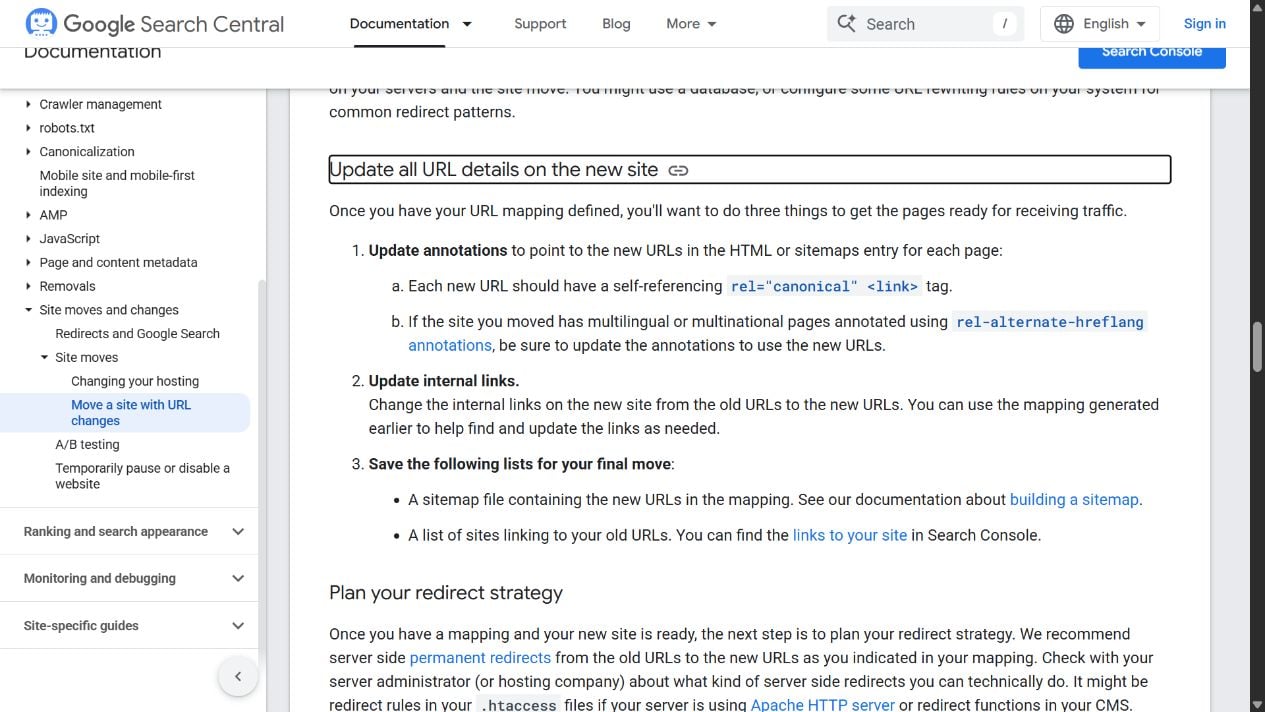
Map each old address to its replacement and configure permanent redirects, preferably server-side HTTP 301 or 308 responses. Update internal links, the new pages’ self-referencing canonical tags and the sitemap so they point to the chosen URLs. Test that each redirect reaches the corresponding page.
A path change within the same domain does not need Search Console’s Change of Address tool. That tool is for moves between domains or subdomains, which is a different operation from changing an article’s slug.
Google warns that significant URL changes can produce temporary ranking fluctuations while pages are recrawled and reindexed. For a medium-sized site, new URLs can take a few weeks or more to replace old ones in results; larger sites may take longer.
Source: Google Search Central
Start the conversation by posting the first comment