

If your ChatGPT referrals dropped last week, check the articles those visitors used to land on. Some may now be getting more Direct traffic because links from ChatGPT are opening without the information that identifies where a reader came from.
Cedric Huesler examined roughly 500 pages where ChatGPT had supplied at least 5% of visits. Comparing October 9 to 13 with the previous week, he found about 31,000 fewer daily visits attributed to ChatGPT and 26,000 more Direct visits to the same pages. His sampled analysis suggests some of the apparently lost readers were still arriving under another label.
For a publisher deciding whether an article needs attention, the next step is to look at its total traffic alongside the source breakdown. A separate problem with Google rank-tracking data makes that check particularly useful this month.
How a ChatGPT click can lose its source
A site can identify a visit from ChatGPT through a tracking tag in the link or through the referrer supplied by the browser. Removing a tag still leaves the referrer available, unless the way the link opens suppresses that too.
Huesler described links opening without either signal, using a noreferrer setting that withholds referrer information. A new reader clicking one of those links can therefore end up in Direct. Google’s definition of Direct traffic includes visits whose source it cannot identify.
The behavior appears uneven. In Profound’s collection, approximately 98% of answers with citations contained at least one tagged source link on October 8. By October 14, that had fallen to 66%. Its follow-up checks found that links inside some additional product or information panels still carried tags, even when links displayed directly in an answer did not.
Those percentages count answers containing a tagged link, so they cannot tell a publisher what share of its visits lost attribution. Huesler also updated his post on October 14 to say the behavior might be a bug.
Compare the same landing pages in GA4
Start with a fixed list of pages that received ChatGPT visits before the change. In GA4, open the Landing page report and add Session source / medium as a secondary dimension. This lets you examine where sessions beginning on those pages were credited.
Compare October 2 to 6 with October 9 to 13, two completed Friday-to-Tuesday periods. Look at the ChatGPT source rows and (direct) / (none), then check total sessions across all sources and the key events that matter for those landing pages. Keep ChatGPT separate from other assistants: Google’s AI Assistant channel groups several services together.
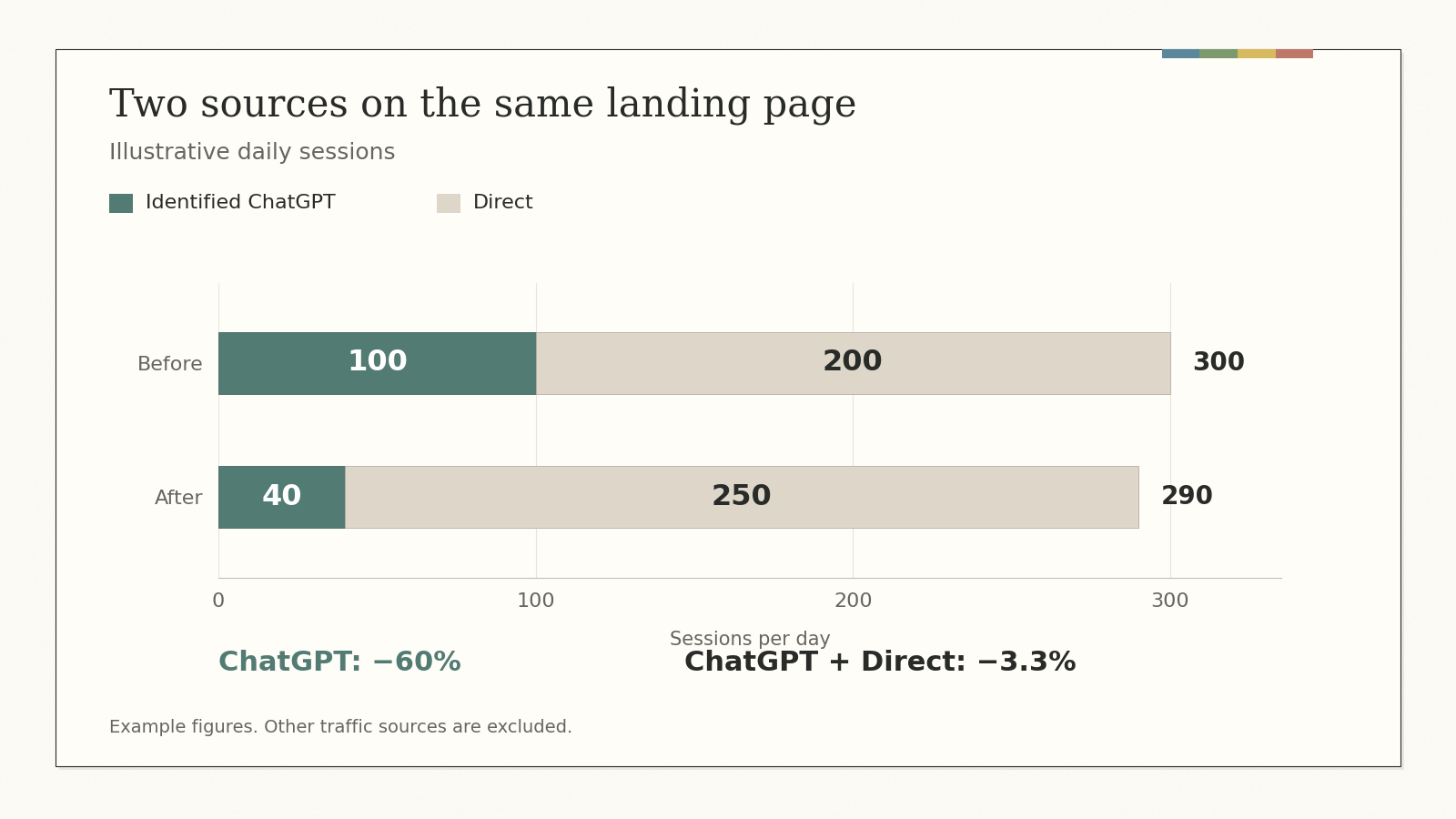
Here is an illustrative example using daily sessions for one landing page:
| Traffic source | Before | After |
|---|---|---|
| Identified ChatGPT | 100 | 40 |
| Direct | 200 | 250 |
| ChatGPT + Direct subtotal | 300 | 290 |
The ChatGPT row has fallen 60%, while the two sources combined are down 3.3%. The extra 50 Direct sessions deserve investigation, particularly if no newsletter, campaign or tracking change explains them. You still need the all-source total to assess the page’s traffic, and evidence beyond these two rows to estimate how many Direct visits came from ChatGPT.
There is another reason the numbers may not line up neatly. GA4’s session attribution can retain an earlier non-direct source when someone returns without new source information. A returning visitor could therefore keep an earlier Google attribution, for example, spreading the missing ChatGPT visits across more than one source row.
Google’s strange results need a separate check
Rank-tracking vendors have reported Google result pages that bear little resemblance to the usual results for a query. In Nozzle’s stored desktop results for “white label local seo,” the SEO vendors shown on October 4 were replaced three days later by results including a Jackson Hole steakhouse and a directory of county health departments.
Nozzle calls these “poisoned” SERPs, identifying pages where familiar ranking sites disappear and subsequently return. It classified 8% of 17.8 million assessed result pages collected since September 13 this way. That assessed group came from 27.5 million collected pages, with eligibility depending on enough historical data to make the comparison. The study’s data runs through October 9.
DemandSphere reported a similar issue on October 7, affecting roughly 11% of its daily collected results. Both vendors interpret the behavior as a response to automated scraping, although neither report includes confirmation from Google.
For an alarming ranking alert, check the affected query and page in Search Console, narrowing the report to the relevant country, device and search type. Examine clicks and impressions alongside position over comparable, complete periods. Google’s average position combines recorded impressions, so a difference from one tracker’s observation at a particular location and time is expected.
If the tracker reports a collapse while those Search Console measures remain steady, ask the provider to inspect the collected result and repeat the check. Request the collection time, location, device and retry details. When choosing a SERP data provider, establish whether a second check uses a separate collection or the same upstream feed.
A sustained decline in comparable Search Console data gives you a reason to investigate the page and the results around it. Google completed its September spam update on October 8, so the update belongs in that investigation alongside changes to the site.
Show the attribution gap in October’s report
I’d report identifiable ChatGPT sessions alongside Direct and all-source sessions for the affected landing pages, with a note marking when the change appeared. Include the relevant key events so the discussion also covers what those visitors did. Keep any estimate of hidden ChatGPT traffic separate from measured referrals, with the calculation and its assumptions visible.
Start the conversation by posting the first comment