

Microsoft is making its Copilot sign-in requirement more explicit in Edge.
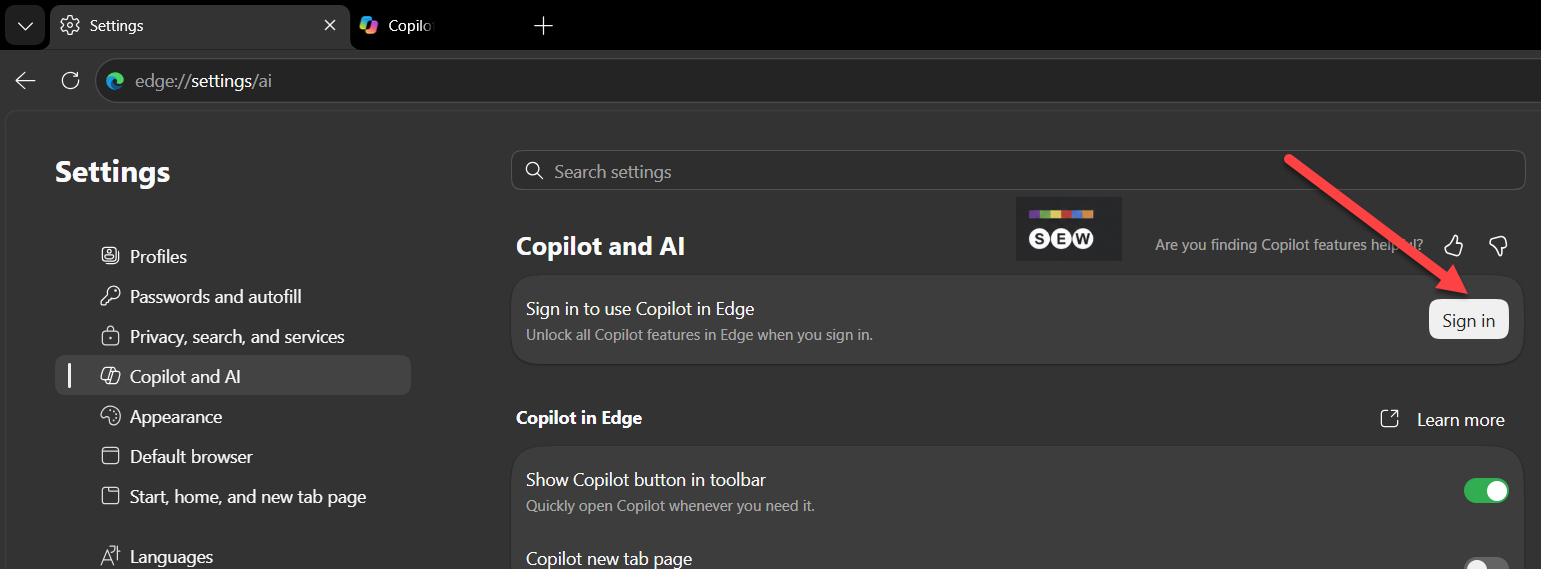
Edge now shows a “Sign in to use Copilot in Edge” message to users with unsigned profiles. The Copilot and AI settings page says signing in will “Unlock all Copilot features in Edge” and includes a Sign in button.
The requirement is also shown when users click the Copilot button. Instead of opening Copilot, Edge displays a “Let’s get you signed in” panel that states: “Sign-in is required to access Copilot in Edge. Chat about your tabs and make Copilot yours with memory across conversations.”
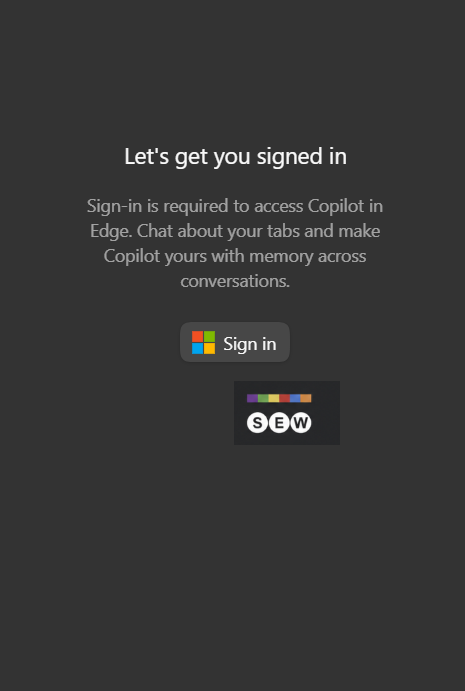
The panel also includes a Sign in button, so users must authenticate before they can access Copilot from the browser.
Microsoft has also confirmed the broader change. Krishna Madhavan, Principal Product Manager at Microsoft AI, Bing, said: “Going forward we are requiring all Copilot users to login.”
The requirement applies specifically to Copilot in Edge. Users can continue to browse the web with an unsigned Edge profile, but they must sign in to access Copilot.
For users who only want to browse the web, little changes. Edge still works without an account. But anyone who wants to use Copilot in Edge now needs to sign in. I think this makes Copilot less convenient for users who prefer to use AI tools without linking them to an account, although sign-in can enable features such as memory and a more personalized Copilot experience.
Start the conversation by posting the first comment