

Google is preparing a new way to search from the Windows desktop without first opening a Chrome window.
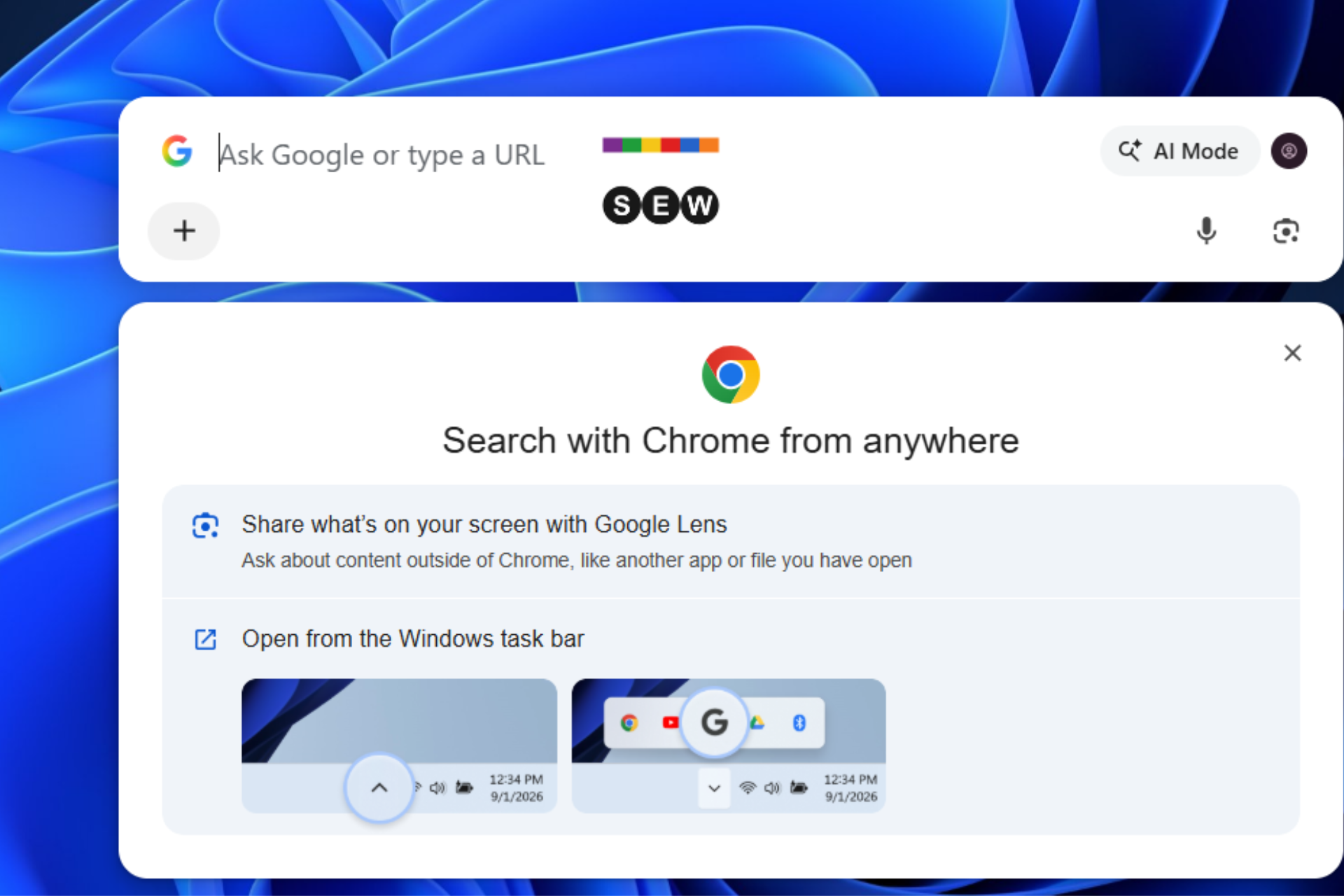
The latest Chrome Canary onboarding for the feature shows how users can access it. The setup screen is titled “Search with Chrome from anywhere” and tells users to “Open from the Windows task bar.” Chrome says the experience can stay available while the browser is minimized or running in the background.
Google Lens is a central part of the experience. Users can share what’s visible on their screen, including content in another app or an open file, and use it as the starting point for a Google query.
The desktop Search interface also includes an AI Mode button, allowing users to submit conversational prompts without opening a regular Chrome tab first.
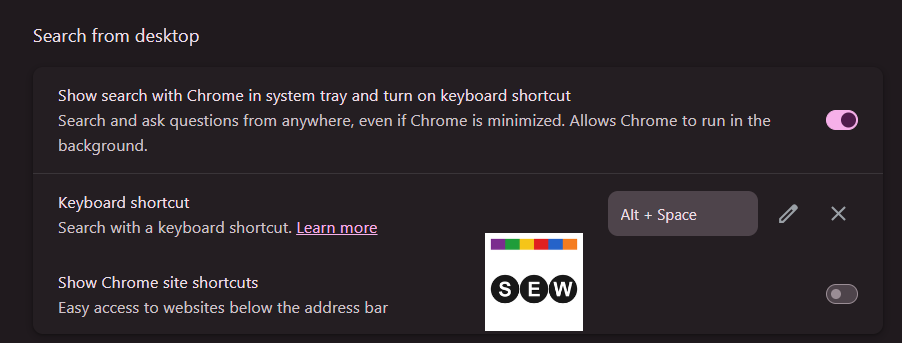
Chrome provides a configurable keyboard shortcut for quicker access. The current Settings page lists Alt + Space and lets users edit or remove the combination if it conflicts with another app.
Chrome’s related Settings screen calls the feature “Search from desktop.” It includes a toggle to show Search with Chrome in the system tray and enable the keyboard shortcut.
Earlier Canary builds used “Ask Google from anywhere” wording and placed more emphasis on the keyboard shortcut. The newer onboarding puts more attention on taskbar access, screen-based queries, Google Lens, and AI Mode.
Google is testing the feature in Chrome Canary under the Omnibox Loom name, as part of its Project Omnibox Everywhere work. You may need to enable the relevant Chrome flags to try it, and the feature could change before Google makes it available more widely.
Start the conversation by posting the first comment