

Bing is showing a new layout for sponsored ads within AI Overviews, changing how advertisers are presented alongside AI-generated responses.
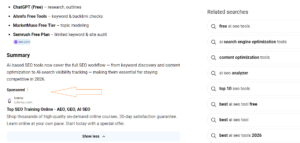
In the latest variation, the sponsored ad no longer appears inside the previous boxed layout. Bing is now displaying the favicon and advertiser name alongside the Sponsored label, similar to how ads usually appear in its standard search results.
The ad title and description remain below the advertiser information, while the Show less button appears at the bottom of the AI Overview.
Here is how the new sponsored ad layout appears in Bing AI Overviews.
Here is how the previous sponsored ad layout appeared.
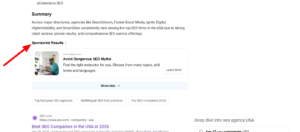
We previously covered Microsoft confirming ads in AI Overviews on Bing Search. This latest observation shows a change in how sponsored listings are presented within the AI Overview.
Start the conversation by posting the first comment