


Bing now offers users a way to open Copilot when its Shopping tab cannot find matching products. The no-results page displays an “Ask Copilot” button alongside an option to view regular web results.
I spotted the change after searching for “search engine watch” in Bing’s Shopping tab. Since the query had nothing to do with products, Bing returned a “No shopping results found” message with two options: “Ask Copilot” and “See web results instead”.
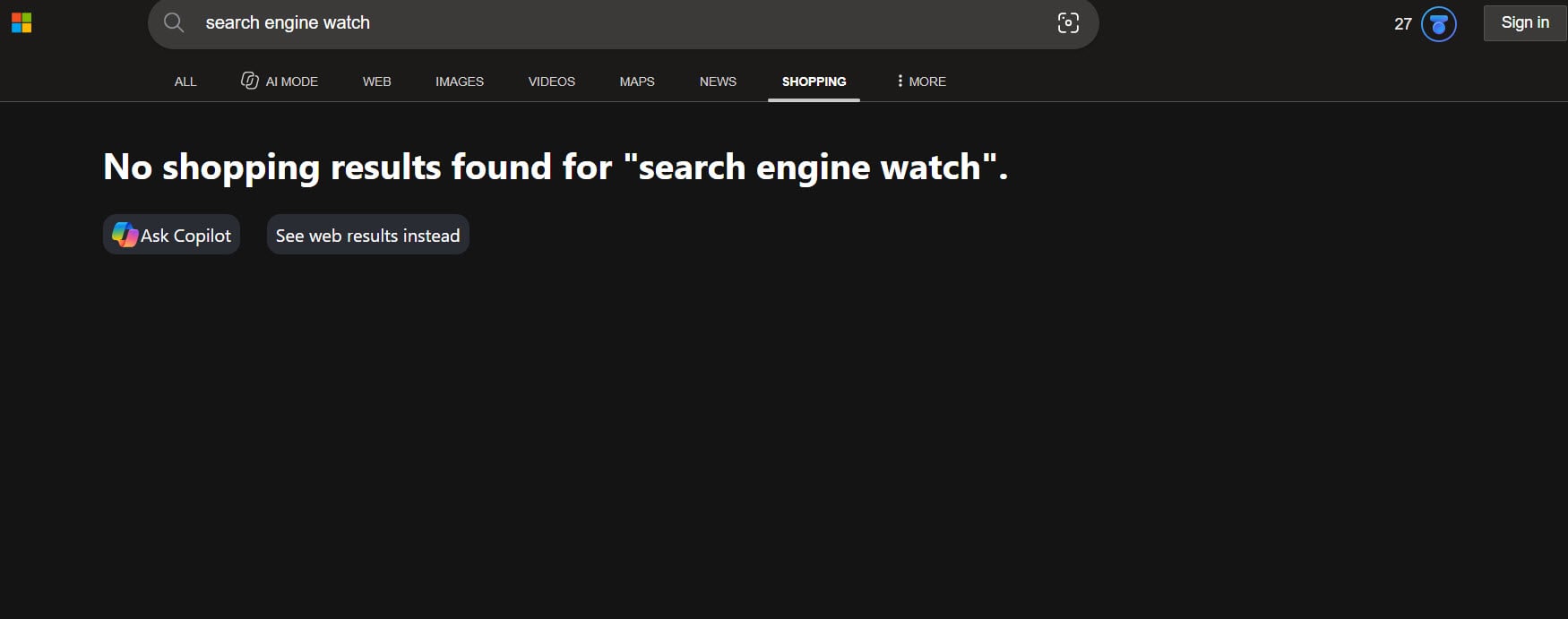
Clicking “Ask Copilot” opens Copilot.com in a new tab. Users who aren’t signed in must log in to their Microsoft accounts before they can continue. The other option takes users to Bing’s regular web search results.
The button gives Copilot another entry point in Bing. Instead of leaving users with an empty Shopping page, Microsoft directs them to its AI assistant while keeping regular web search as an alternative.
Microsoft already lets users find products, compare options, and explore recommendations through Copilot. The new button connects that shopping experience with Bing’s traditional product search.
The sign-in requirement adds an extra step for anyone who wants to try Copilot without an account.
Microsoft hasn’t announced the change or explained its availability.
Start the conversation by posting the first comment