A guide to setting up Google Analytics for your Wordpress site
If you are an enthusiast who is setting up a website or a new blog using WordPress as your CMS, it is highly recommended to set up Google Analytics. This guide will show you exactly how.
If you are an enthusiast who is setting up a website or a new blog using WordPress as your CMS, it is highly recommended to set up Google Analytics. This guide will show you exactly how.
Of the many tools available for tracking visitor behavior, Google Analytics is one of the most famous ones.
This free tool provides website owners with insightful information about the traffic driven to their website, helping them to determine exactly where each user originated and how they ended up on the site.
So, if you are an enthusiast who is setting up a website or a new blog using WordPress as your CMS, it is highly recommended to install Google Analytics to your WordPress site.
A lot of visitors and subscribers visit your website daily and hence, it becomes increasingly important to track information about their visit. If you are focused and determined to monitor your website’s traffic statistics, data drawn with the help of Google Analytics can be extremely useful.
This tool helps you track how your visitors are moving ahead and navigating through your website. This information is vital because it will help you identify the key areas of your website which are doing well and the others, that need a little more attention.
After installing Google Analytics on your website, you can learn about the geographical location of your visitors, their browser information, their duration of stay at your website, pages visited and much more.
With so much information available to access, we hope that we have answered your question as to why you even need this tool. In this blog post, we will provide a step-by-step guide to help you use Google Analytics with your WordPress site. So, let’s read on.
For the very first step, you are required to create a Google Analytics account by using your Gmail account. A Gmail account is imperative if you want to start using the Google Analytics tool with your WordPress site.

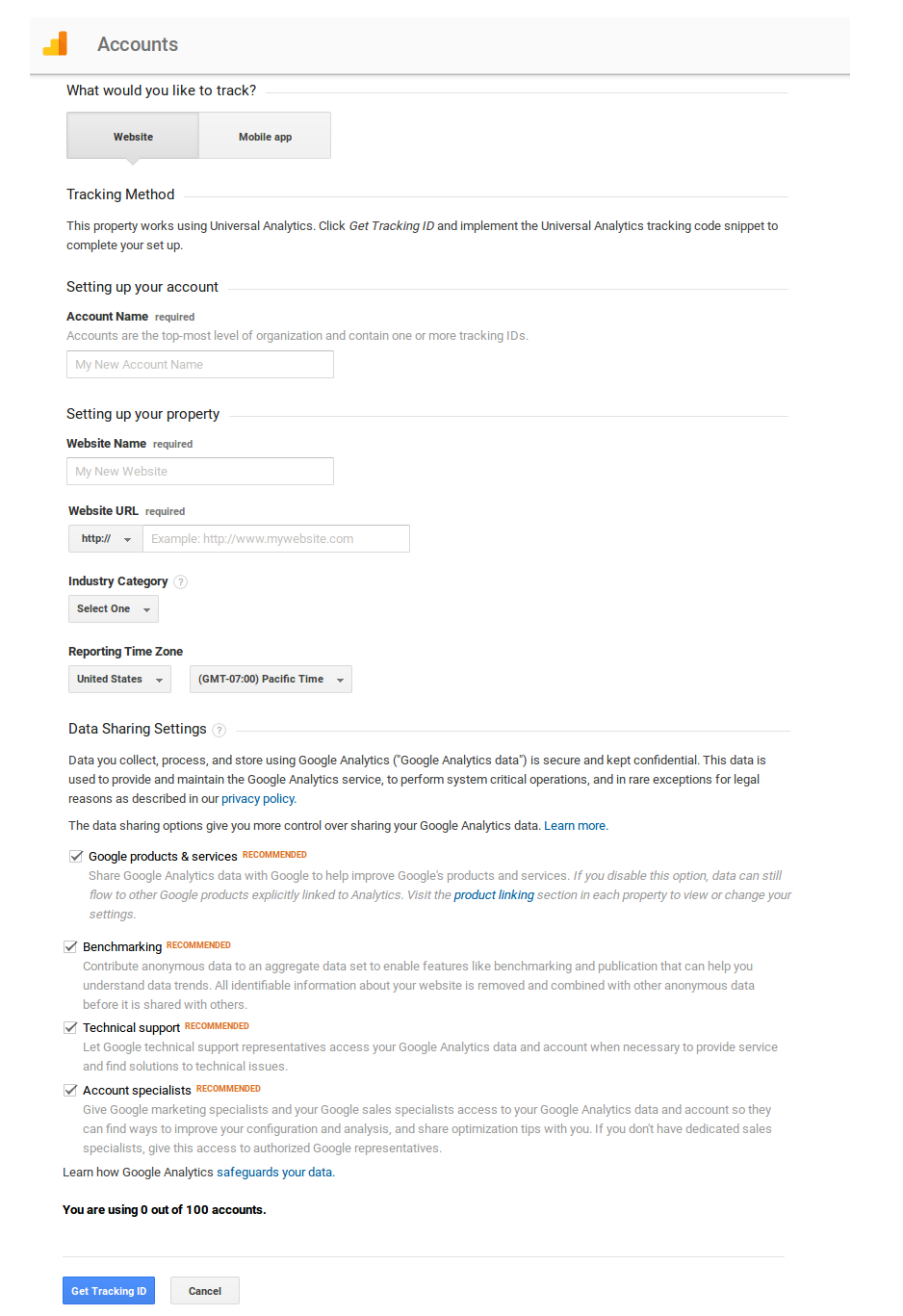
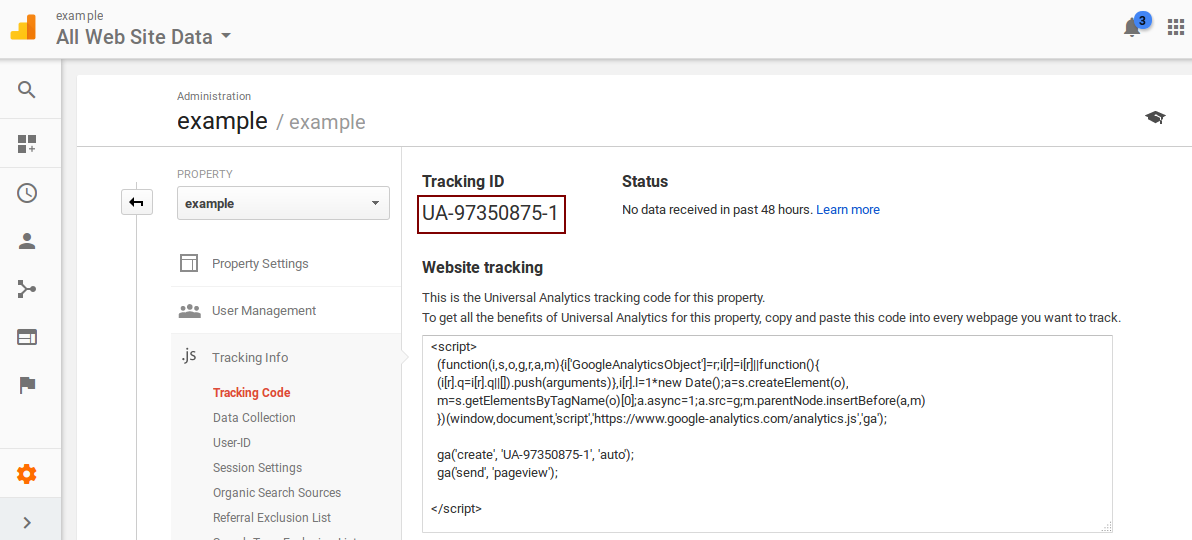
There are several methods that will help you add Google Analytics to your WordPress website. We will mainly discuss two methods here that are suited to readers with a non-technical approach to blogging.
A very popular plugin with over 13 million downloads, MonsterInsights has proven its worth when it comes to seamlessly integrating Google Analytics with a WordPress site.
With a free and a premium version on the shelf, this Google Analytics plugin works well for even the most basic users. Let’s see how you can use this plugin to add Google Analytics to your WordPress site.
Whenever you want to view reports regarding your site’s visitors and subscribers, you can simply go to ‘Reports’ tab in the ‘Insights’ label of your Admin dashboard.
In the process discussed earlier, you received a Tracking ID from Google Analytics signup procedure. To use this method, locate the Theme settings option of your WordPress site’s theme. Then, find the label that leads you to a tab asking you to add a Footer Script.
You can simply paste the Tracking code to this section and you will be good to go. Always save the settings in order to confirm your changes.
Once your settings are done and you are ready to take off with your Google Analytics tools, always wait at least 12 hours to let the tool reflect proper results.
There are other ways to add Google Analytics to your WordPress site. The ones mentioned above are easy to pursue and are highly recommendable. The following are methods that can involve some technical briefing.
Google Analytics is of huge help when you are looking to track results about a recent marketing campaign and are expecting some conversions to take place. This tool will also help you identify the keywords that are relevant to your site’s search engine optimization.
With so much to offer, Google Analytics is a must-use tool for all website owners out there. I sincerely hope that this detailed guide will help you make the right decision without having to expend too much time and energy on the implementation.
If you still have questions, feel free to drop them in the comments below. We are always open to receiving feedback and awesome suggestions.
Lucy Barret is a Sr. WordPress Developer at HireWPGeeks, a WordPress Development Company, and a contributor to SEW.
Leave a Reply
You must be logged in to post a comment.