

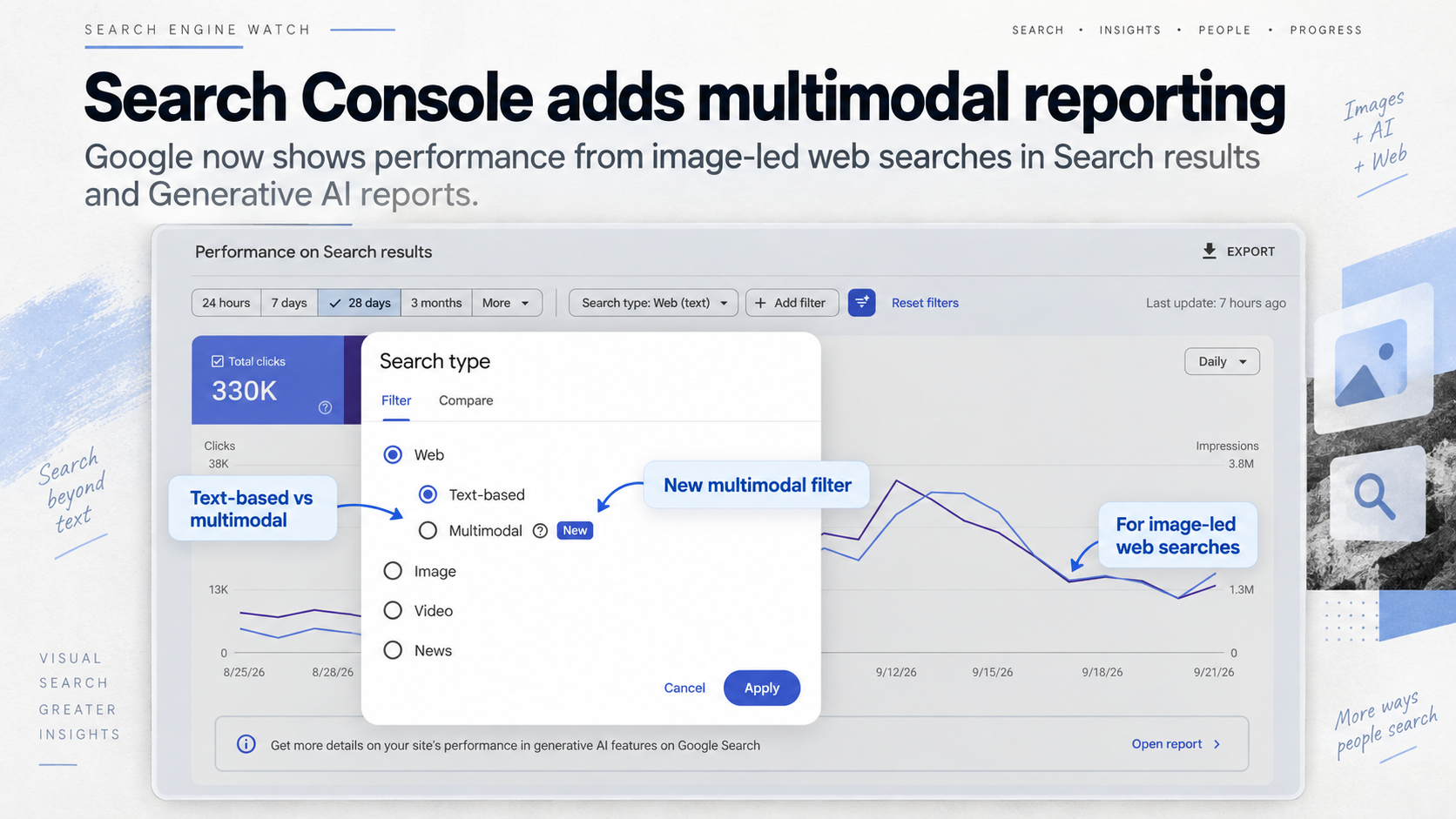
Google has added Web: multimodal to the Search type filter in Search Console. It shows how your site performs when someone searches using an image, including through Google Lens, Circle to Search on Android, an image uploaded to Google Search, or Chrome’s Search this image action. Use it in Search results to see clicks and impressions, and in Generative AI to see impressions from AI Overviews and AI Mode. Google began rolling it out globally on September 24, 2026.
Open the multimodal report
- Sign in to Google Search Console and choose the property you want to inspect.
- In the left menu, open Performance > Search results.
- At the top of the report, click Search type. Choose Web: multimodal and apply the filter.
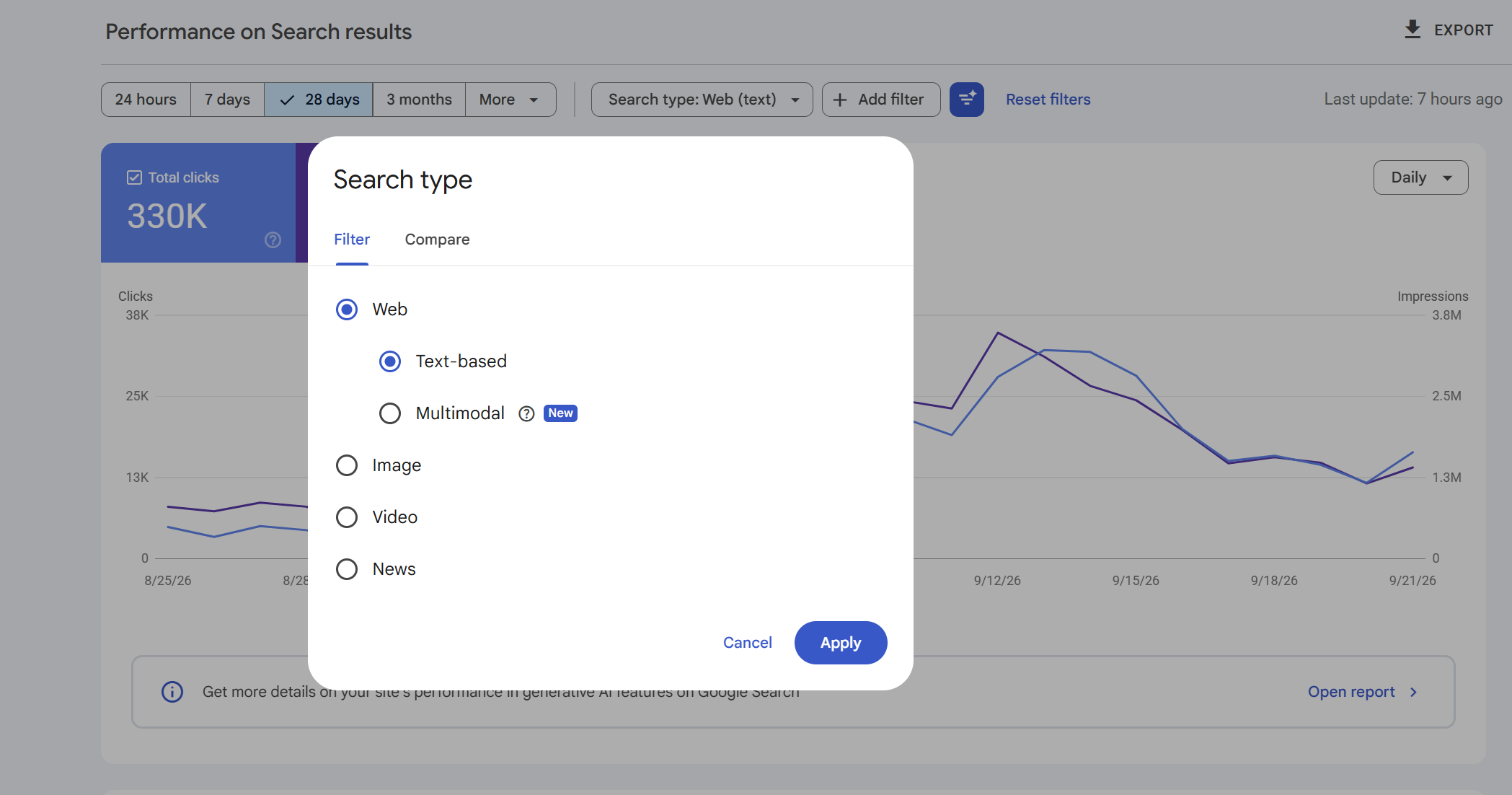
- Set a date range that includes available multimodal data. The chart now shows your site’s clicks and impressions from these searches. Use the Pages, Countries, Devices and Dates tabs beneath the chart to inspect the results.
You don’t have to connect Lens or set up a separate property. Google says the metrics appear when your site receives qualifying activity as the feature rolls out.
Our news report on the launch includes screenshots of the filter and notes that one property showed data back to September 10. Check the first available date in your own property; Google has not announced a common historical start date for every site.
Read the Search results view
The chart shows clicks to your site and impressions in web search results for searches that included an image. Click Pages to see which URLs appeared, then select a URL row to focus on that page. You can switch to Countries or Devices while the page filter is active. Remove the page filter to return to property-wide results.
To see how the same page performs in text searches, keep its page filter and date range in place, then change Search type to Web: text-based. You can also export each view with Export and compare the same metric and date range across the two files. Google explicitly supports exporting the new multimodal data.
Google’s Search results documentation describes clicks, impressions, CTR and average position. The chart totals may differ from the Pages table because property-level and page-level aggregation use different counting rules.
See image-led searches in AI Overviews and AI Mode
Return to the left menu and open Performance > Generative AI. Set Search type to Web: multimodal. The chart shows impressions for your site in Google’s AI Overviews and AI Mode when an image was part of the search. The Pages tab shows which URLs were linked; Countries, Devices and Dates offer other ways to inspect the report.
This report shows impressions. For clicks from multimodal web search, use Search results. Google’s Generative AI performance documentation lists its covered features, dimensions and counting rules.
If you cannot see data yet
Check that you selected the intended property and a date range covering the rollout. Google says the new metrics appear when a site receives traffic from these searches; an empty view may simply mean there is no qualifying data to display yet. The rollout began globally on September 24, so availability can also vary while it completes.
If Generative AI itself is absent, Google’s help page mentions report access during rollout and insufficient impressions in its supported AI features. You can still check the multimodal filter in Search results separately.
Our take
The useful change is the new search-type split. You can now open a property, select Web: multimodal, and see the pages and clicks associated with image-led web searches. The separate AI feature view shows which pages appeared in AI Overviews and AI Mode for that same search type. Google groups Lens, Circle to Search, image uploads and Chrome’s image search together under the multimodal label; the report does not provide a separate tally for each entry point.
Start the conversation by posting the first comment