

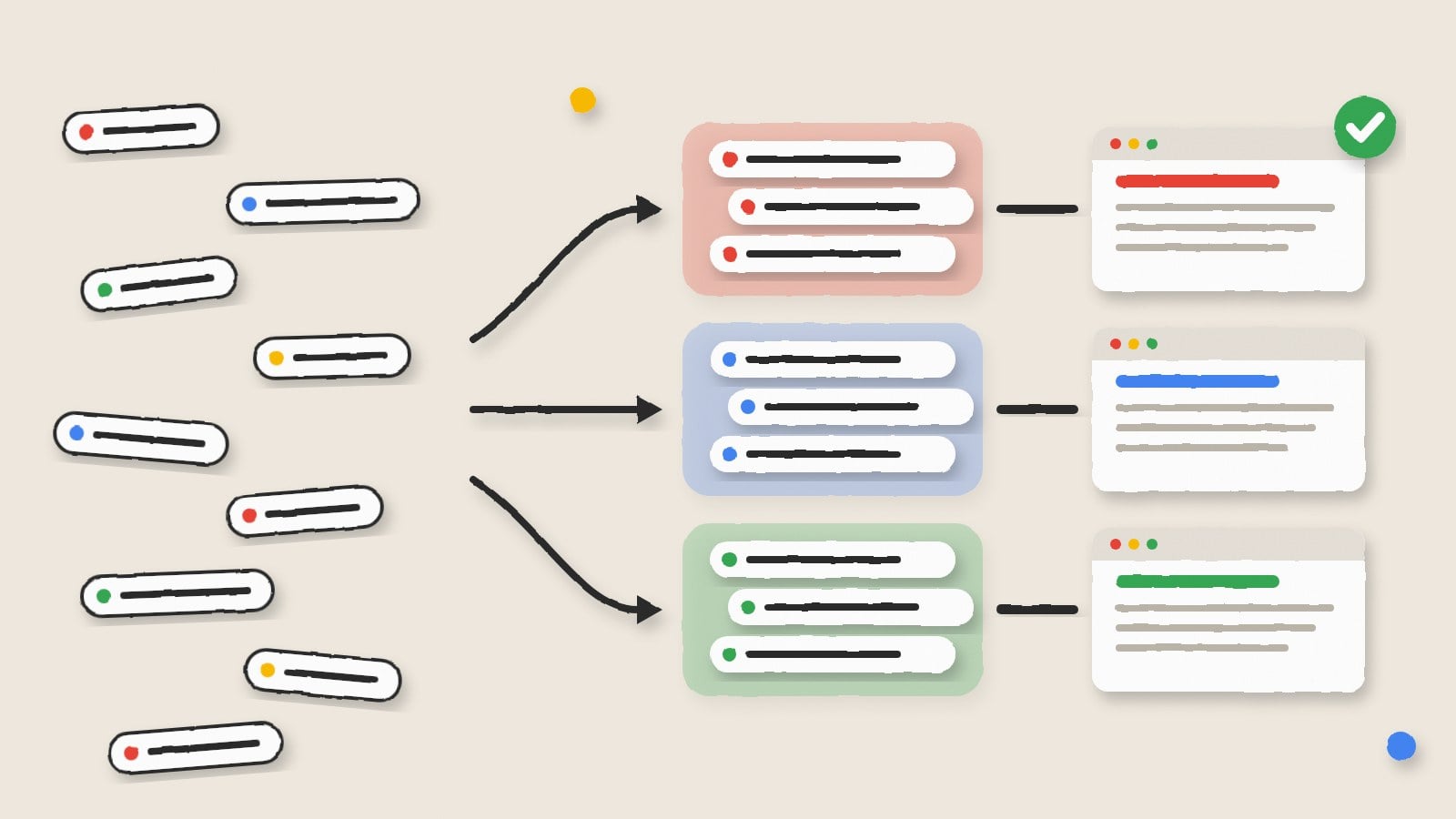
Keyword research is one of the basics of search engine optimization. However, most keyword tools return the search terms that share the same search intent.
Keyword clustering tools help to group search terms according to the user search intent. Hence, grouping keywords help to reduce cannibalization and lets you target a set of related keywords on a page.
There are several clustering tools for SEO keywords. However, not all of them return accurate results faster. We have researched and compiled a list of the best keyword clustering software to boost your SEO plan.
What is keyword clustering?
Keyword clustering is the process of grouping related searches that can rank with the same page.
It helps digital marketing teams to organize large keyword lists into meaningful groups. It makes it easier to assign primary and secondary keywords to relevant URLs. It also helps avoid creating multiple pages targeting similar search queries.
Types of keyword clustering methodologies
SERP overlap (hard clustering)
The tool pulls the top 10 Google results for every keyword. Keywords join the same cluster only when every keyword in the group shares a set number of ranking URLs, often three or more. This method is the strictest and the most accurate. It is also the slowest and costs the most, because each keyword needs a live SERP pull. Thruuu, Keyword Insights, SE Ranking and Serpstat all work this way.
SERP overlap (soft clustering)
This uses the same idea, but a keyword only has to share URLs with the cluster’s main keyword, not with every other keyword in the group. As a result, clusters come out bigger and looser. It works well for broad topic hubs, though now and then it puts different search intents together.
Lexical or word matching
Here the tool groups keywords by the words they share, such as everything containing “compost bin.” It’s fast and cheap because it never checks Google. However, it can’t tell that two similar phrases want different pages, or that two different phrases want the same one. LowFruits offers this next to its SERP mode.
Semantic or AI clustering
Language models group keywords by meaning, so “fix leaky tap” and “repair dripping faucet” land together even with no words in common. It’s quick and useful for brainstorming topics. Still, it doesn’t check what Google actually ranks, so check important clusters against the live results.
Parent topic clustering
Some tools group keywords under the page that ranks first for them. Ahrefs, for example, shows each keyword’s “Parent Topic” and groups terms by it. It’s simple and based on real rankings, but coverage is thinner for rare long-tail terms.
Top keyword clustering tools compared
| Tool | How it groups keywords | Free option | Starting price | Best for |
| Thruuu | Shared ranking URLs (SERP similarity), with intent labels and content hubs | Yes, one run of up to 500 keywords | $19/month, or $13/month billed annually | Small and mid-size sites planning pillar pages |
| Keyword Insights | Shared ranking URLs, with optional intent tags | $1 seven-day trial (5,000 credits, clustering capped at 500 keywords) | $58/month (Basic, 10,000 credits) | Agencies billing clustering per project |
| SE Ranking | Matching URLs in Google’s top 10, with adjustable accuracy | No | From $103.20/month (Core plan) | Teams already tracking rankings in SE Ranking |
| Serpstat | Shared URLs across the top 10 or top 30, with a Connection Strength setting | Seven-day trial or limited Freemium access | Individual plan shows $911 for two years | Manual control over clusters after the first pass |
| LowFruits | SERP mode (40% shared URLs, adjustable) or word-based semantic mode | No | $21/month billed annually, plus pay-as-you-go credits | Niche sites built on long-tail questions |
| Semrush | Topics, pillar pages and subpages built from up to five seed keywords | Seven-day free trial | Needs a Semrush SEO Toolkit subscription | Teams already using Semrush |
| Ahrefs | Parent Topic, based on the top-ranking page | No | Standard plan, $249/month | Teams already paying for Ahrefs |
| SEO Scout | Keyword Groups from Search Console data, plus cannibalisation checks | Seven-day free trial on every plan | Starter listed at $49 | Existing sites with hundreds of pages |
8 Best keyword clustering software and how each builds its groups
For each tool, you will find how it groups keywords, how to run a clustering job, its top features, its price and whether it’s free or paid.
Thruuu for SERP clusters rolled into content hubs
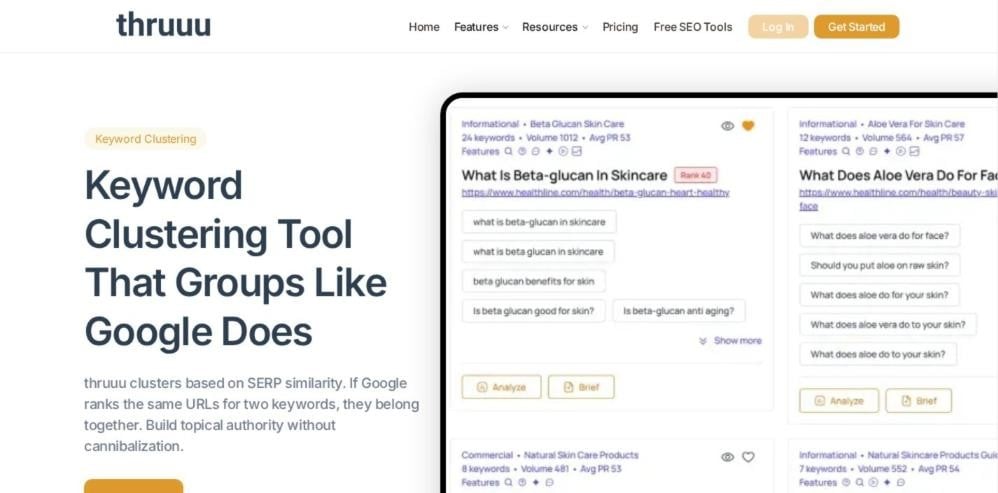
Thruuu clusters by SERP similarity. If Google ranks the same URLs for two keywords, they land in one group. Each cluster then gets an intent label. Next, the tool groups related clusters into content hubs, which maps neatly to pillar pages.
Thruuu also has a SERP analyzer that pulls headings, questions and word counts from the top results. So once a cluster is set, you can build the brief for its page in the same tool.
How to cluster keywords with it: Paste or upload your keyword list, pick the country and language, then run the clustering. Review each cluster and its intent label, open the content hub view to see which clusters belong under one pillar page, and export the plan.
Top features:
- SERP-similarity clustering based on shared ranking URLs
- Search intent label on every cluster
- Content hubs that group related clusters under one pillar
- Export of clusters and hubs for your content plan
Free or paid: Free plan with one clustering run of up to 500 keywords. Paid plans start at $19 a month, or $13 a month billed annually.
Keyword Insights for credit-based clustering on agency projects

Keyword Insights groups keywords by comparing the URLs that rank for each term. It can also tag every keyword with search intent, so you can see whether a cluster needs a guide, a product page or a comparison.
The platform also includes a content brief builder and an AI writing assistant. As a result, a finished cluster can move straight into a brief for the writer.
How to cluster keywords with it: Upload a CSV of keywords, choose the location and language, and switch on intent if you need it. Run the job, then review the clusters and export them to a spreadsheet for page mapping.
Top features:
- SERP-based clustering priced per keyword
- Optional search intent classification
- Credits that map cleanly to client budgets
- Spreadsheet export for content planning
Free or paid: Paid. Basic costs $58 a month with 10,000 credits, and Professional costs $99 a month. A $1 seven-day trial includes 5,000 credits, with clustering capped at 500 keywords.
SE Ranking Keyword Grouper for custom URL match settings
The SE Ranking Keyword Grouper groups keywords by how well their URLs match Google’s top 10 results. You set the minimum number of matching URLs and the clustering method. A higher accuracy setting puts fewer queries in each group. Each group also takes the name of its highest-volume keyword.
Because the grouper sits inside the SE Ranking platform, you can run keyword research, group the results and then add the same terms to rank tracking without moving data between apps.
How to cluster keywords with it: Open the Keyword Grouper inside SE Ranking, paste your keywords and choose the search engine and location. Set the grouping accuracy and the minimum number of matching URLs, then run it. Each group is named after its highest-volume keyword.
Top features:
- Grouping by matching URLs in Google’s top 10
- Adjustable accuracy and URL-match settings
- Groups named after their highest-volume keyword
- Works next to SE Ranking’s rank tracking and site audit
Free or paid: Paid, as part of the SE Ranking platform. The Core plan is listed from $103.20 a month, and search volume costs $0.005 per query.
This SE Ranking review covers the wider plan limits.
Serpstat for clustering across the top 30 results
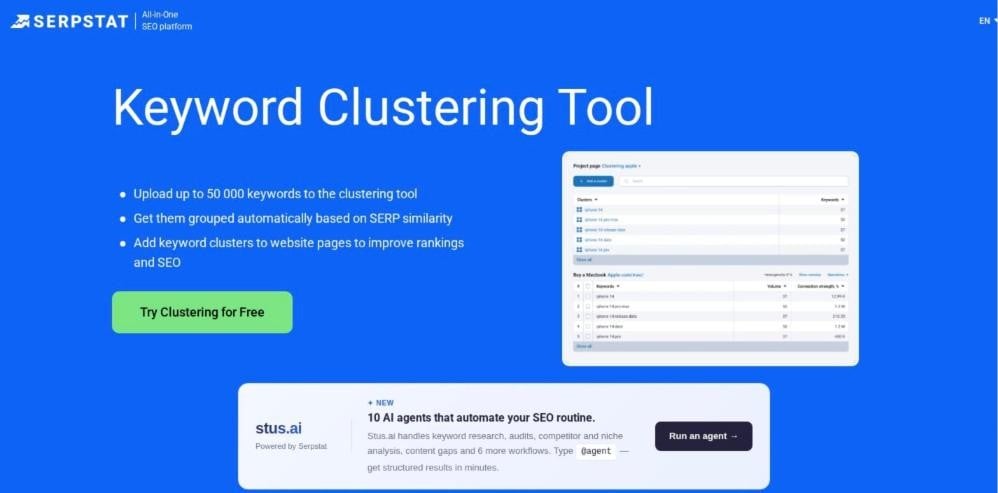
Serpstat groups keywords by the number of shared URLs at the top of the SERP. In fact, you can set the cluster type to match URLs across the top 30 results. A Connection Strength setting controls how tight each group is, and medium is the suggested level for most projects.
The output lists each cluster with volume and connection strength. Then you can move keywords by hand and export. Serpstat also covers keyword research and rank tracking, so you can pull a list, cluster it and track each group in one place.
How to cluster keywords with it: Create a clustering project, upload your keywords and choose whether to match URLs in the top 10 or top 30 results. Set Connection Strength, with medium as the usual starting point, then run it. Drag keywords between clusters if needed and export.
Top features:
- Clustering by shared URLs across the top 10 or top 30
- Connection Strength control for tighter or looser groups
- Volume and connection strength shown for each cluster
- Manual editing of clusters before export
Free or paid: Paid, with a seven-day free trial or limited Freemium access. The Individual plan shows $911 for two years.
For the rest of the suite, this year-long Serpstat review goes deeper.
LowFruits for SERP and word-based clustering
LowFruits has two clustering modes. SERP clustering groups keywords that share at least 40% of their ranking URLs, and you can change that threshold. Semantic clustering instead groups keywords by shared words, with a choice of two, three or four words. Word mode skips the SERP pull, so it costs less.
Each cluster’s main keyword is the one with the highest estimated volume. Unclustered keywords show up separately. LowFruits also flags weak spots in the results, such as forums and small sites in the top 10, which helps a newer site pick clusters it can rank for.
How to cluster keywords with it: Import your keyword list and pick a mode. For SERP mode, keep or change the 40% shared-URL threshold. For semantic mode, choose two, three or four shared words. Review the main keyword of each cluster, check the unclustered list and export.
Top features:
- SERP clustering with an adjustable shared-URL threshold
- Cheaper word-based semantic clustering
- Highest-volume keyword set as each cluster’s main term
- Separate list of unclustered keywords
Free or paid: Paid. Subscriptions start at $21 a month billed annually, and pay-as-you-go credits are also sold. They expire after one year.
Semrush Keyword Strategy Builder for pillar and subpage outlines
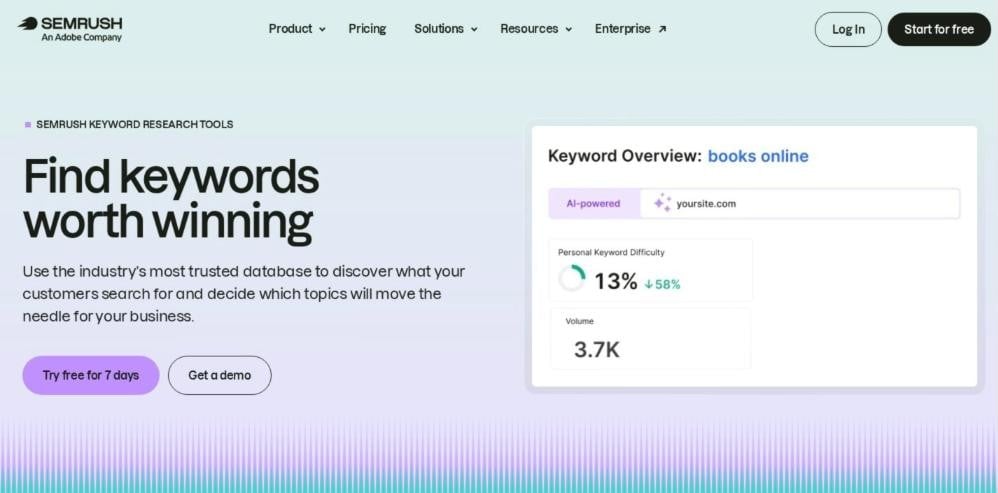
Keyword Strategy Builder takes up to five seed keywords. It then returns topics, pillar pages and subpages that support them. Exported files also include intent data.
Each topic draws on the Semrush keyword database, with volume and difficulty for its keywords. That makes it easy to sort clusters by size and effort before you plan pages.
How to cluster keywords with it: Enter up to five seed keywords and choose your database. The tool returns topics, each with a pillar page and supporting subpages. Review the structure, then export it with intent data.
Top features:
- Topic, pillar page and subpage structure from seed keywords
- Search intent included in exports
- Built into the Semrush SEO Toolkit
- Monthly cap on structuring runs per plan
Free or paid: Paid. It needs a Semrush SEO Toolkit subscription, and Semrush offers a seven-day free trial.
Ahrefs Keywords Explorer for parent topic groups

Ahrefs Keywords Explorer groups keywords by Parent Topic. To find it, Ahrefs takes the top-ranking page for a keyword. Then it finds the query that sends that page the most traffic. So each group is anchored in live rankings.
Groups appear in the sidebar with total search volume beside each one. Then you can expand a group to see its keywords. Filters for Keyword Difficulty and traffic potential let you trim each group before you export it.
How to cluster keywords with it: Search your seed keywords in Keywords Explorer, open the matching terms report and group the results by Parent Topic. Expand each group in the sidebar to see its keywords and total volume, then export.
Top features:
- Parent Topic grouping based on the top-ranking page
- Total search volume for each group
- Expandable groups in the sidebar
- Coverage limited to keywords with regularly updated SERPs
Free or paid: Paid. Filters for Keyword Difficulty and traffic potential let you trim each group before you export it.
SEO Scout for keyword groups with cannibalisation checks

SEO Scout connects to Google Search Console, so its Keyword Groups reflect queries your site already gets impressions for. The Keyword Cannibalization Tool then flags pages that compete for the same group.
How to cluster keywords with it: Add your keywords to Keyword Groups and track how each group ranks. Then run the Keyword Cannibalization Tool to find pages on your site competing for the same group.
Top features:
- Keyword Groups on every plan
- Keyword Cannibalization Tool for existing sites
- Rank tracking by group
- Starter, Business and Agency plans
Free or paid: Paid, with a seven-day free trial on every plan. Starter is listed at $49.
My workflow from raw keyword list to page plan
A tool gives me groups. Next, I turn those groups into URLs and links, using the same seven steps on every project.
Clean the list before any SERP pull
First, I remove duplicates, plurals that mean the same thing and terms with the wrong location. I also cut brand terms for other companies and anything off-topic. Then I fill gaps. For example, I add related questions and synonyms using tools for finding related keywords. After that, the list is ready for clustering.
Group by shared ranking URLs
Next, I run a SERP-based cluster. My usual threshold is three or four shared URLs in the top 10. Tighter settings create more, smaller groups. Looser settings merge topics that may need separate pages.
Then I scan every group by eye. If a group mixes “buy” and “how to” terms, I split it by hand.
Label each group with one intent
Each group gets a single intent label: informational, commercial, transactional or navigational. I check the top three results to confirm it. For instance, a SERP full of product lists means commercial intent.
If a group seems to hold two intents, I split it. This guide on moving from keyword research to intent research explains the thinking behind this step.
Choose the primary keyword for each group
Most tools pick the highest-volume keyword as the group lead. I usually agree, but not always. Instead, I pick the term that the top-ranking pages put in their titles. That term tells me how Google names the topic.
Then the other keywords become supporting terms for subheadings and body copy.
Decide between a page, a section or an FAQ answer
Not every group earns its own URL. If the group has its own SERP and enough demand, it gets a page. If its results mostly show pages about a broader topic, it becomes a section on that page.
Small question groups with short answers become FAQ entries. So I avoid thin pages, and this piece on addressing thin content shows why those weak URLs hurt a site.
Map groups to URLs you already have
Before I write anything, I map each group to an existing URL. I search Search Console queries and the site’s own search for each primary keyword. If a page already ranks, the group goes to that page as an update.
If two existing pages fight for one group, I merge them and redirect the weaker one. These ways to avoid content cannibalization cover the fixes I use most.
Build internal-link hubs around pillar pages
Finally, I group the pages into hubs. Each hub has one pillar page for the broad topic. Every supporting page links up to the pillar with descriptive anchor text, and the pillar links down to each one.
I also add links between sibling pages where a reader would want them. Then I check for orphan pages.
Keyword clustering example: 15 composting keywords turned into five pages
This is my own example for a home gardening site, with all 15 keywords in the table. It shows how I would plan these pages. Even so, run your own SERP check before you publish, because results shift by country.
| Page | Primary keyword | Supporting keywords | Intent |
| /how-to-compost-at-home/ (pillar) | how to compost at home | composting at home, how long does compost take, compost smells bad (FAQ) | Informational |
| /what-can-you-compost/ | what can you compost | can you compost coffee grounds, can you compost eggshells | Informational |
| /best-compost-bins/ | best compost bin | compost bin, compost tumbler, compost tumbler vs bin (section) | Commercial |
| /worm-composting/ | worm composting | vermicomposting for beginners | Informational |
| /bokashi-composting/ | bokashi composting | bokashi vs composting (section) | Informational |
So 15 keywords become five URLs. “Compost smells bad” becomes an FAQ answer on the pillar. Also, “compost tumbler vs bin” becomes a section on the bin page. The pillar then links to all four supporting pages, and each one links back.
Questions teams ask before their first keyword cluster
Is a keyword clustering tool enough to build a page plan?
No. A tool gives you groups, but the plan still needs your judgment.
How many shared URLs should two keywords have to share a page?
I use three or four shared URLs in the top 10 for most niches. For comparison, LowFruits uses a 40% overlap that you can adjust. Tighter settings give more, smaller pages. Looser settings give fewer, broader pages.
Is free keyword clustering accurate enough?
For testing, yes. Thruuu clusters 500 keywords once on its Free plan. Keyword Insights also clusters up to 500 keywords on its $1 trial. But for a full site plan, you need to pay to cluster the whole list at once.
Can ChatGPT cluster keywords instead of a SERP tool?
It can group terms by meaning. However, it does not check live Google results for each keyword. So you can use it to name clusters and draft outlines, never to decide which keywords share a page.
How often should I re-cluster my keyword list?
I re-run clusters every six months for active sites. You can also re-run them when rankings in the niche shift sharply. SERPs change, and a group that shared one page last year may split now.
Does keyword clustering fix cannibalisation on an existing site?
Not by itself. Clustering shows which keywords belong on one page. Then you still have to map those groups to live URLs, merge overlapping pages and redirect the weaker ones.
Start the conversation by posting the first comment