

Most SEO checks don’t need a full crawl. You want to know if a page has the right title, why it is redirected, or if Google is allowed to index it. An SEO Chrome extension answers that from the tab you already have open. Click the icon, and it shows the tags, headings, status codes, robots rules or link metrics for that page. Some go further and add keyword data to Google results or run a speed audit.
It’s no wonder why SEO Chrome extensions are so popular. Keywords Everywhere has more than 1.6 million users, while Detailed SEO Extension has 450,000 weekly users who run it for everyday SEO tasks.
However, no single extension covers every job. A link builder needs authority metrics, while a developer on a React site needs to compare raw and rendered HTML. So we have grouped every SEO Chrome extension by the job the tool does best.
Quick comparison of the Top SEO Chrome extensions
| Extension | What it does best | Price |
| Detailed SEO Extension | One-click summary of tags, headings and schema | Free |
| Ahrefs SEO Toolbar | On-page reports, links, redirects and SERP tools | Free; Ahrefs metrics need a paid plan |
| MozBar | Domain Authority, Page Authority and link metrics | Free with a Moz account; Spam Score needs Moz Pro |
| Redirect Path | Status codes and redirect chains | Free |
| Robots Exclusion Checker | Robots.txt, meta robots, X-Robots-Tag and canonical alerts | Free |
| Check My Links | Broken links on a single page | Free core checker; paid tiers add more |
| SEO META in 1 CLICK | Meta tags, headings, images and social tags | Free |
| Writesonic SEO Keywords | Keyword data on Google and query fan-outs on AI platforms | Free to install; needs a Writesonic account |
| All in One SEO Analyzer | On-page score with headings, links, images and schema | Free |
| Keywords Everywhere | Keyword ideas, difficulty scores and traffic data on Google | Free version; search volume needs paid credits |
| GMB Everywhere | Google Business Profile categories and audits | Free to install |
| Collaborator Link Assistant | Checks placed backlinks for attributes and indexing | Free to install |
Best Chrome extensions for daily SEO checks
We went through each extension feature by feature. Then we picked the features we found most useful, added a screenshot of each one, and noted who we think should install it.
Detailed SEO Extension for a one-click page summary
Detailed SEO Extension is a free SEO Chrome extension for quick on-page checks. It comes from Detailed, and one click pulls up the main SEO elements of any page you visit.
The top features of Detailed SEO are:
- One-click on-page reports for titles, meta descriptions, canonicals and robots tags, including the X-Robots header
- A heading structure view that indents H1 to H6, so skipped or overused headings jump out
- Schema and hreflang checks, with the status code of every language version
- Right-click shortcuts that open any page in Ahrefs, Moz, Semrush or Archive.org
- A “People Also Ask” extractor for Google results
- A user agent switcher to load pages as Googlebot
- CSV exports of every link and image on a page
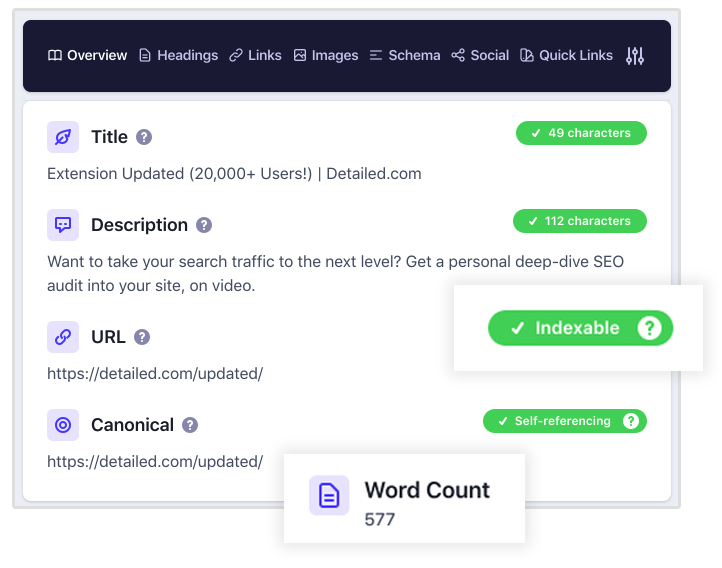
The Overview tab lets you skip the page source completely. In fact, it shows the title, description, URL, canonical and robots directives in one panel, and it also checks the X-Robots HTTP header.
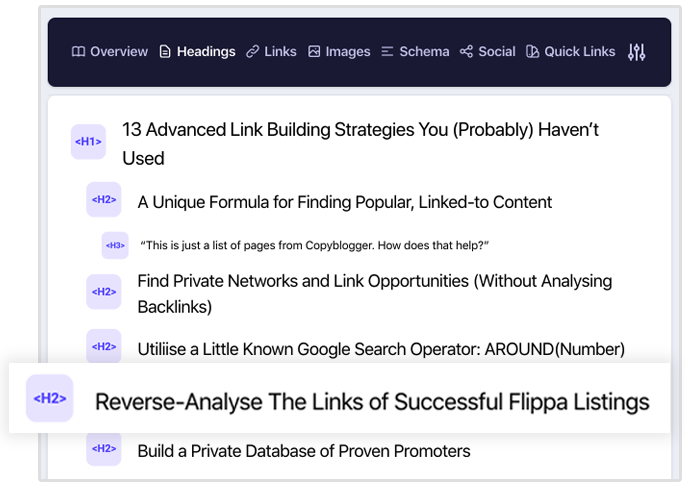
The Headings tab is the most useful one for content work. Each heading is indented by level, and the font size changes too. As a result, a missing H2 or a page stuffed with H3s is obvious at a glance. You can also copy all headings to your clipboard.
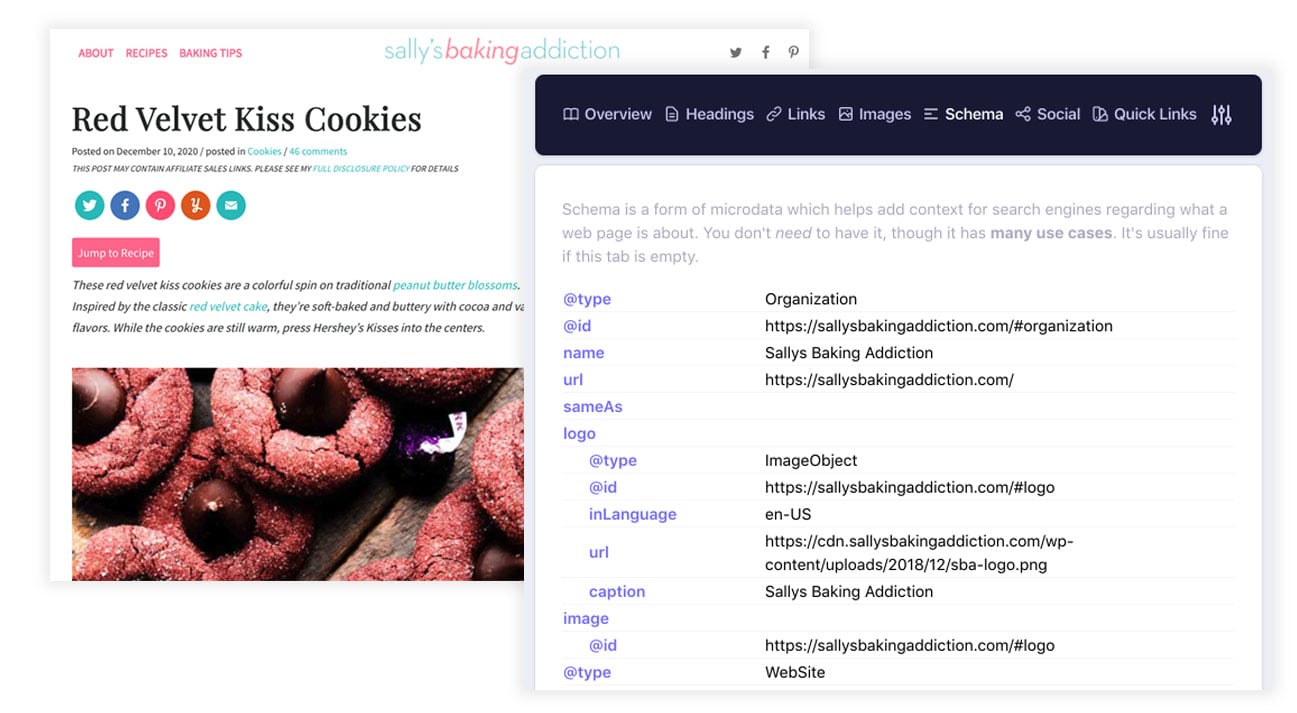
It also shows the schema markup of a page without a separate testing tool. Under Schema > Hreflang, you can see every localised version a page references, along with each URL’s status code.
On top of that, the right-click menu opens the current page or site in Ahrefs, Moz, Majestic, Archive.org, Similarweb or Semrush. It also runs one-click site: searches.
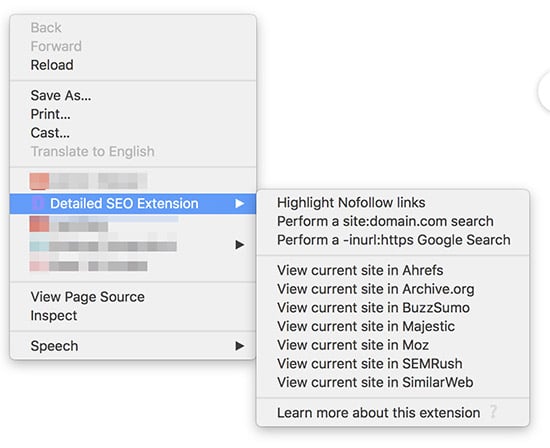
Who should use this extension? Content editors and SEOs who review many pages a day and want titles, headings and schema in one panel.
Ahrefs SEO Toolbar for on-page, link and SERP research
The Ahrefs SEO Toolbar packs on-page reports, link checks and search tools into one free extension. Ahrefs says more than 400,000 SEO professionals use it.
Its most useful features are:
- On-page reports for meta tags, headings, indexability, canonicals and hreflang
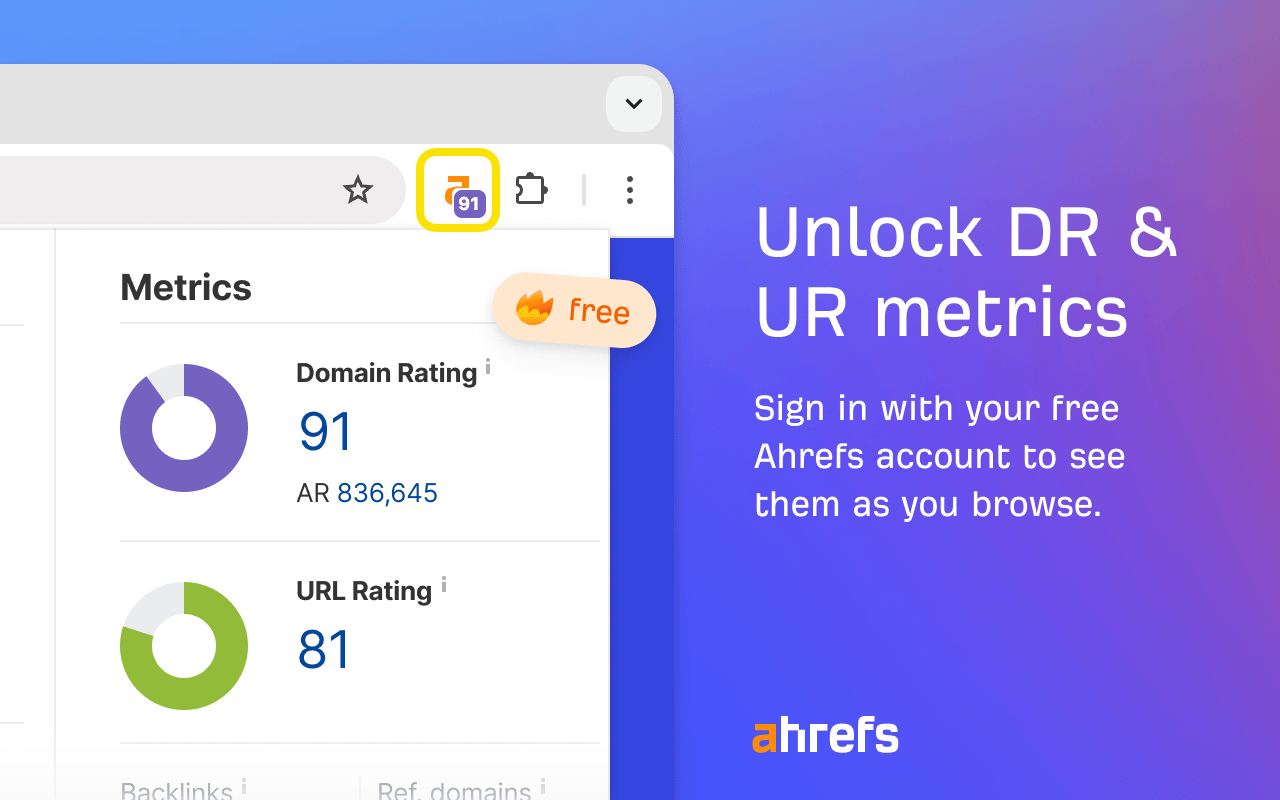
- Free Domain Rating and URL Rating once you sign in with a free Ahrefs account
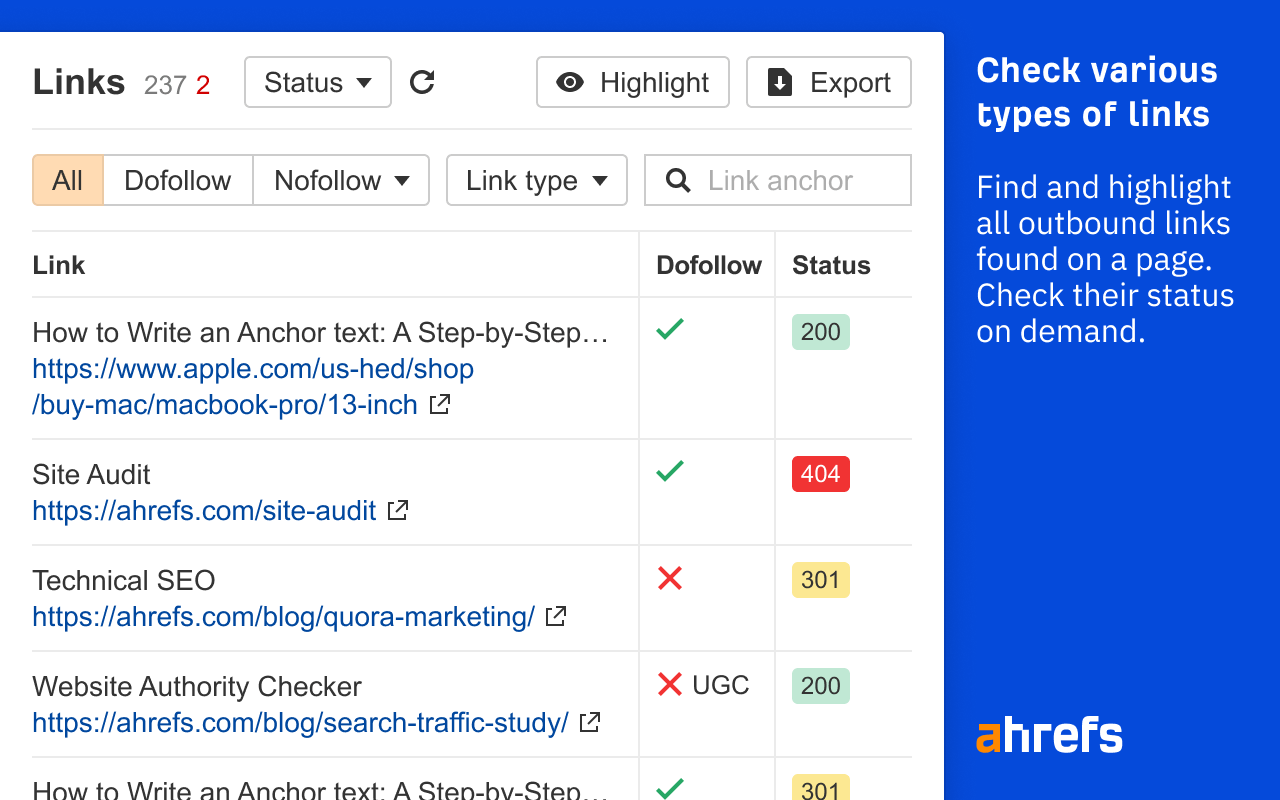
- A links report that highlights outgoing links and flags broken or redirected ones
- A SERP location changer for any country, language and device
- A user agent switcher with Googlebot, Bingbot, GPTBot and more
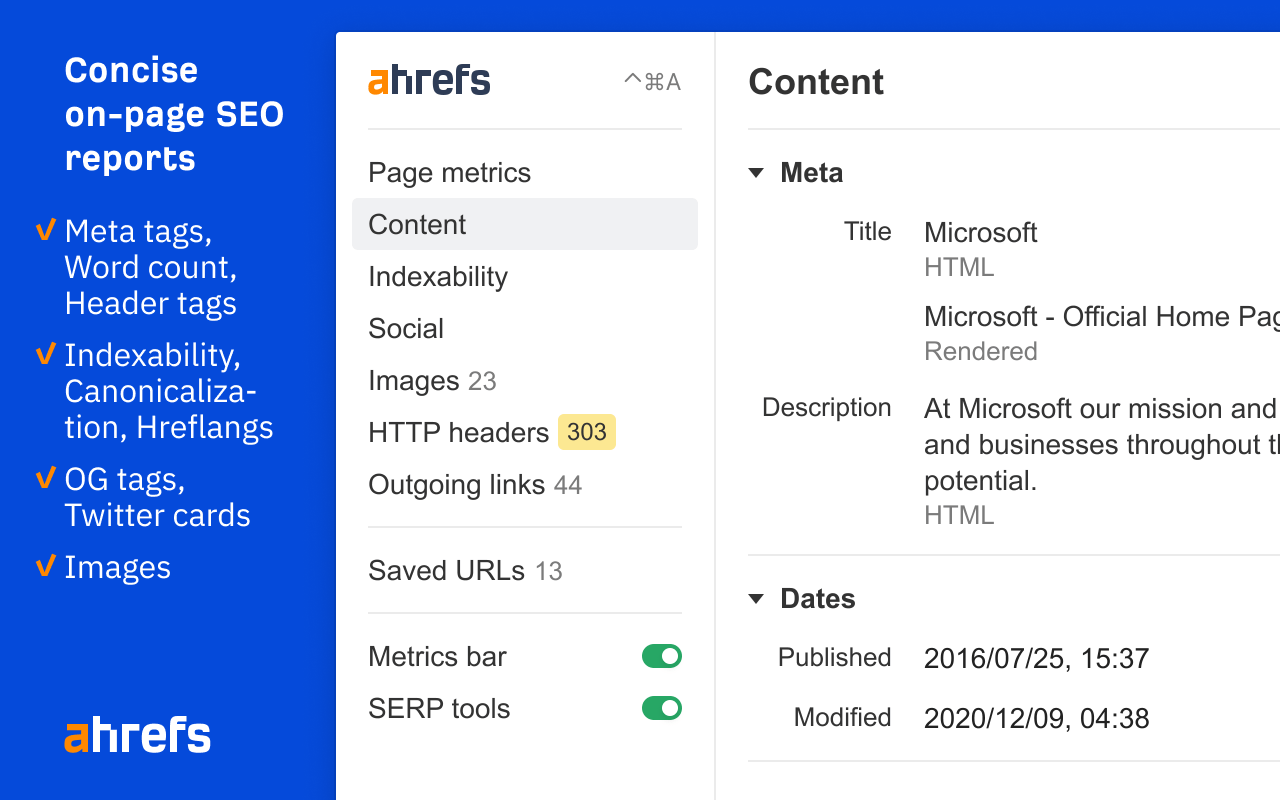
The on-page report lists the title, meta description, word count, headers and publish dates. It also covers structured data, social tags, images and HTTP headers in separate tabs.
Sign in with a free Ahrefs account, and the toolbar adds Domain Rating and URL Rating for any site you browse.
The links report is handy for content updates. It lists every link with its dofollow status and HTTP code, so you see every 404 and 301 at once. Then you can export the list to CSV.
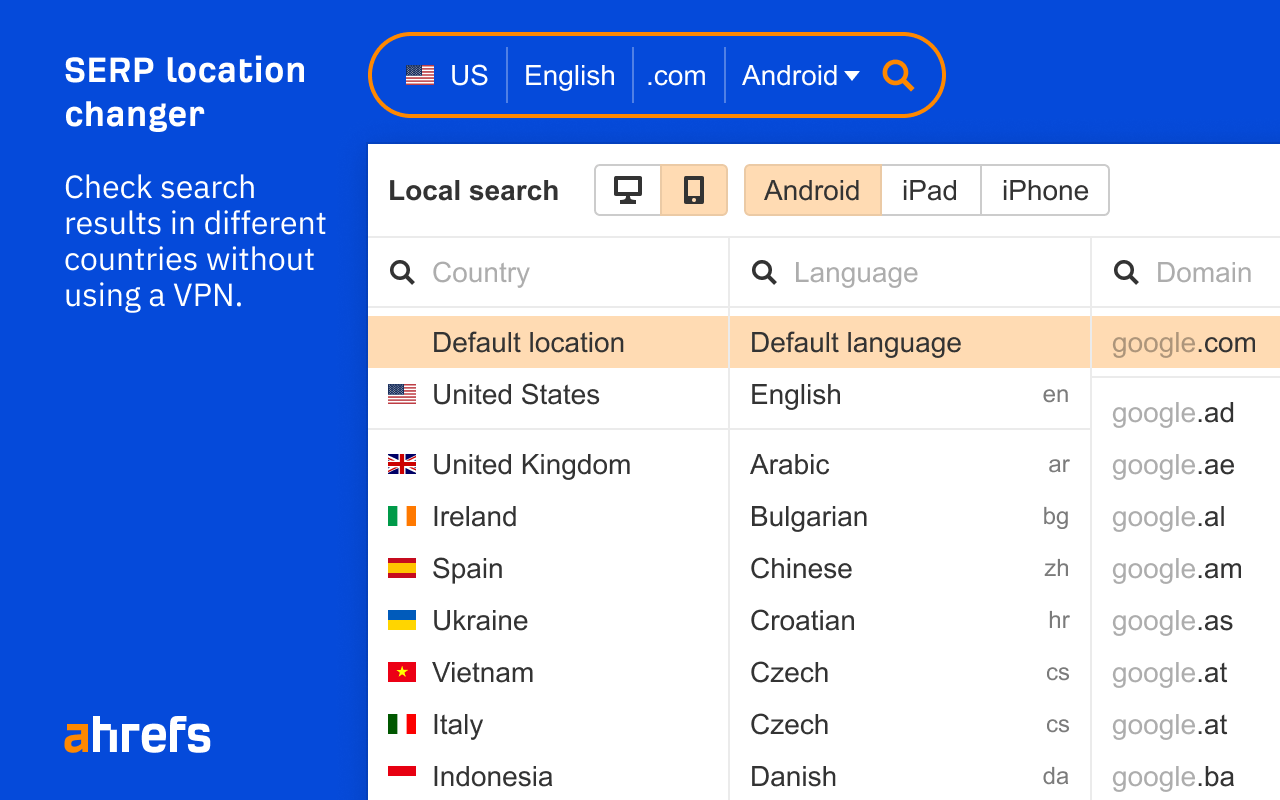
Local SEO work gets easier with the SERP location changer. You pick a country, language, Google domain and device, and you see local results without a VPN.
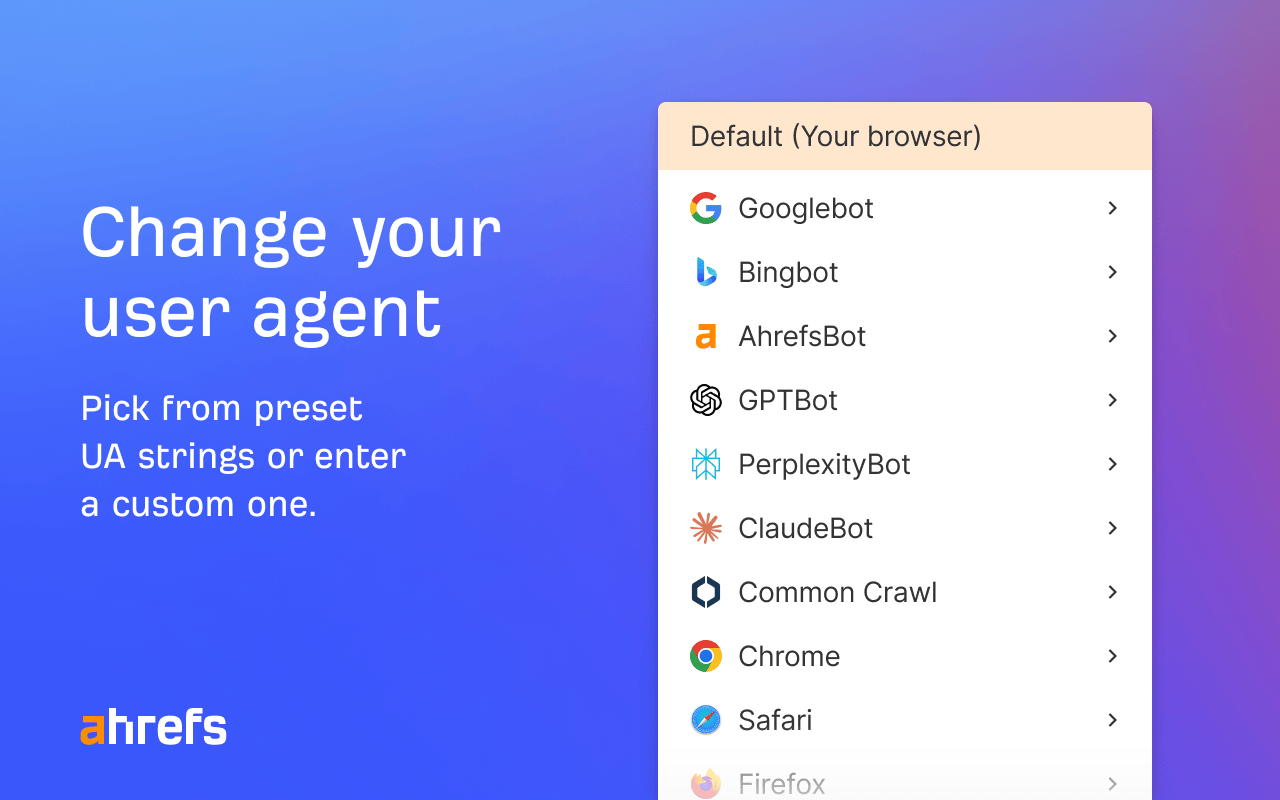
The user agent switcher is just as useful for technical checks. You can load a page as Googlebot, Bingbot, GPTBot, PerplexityBot or ClaudeBot and compare what each one gets.
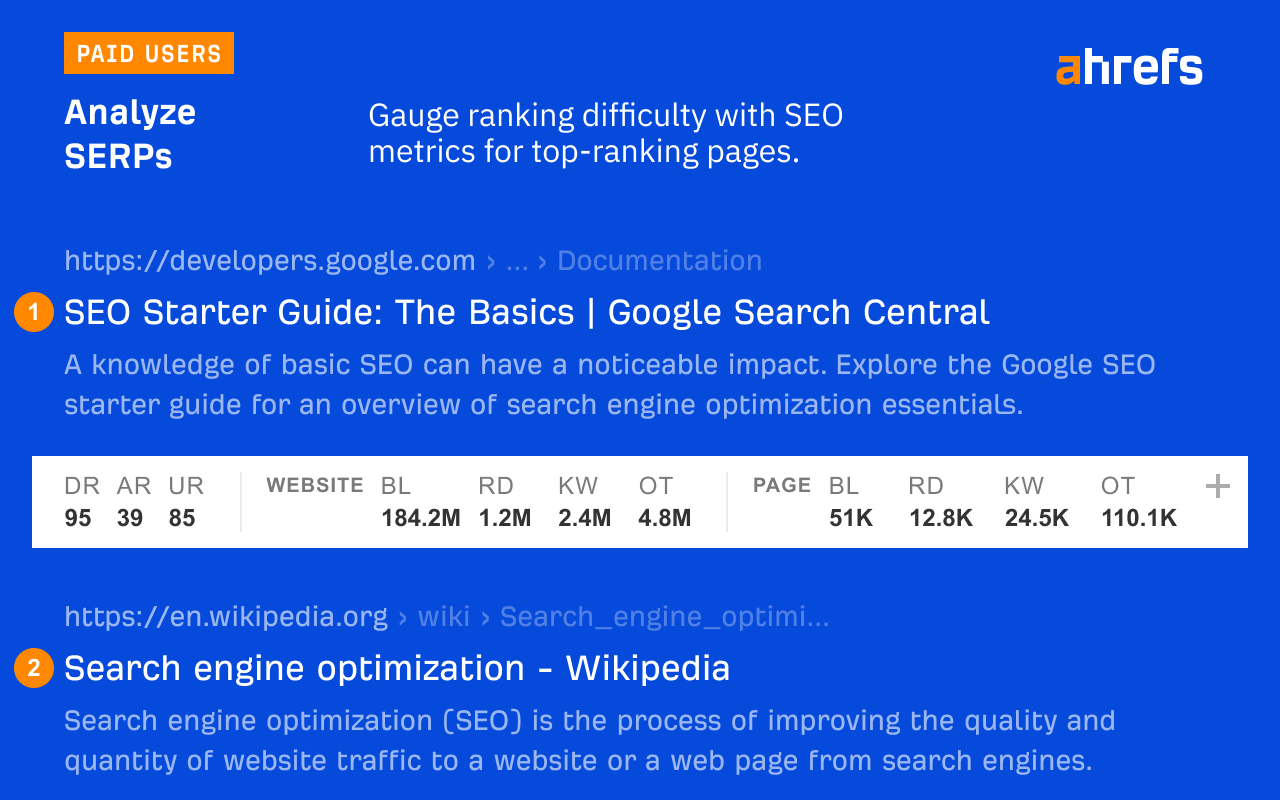
Paid Ahrefs users get more. For example, SERP metrics show DR, backlinks and traffic for every result, which helps you size up the competition. Ahrefs plans with these metrics start at $29 a month on the Starter plan.
Who should use it? Anyone doing on-page and link checks in one place, and Ahrefs customers who want their metrics while they browse.
MozBar for authority metrics and link analysis
MozBar is Moz’s SEO toolbar for Chrome. Its main job is showing Domain Authority and Page Authority on any page and on search results.
Here is what it does well:
- Page and domain link metrics, including linking domains and inbound links
- An On-Page Grader that scores a page for a target keyword
- Ranking keywords for a site, powered by Moz’s keyword data
- A SERP overlay with metrics for every organic result
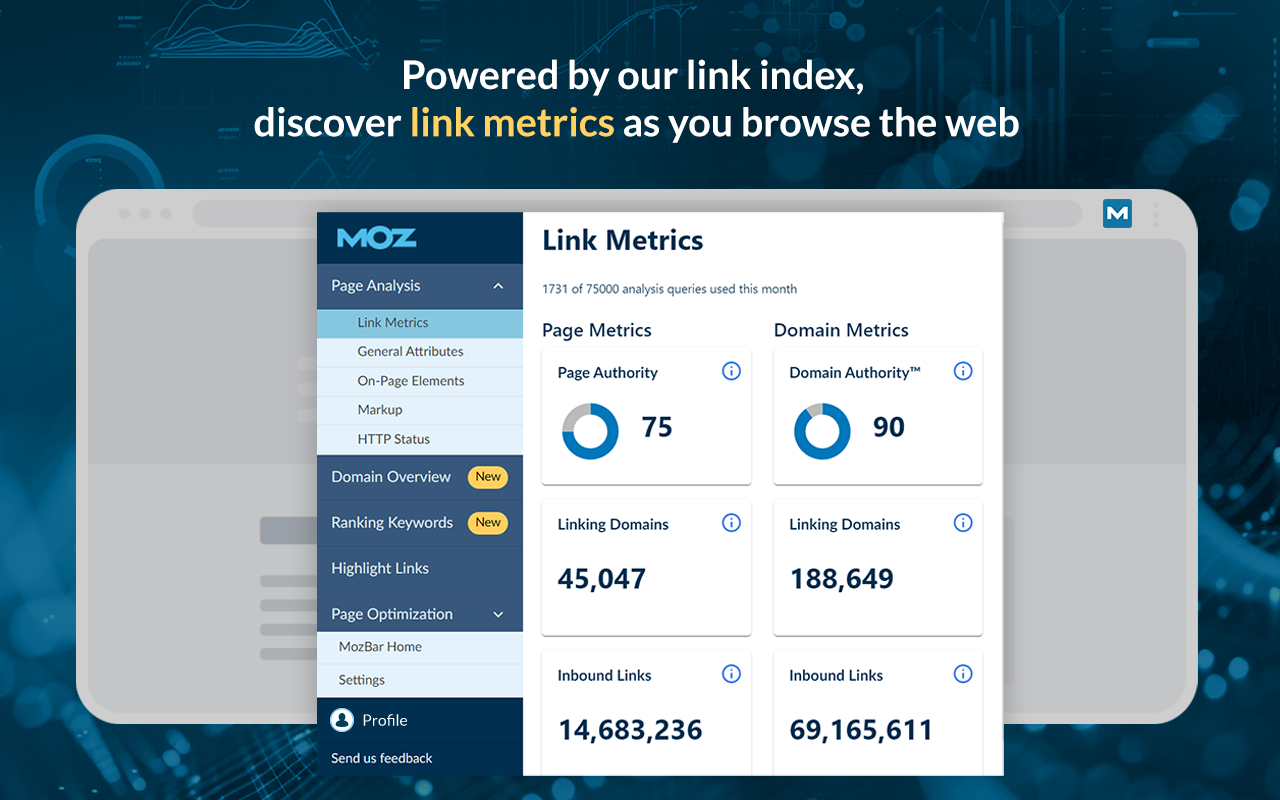
The Link Metrics view shows Page Authority, Domain Authority, linking domains and inbound links for the page you are on.
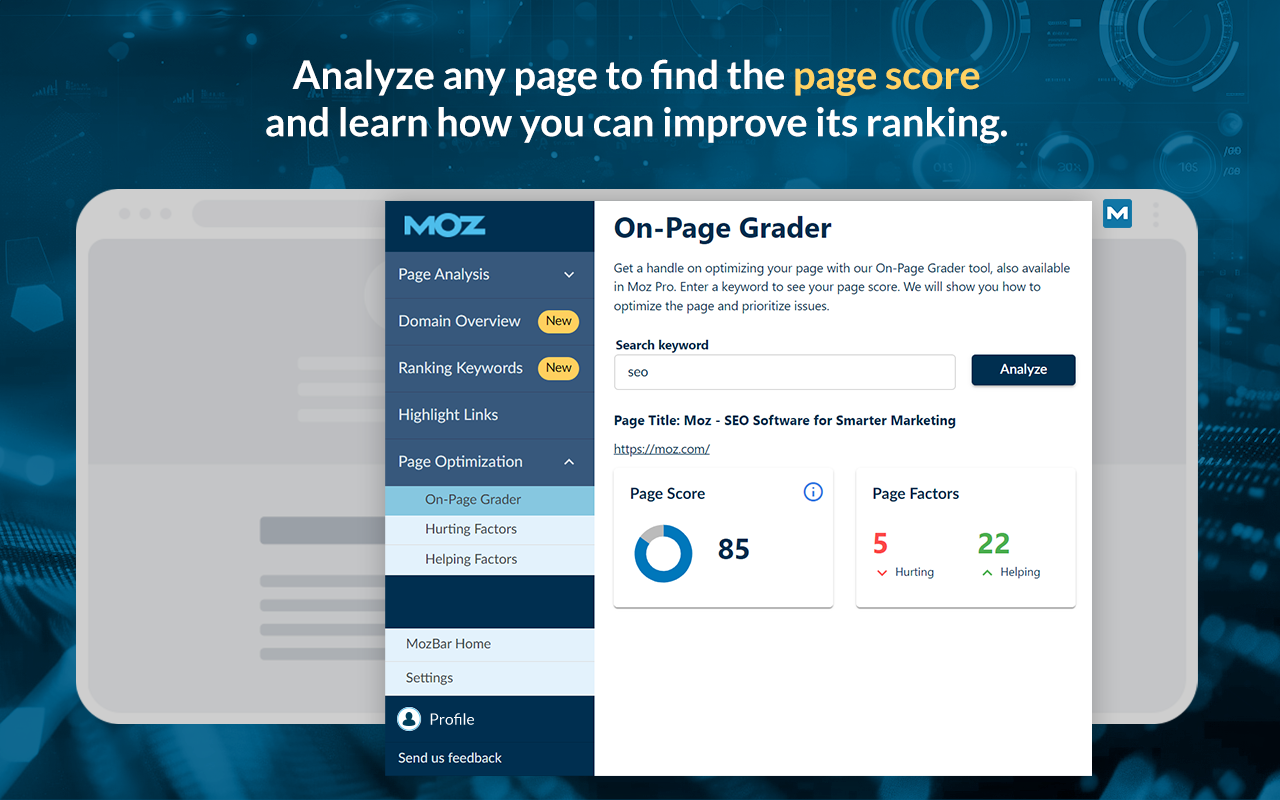
Next, the On-Page Grader gives a page score for a keyword you enter. It then lists the factors that help or hurt that page.
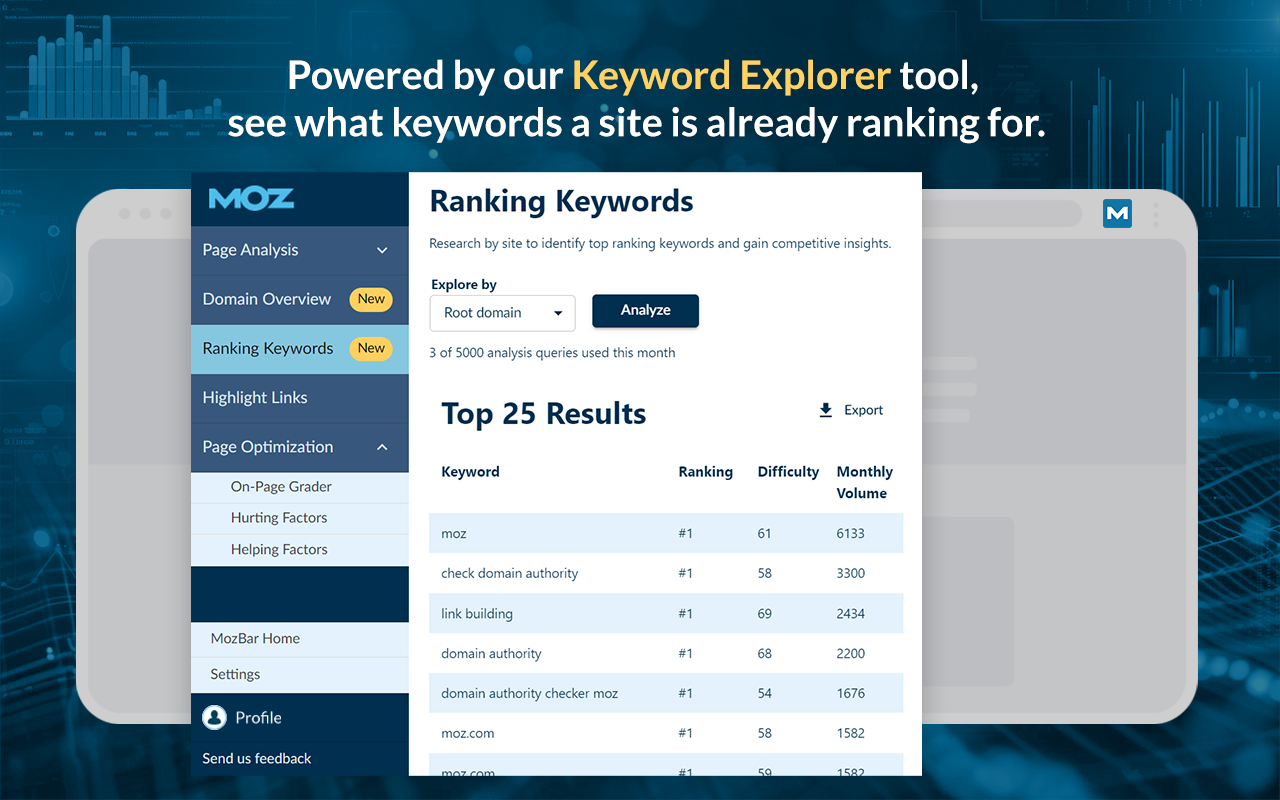
The Ranking Keywords view lists the top keywords a site already ranks for, with position and difficulty.
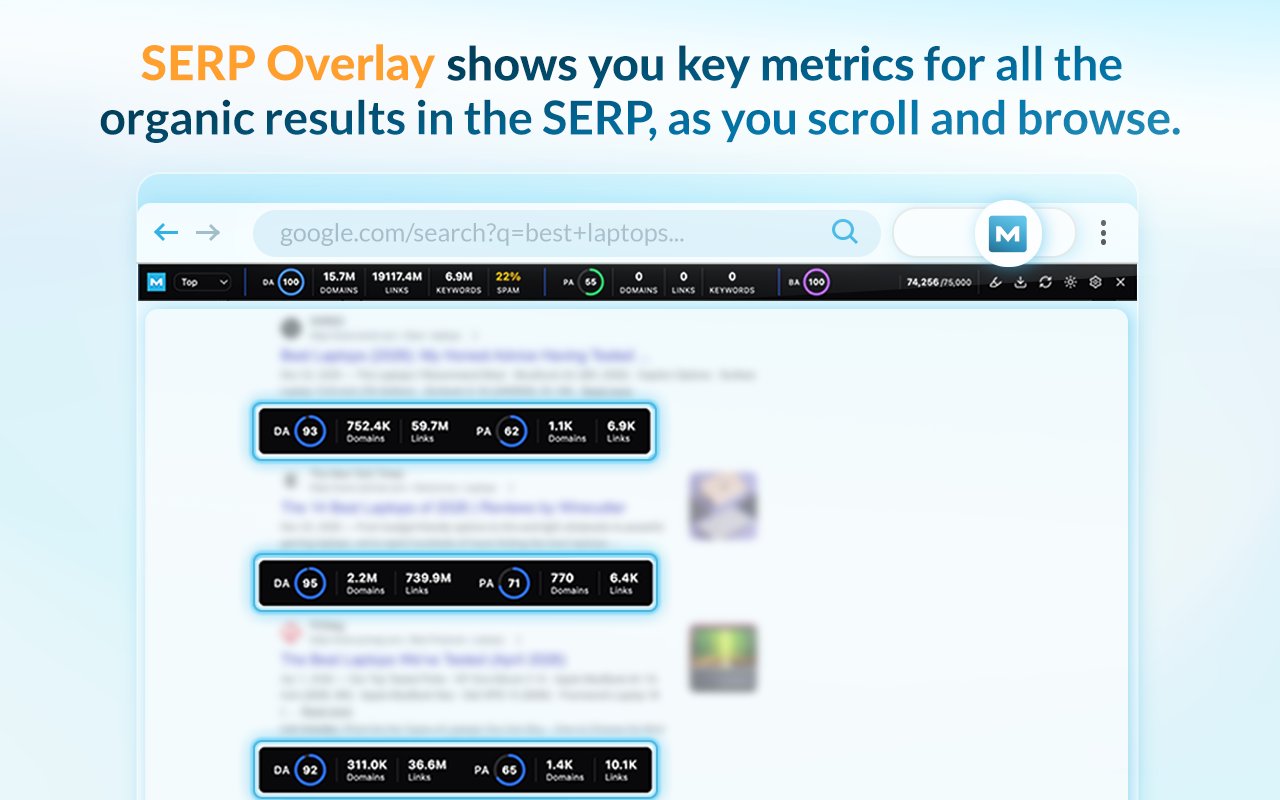
Meanwhile, the SERP overlay adds metrics under each organic result as you scroll. You can also export the analysis to CSV.
A free Moz Community account gives you DA and PA for up to 1,000 calls a month. Spam Score and the other Moz Pro metrics need a paid plan. MozBar can also highlight followed, nofollowed, internal and external links on a page.
Who is it for? Link builders and outreach teams who evaluate domains straight from the search results.
Redirect Path for status codes and redirect chains
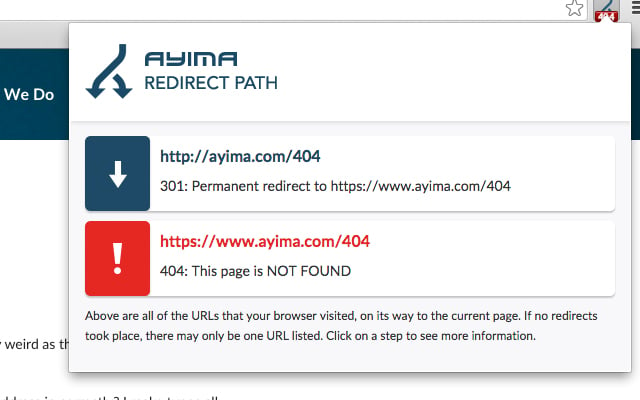
Redirect Path from Ayima is a free HTTP header and redirect checker. It flags 301, 302, 404 and 500 status codes as you browse. It also catches meta and JavaScript redirects, which many tools miss.
Key features:
- Every hop in a redirect chain, with its status code
- Client-side redirects such as meta refresh and JavaScript
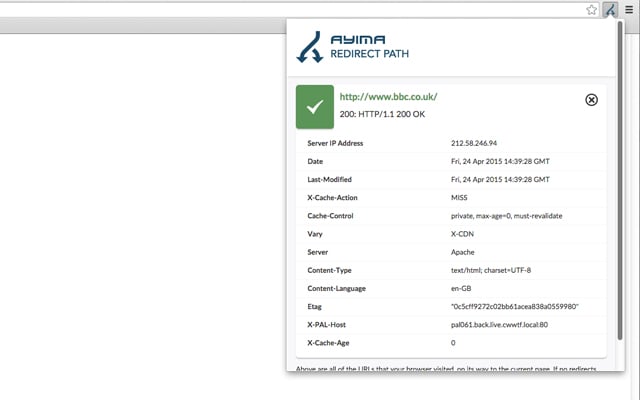
- HTTP headers and the server IP address for each step
A typical chain looks like this one, where http://ayima.com sends a 301 to the https version, which returns a 200.
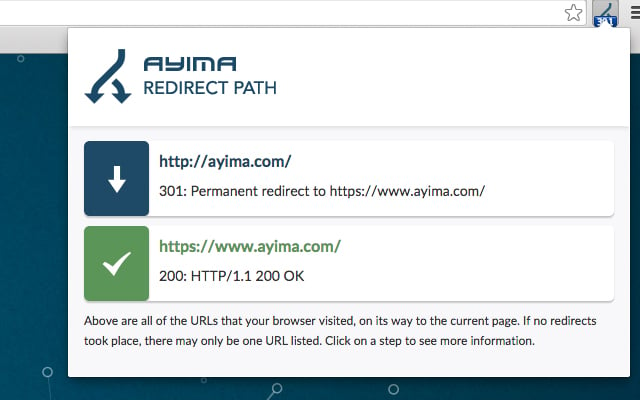
Broken redirects show up in red. In this example, a 301 points to a URL that returns a 404, so the fix is clear.
Click any step, and Redirect Path shows its HTTP headers, from caching rules to the server type.
The checks run on your own computer, so the extension does not send your browsing to anyone.
Who should install it? Anyone running a site migration, where every old URL needs one clean hop to its new home.
Robots Exclusion Checker for indexing problems
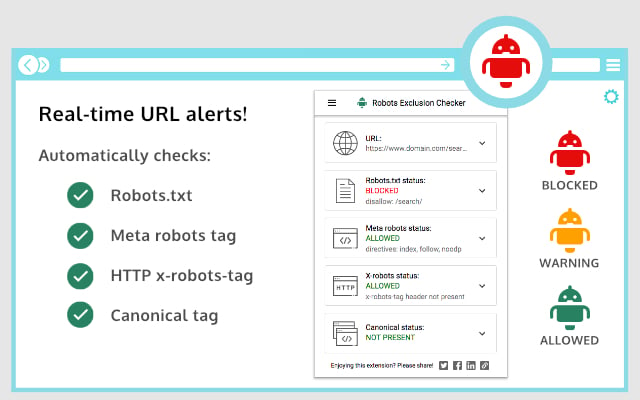
Robots Exclusion Checker, built by Sam Gipson, tells you right away if a page can be crawled and indexed. Its icon turns red, amber or green as you browse, so you can quickly identify the SEO problems.
It checks four things in real time:
- Robots.txt rules for the current URL
- The meta robots tag
- The X-Robots-Tag HTTP header
- The canonical tag
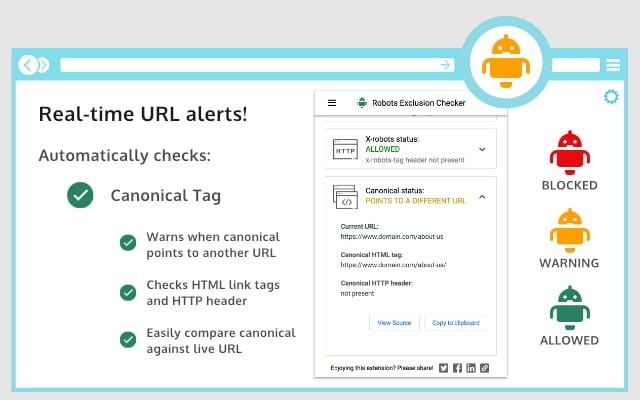
The main panel lists all four results together, each with a blocked, warning or allowed status.
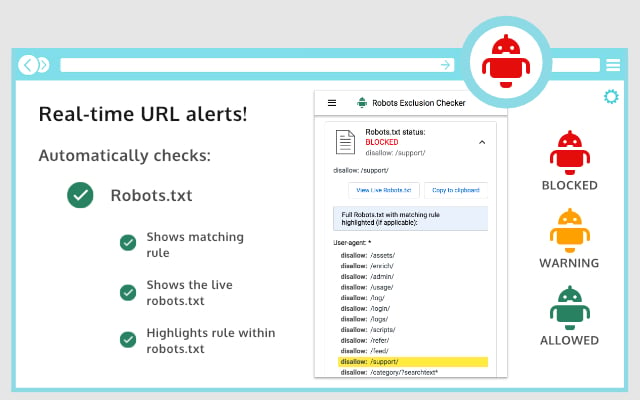
When robots.txt blocks a page, the extension shows the live file and highlights the exact rule that matches. That saves a lot of guesswork on large robots files.
The canonical check warns you when a canonical points to another URL. It also compares the HTML link tag with the HTTP header.
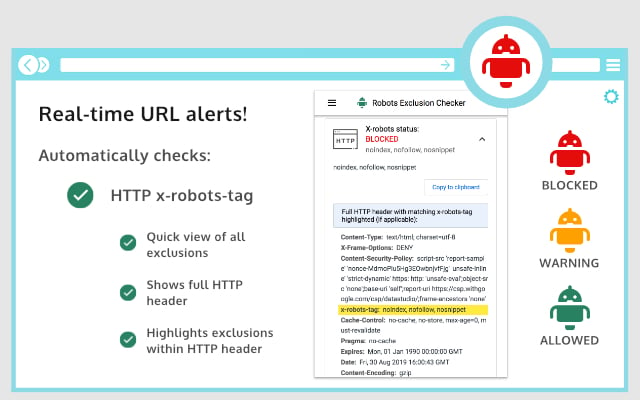
For headers, it shows the full HTTP response and highlights any noindex or nofollow rule inside the X-Robots-Tag.
Who needs it? Technical SEOs and site owners who want to know, in one look, why a page is missing from Google.
Check My Links for broken links on a single page
Check My Links scans every link on the page you are viewing. Then it colours each one as valid, redirected or broken, right on the page.
Its best features:
- One click on the icon scans the whole page
- An option to leave out the header and footer
- Highlight colours you can change or switch off
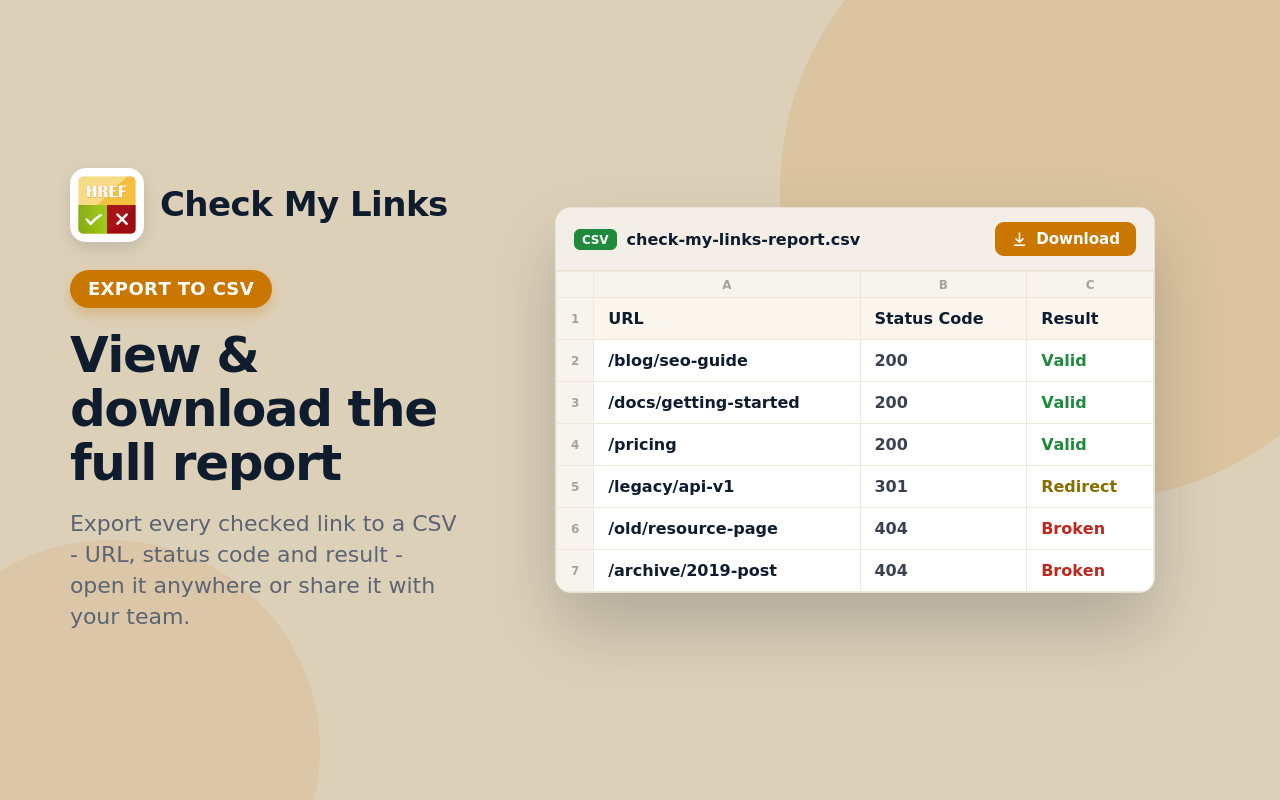
- A CSV report with every URL, status code and result
- Support for Google Docs and Google Sheets
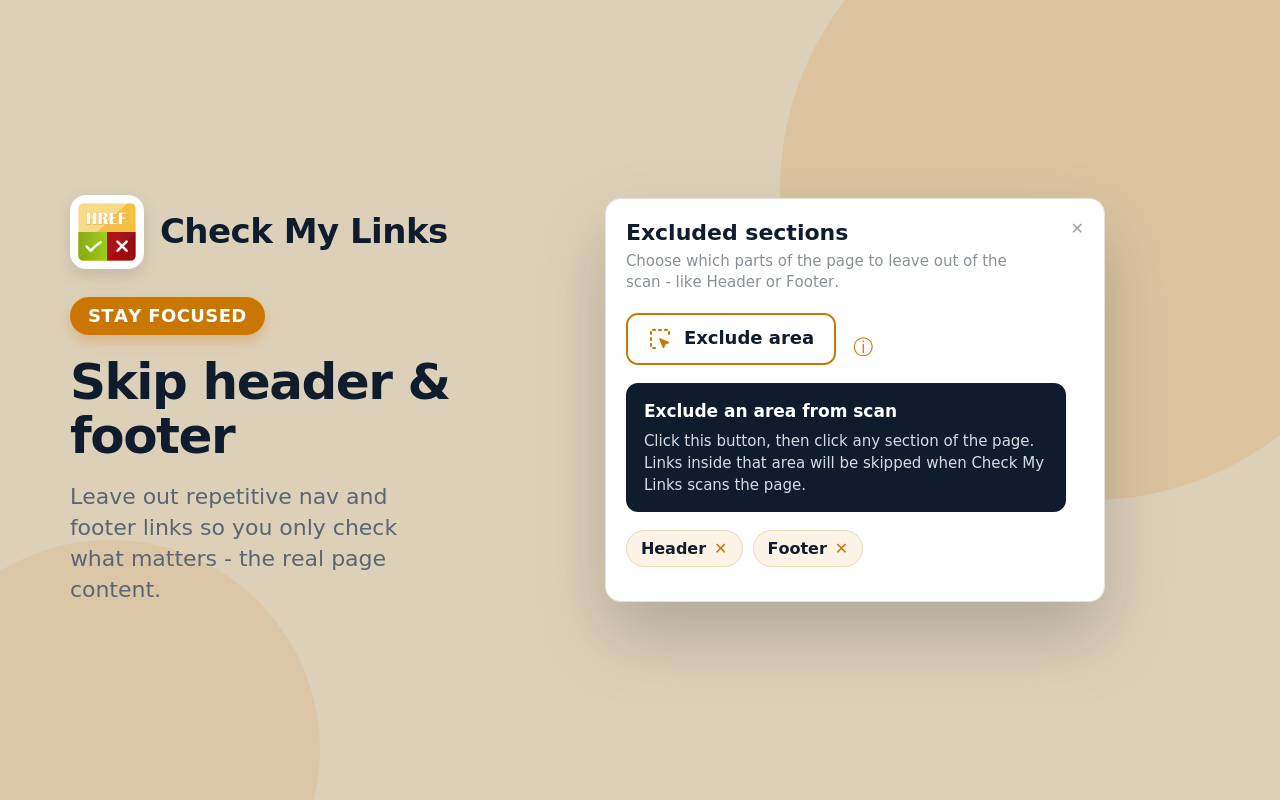
The exclude option is useful for editors. You leave out the menu and footer, so the scan covers only the content you are updating.
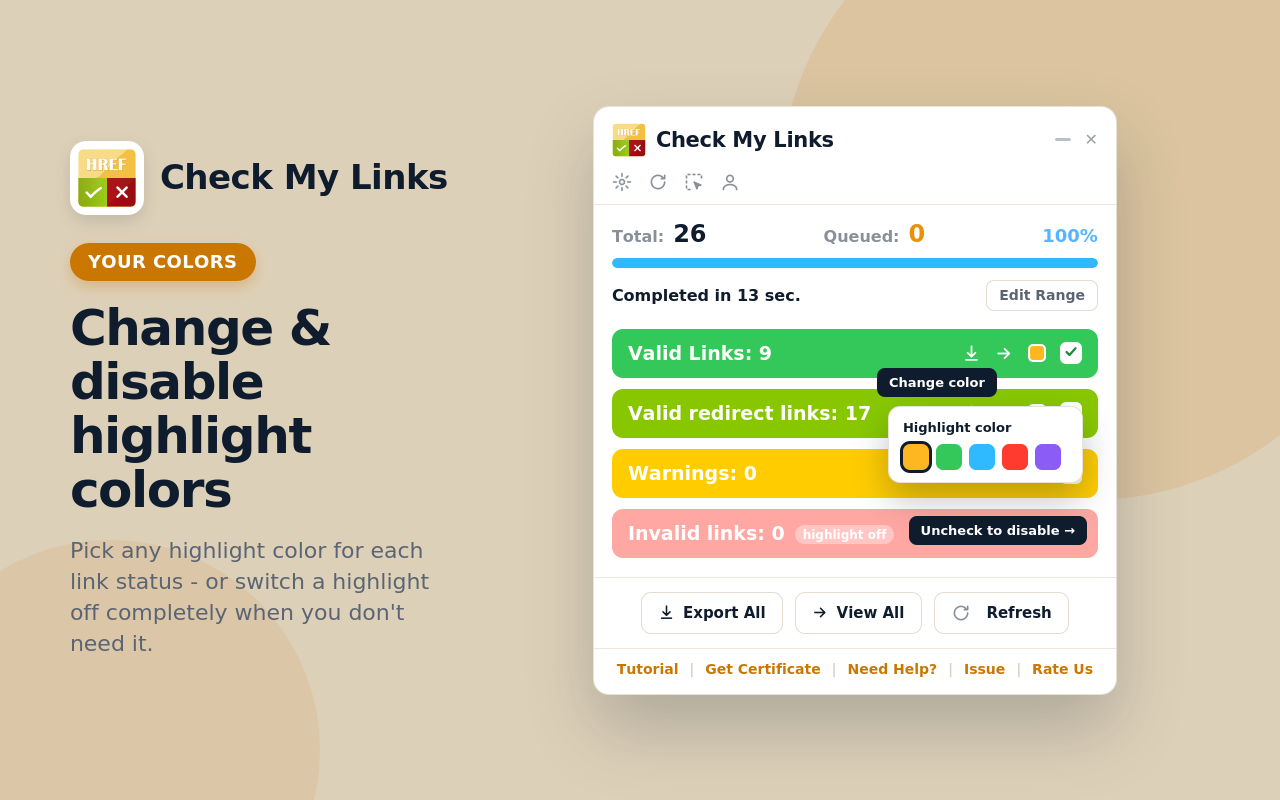
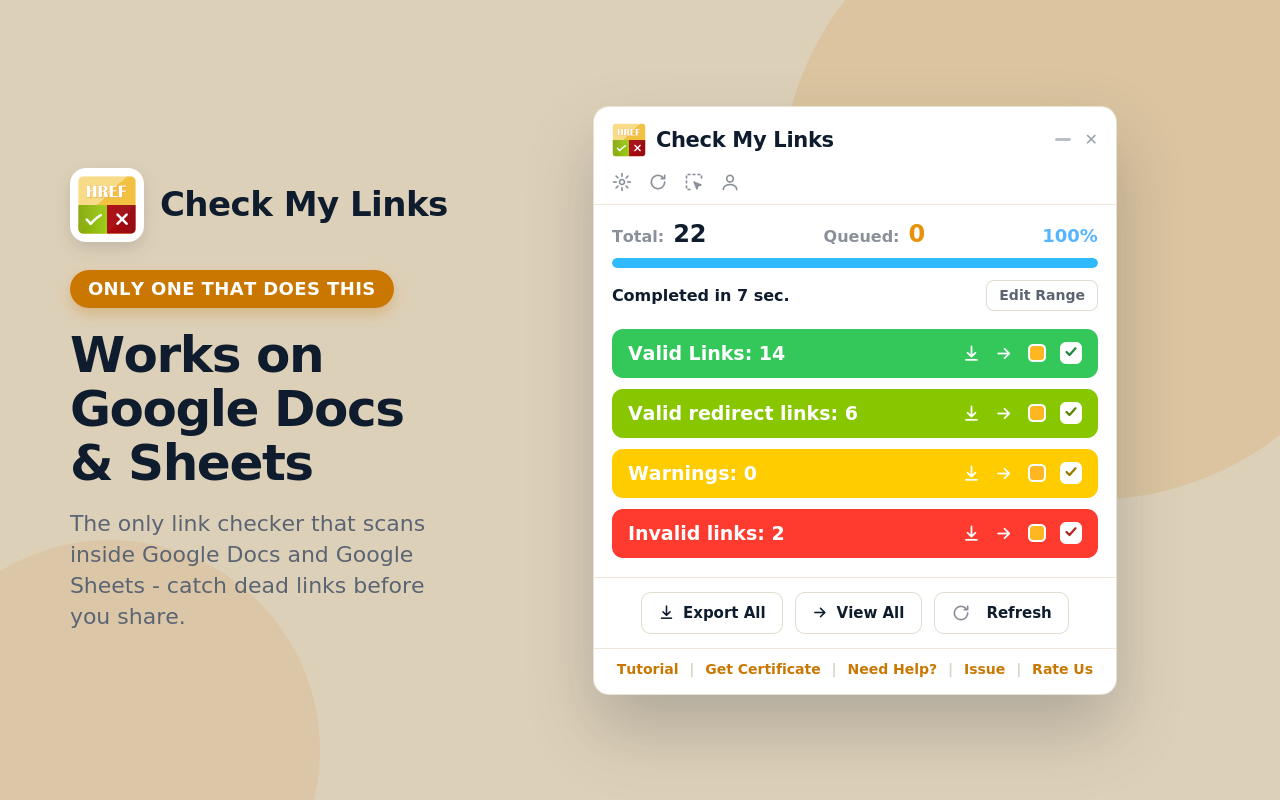
The results panel counts valid links, valid redirects, warnings and invalid links. You can change the highlight colour for each group.
Next, the export gives you a CSV with the URL, status code and result of every link, and you can send that file to a developer.
It also works inside Google Docs and Google Sheets. So you can check the links in a draft before it goes live.
Who is it for? Editors who refresh old posts. For whole-site crawls, though, one of these broken link checkers is the better tool.
SEO META in 1 CLICK for a full meta tag report
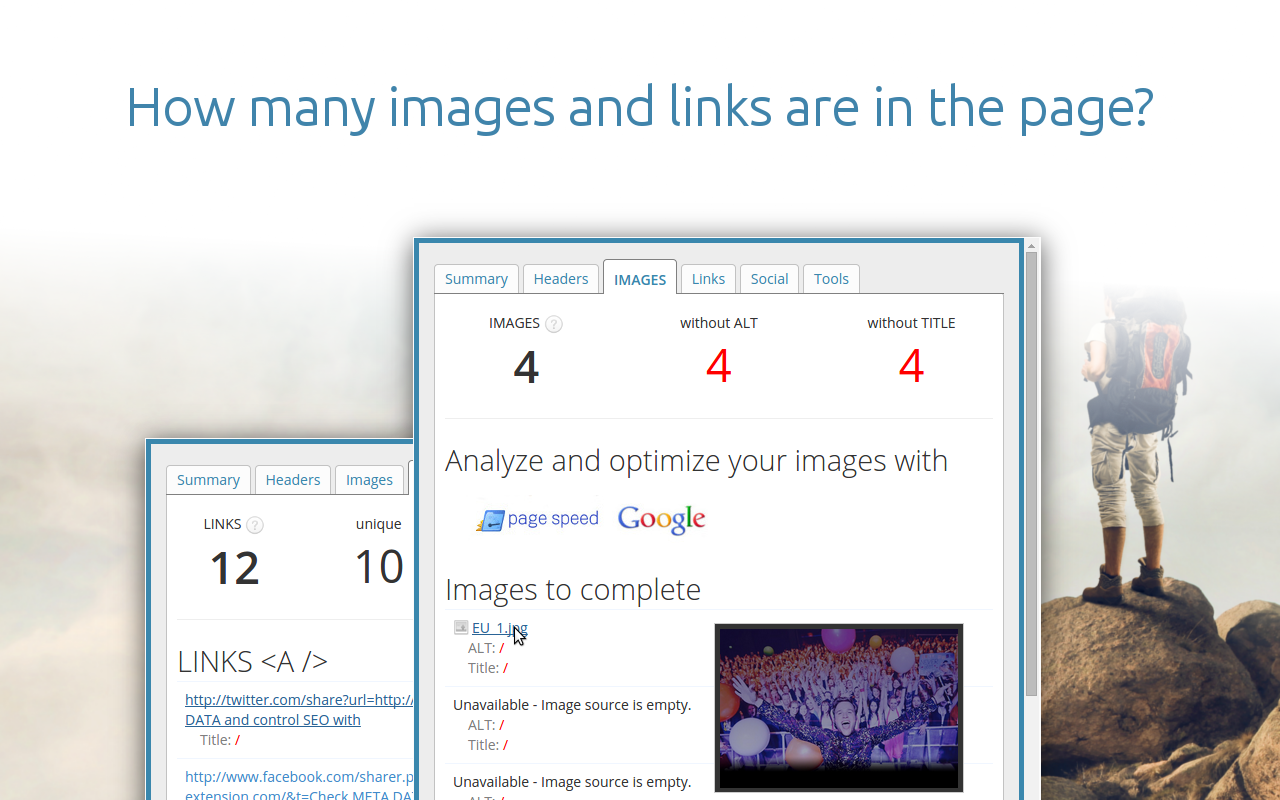
SEO META in 1 CLICK shows the meta data and main SEO elements of a page in a single popup. It is free and arranges everything in tabs.
The main tabs are:
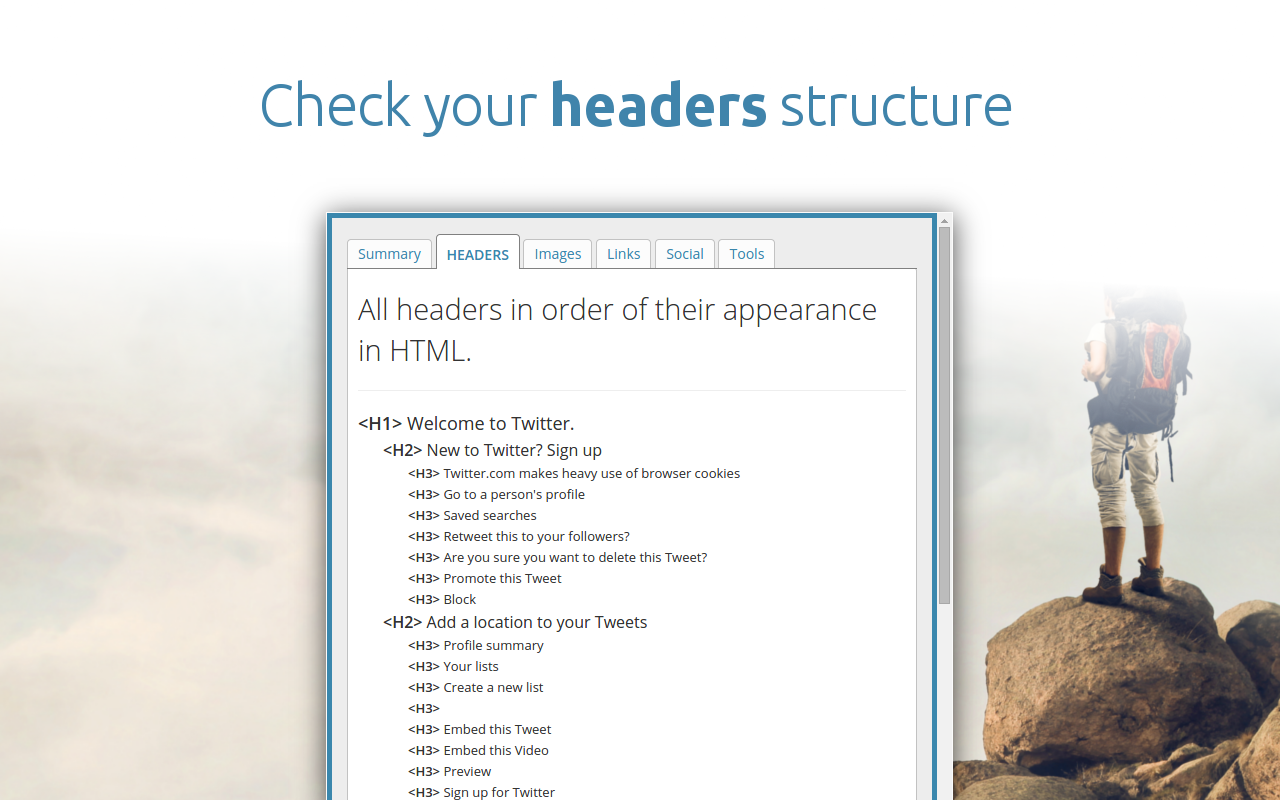
- Summary, with the title, description, keywords, URL, canonical, robots tag, author and language
- Headers, listing every heading in the order it appears
- Images and links, with counts and missing alt or title attributes
- Social, with Open Graph and Twitter card data
- Tools, with one-click checks in outside services
The Summary tab shows the length of the title and description next to the text. So you can tell at once if either one is too long.
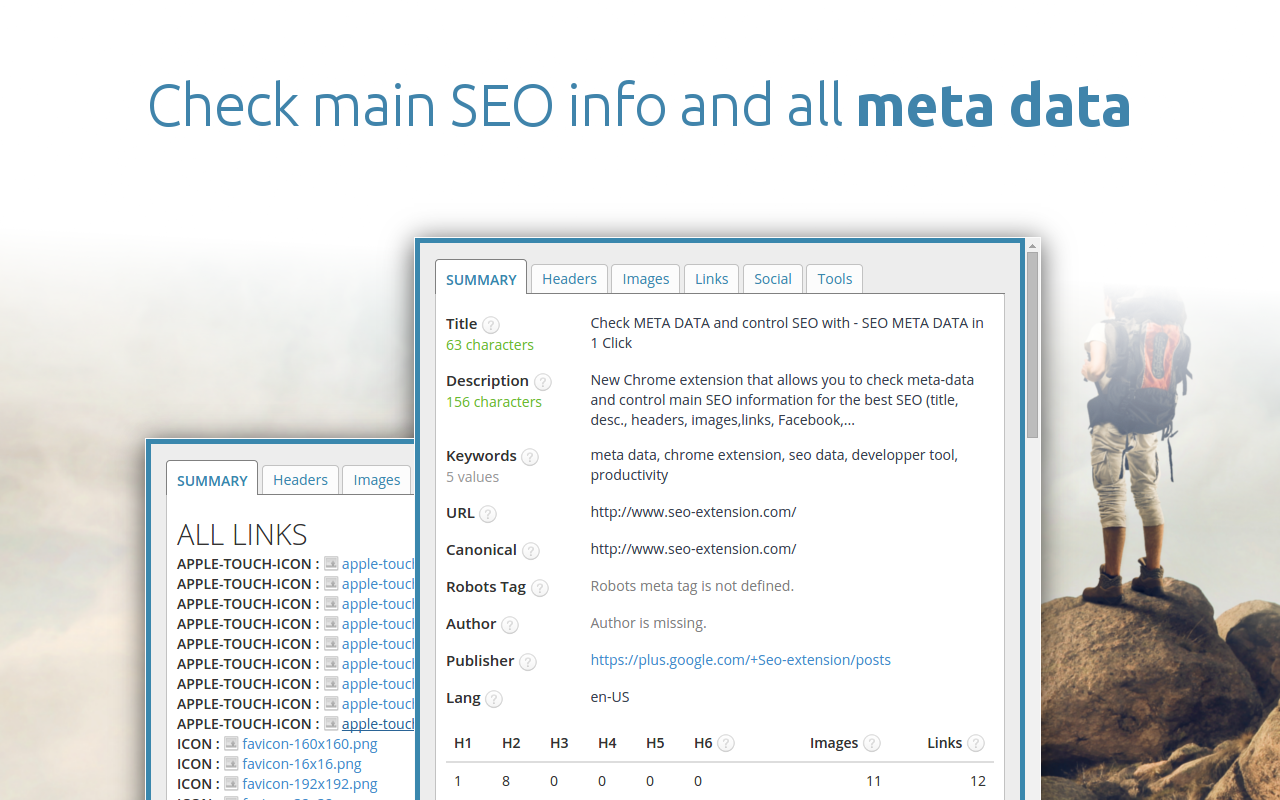
The Headers tab lists all headings in their HTML order, so you can read the outline of a long post at a glance.
The images view counts every image and flags those without alt or title text.
It also shows how a page will look when shared, with its Open Graph and Twitter tags.
Who is it for? Bloggers and writers who want a full meta tag report without any account or setup.
Writesonic SEO Keywords for search and AI insights
Writesonic’s SEO Keywords extension adds keyword data to Google results and AI insights to chat platforms. You need a Writesonic account to use it.
Two features set it apart:
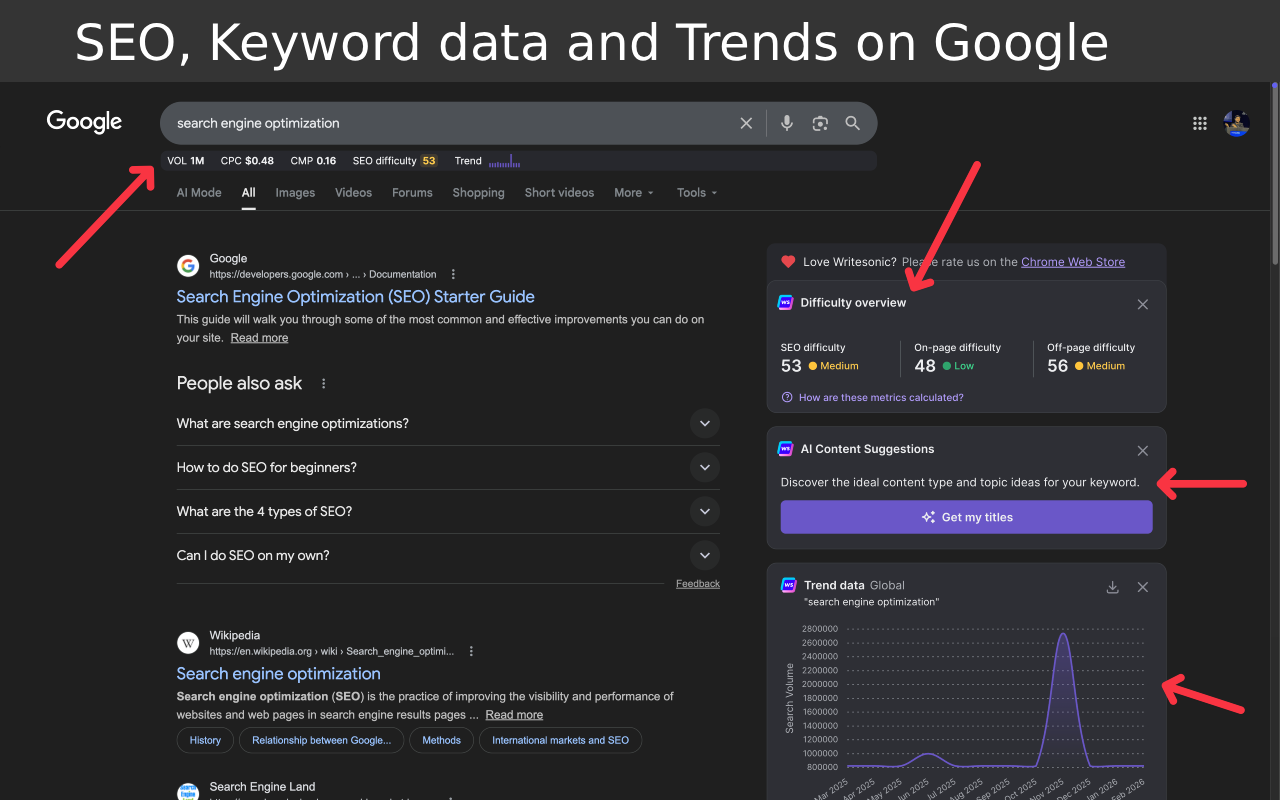
- SEO and keyword data, with trends, right on the Google results page
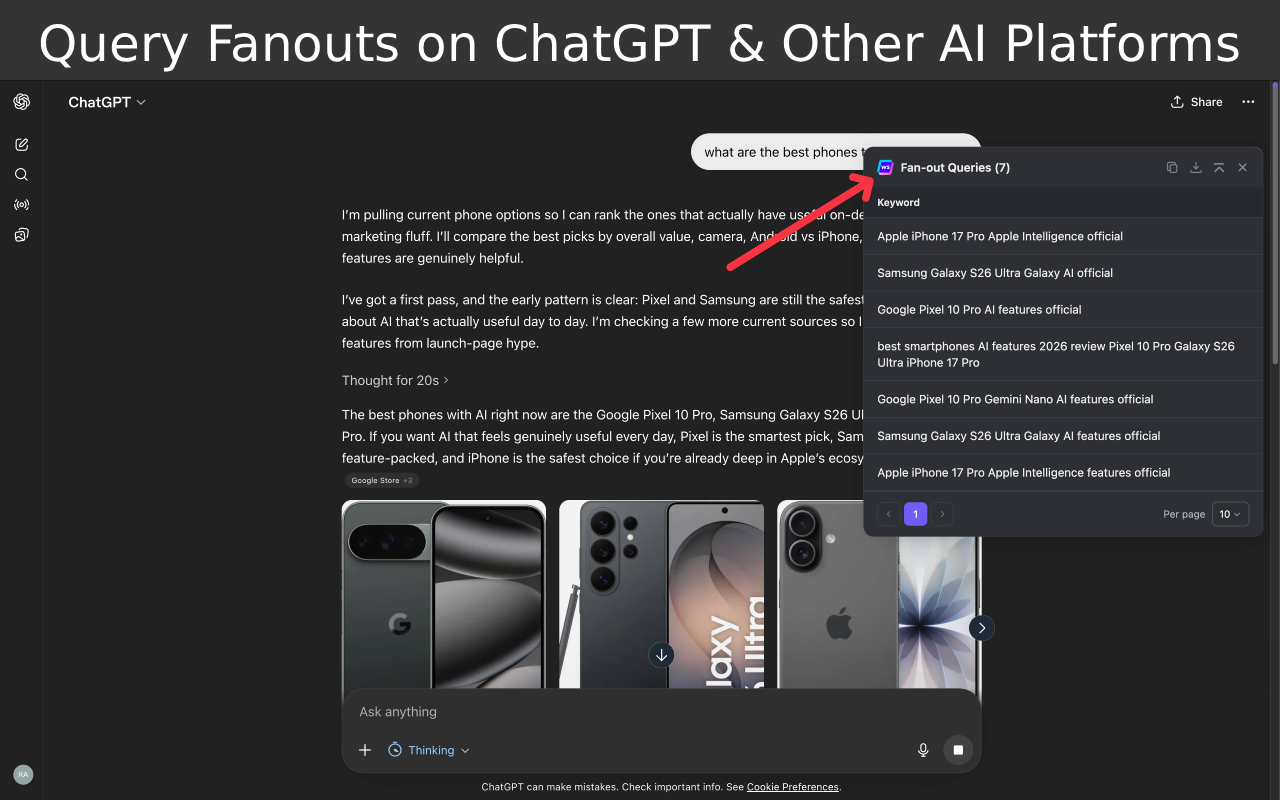
- Query fan-outs on ChatGPT and other AI platforms
On Google, it adds a panel next to the results with keyword difficulty, search data and a trend chart for the query.
On ChatGPT, it shows the query fan-out: the extra searches the AI runs behind one prompt. That gives you a view of the sub-topics your content should cover to show up in AI answers.
Who should use it? Content teams that want keyword data and AI search insights in the same browser window.
All in One SEO Analyzer for an on-page score
All in One SEO Analyzer is a free extension from AIOSEO, the team behind the WordPress plugin. It works on any site, so you can also review competitors’ pages.
Its tabs include:
- Overview, with an SEO score and checks for title, description, URL and canonical
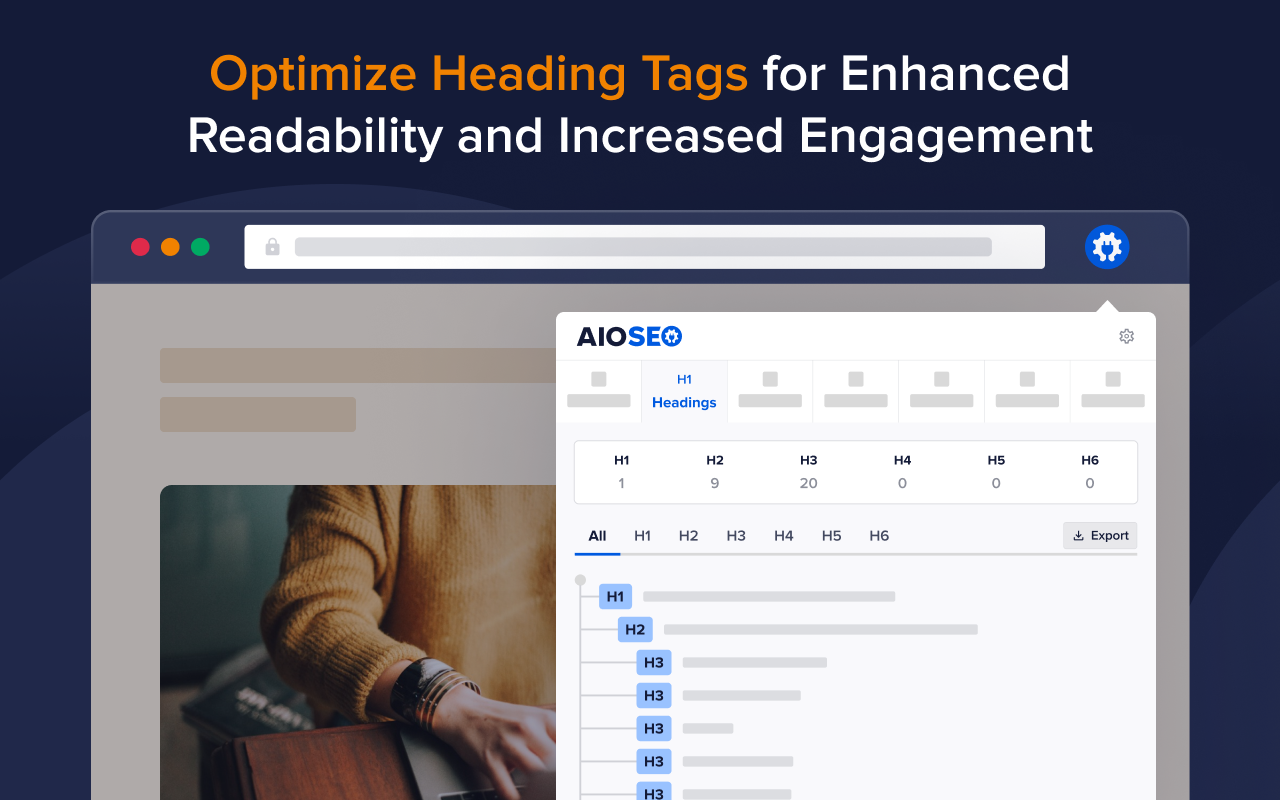
- Headings, with counts for H1 to H6 and the full outline
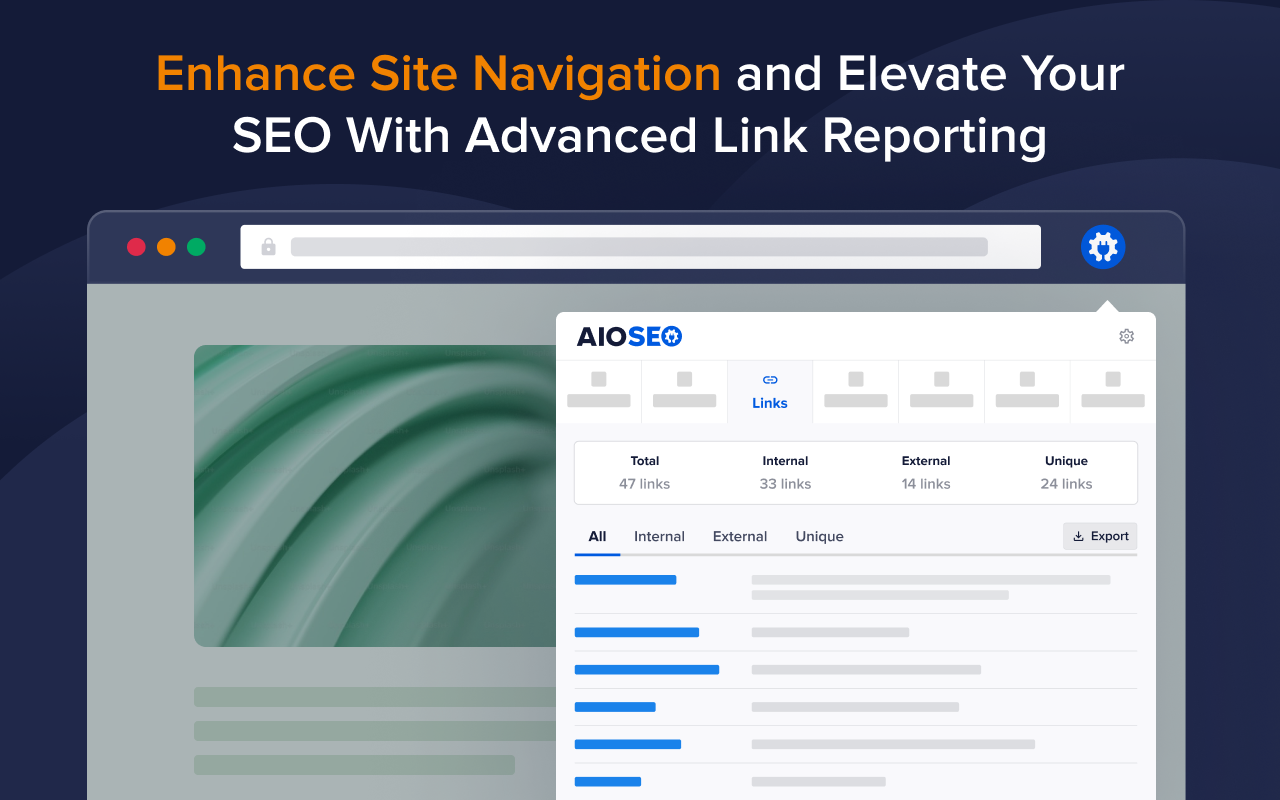
- Links, split into internal, external and unique
- Images, with missing alt and title attributes
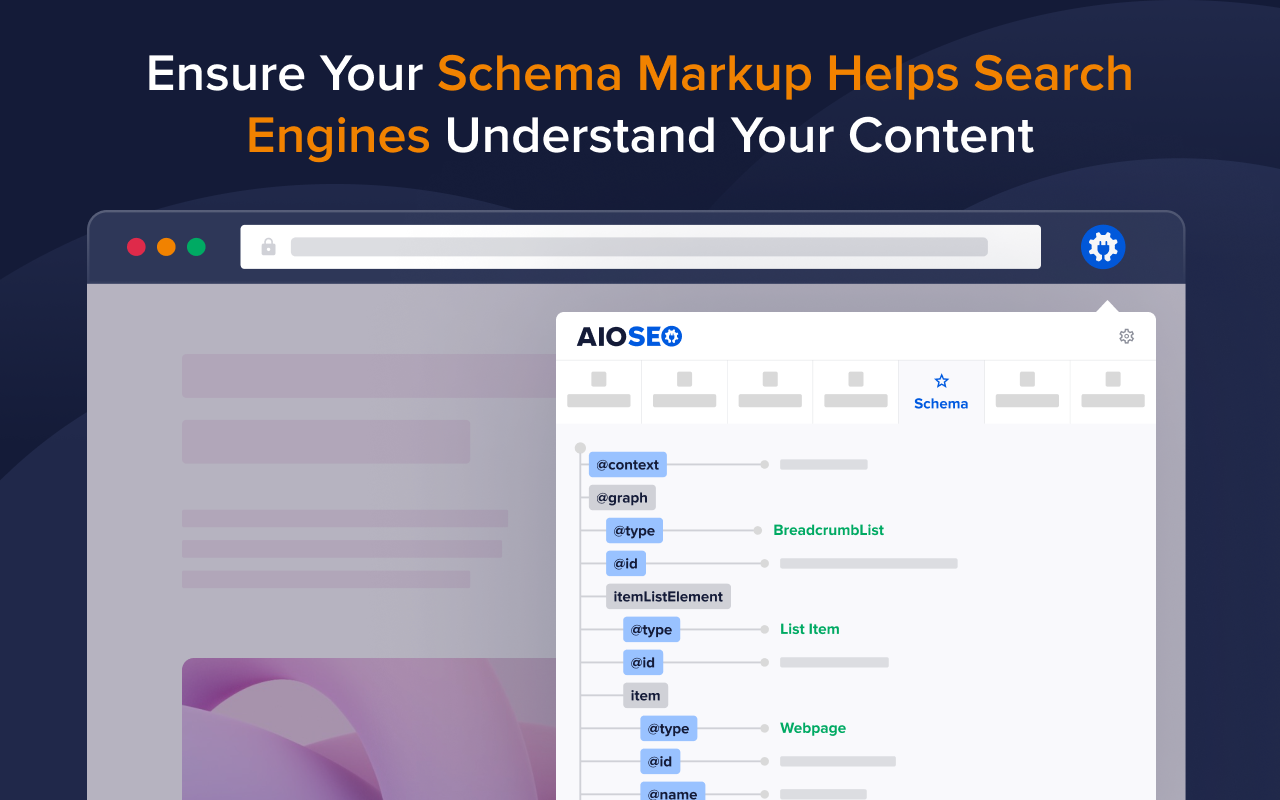
- Schema and Social, for structured data and Open Graph tags
The Overview tab gives the page a score out of 100. Then each item gets a pass or fail label, so you know what to fix first.
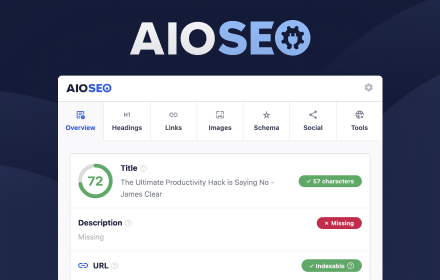
The Headings tab counts each heading level and shows the full tree.
The Links tab splits internal, external and unique links, which is useful for internal linking audits.
The Schema tab shows the structured data on the page as a tree, so you can confirm the right types are present.
Who is it for? WordPress site owners, and anyone who wants a scored on-page check of their own pages or a competitor’s.
Keywords Everywhere for keyword research on Google
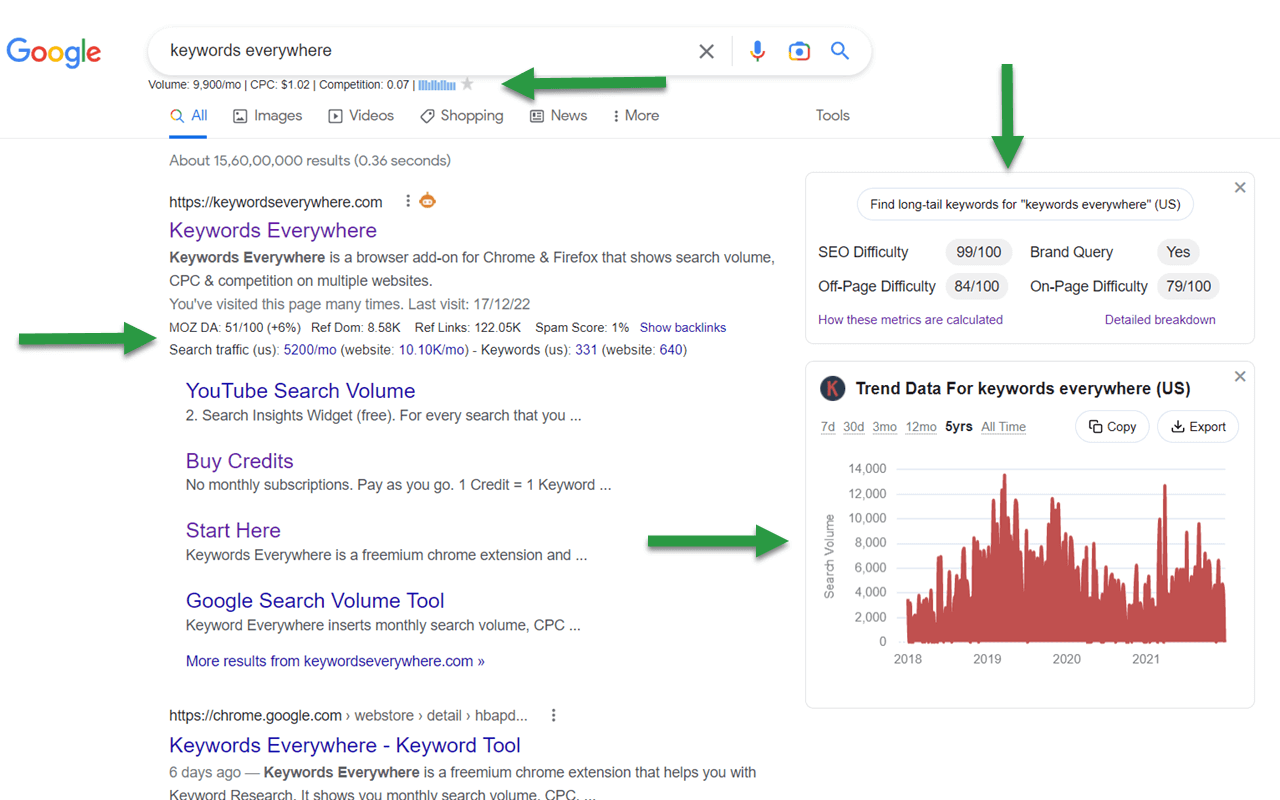
Keywords Everywhere is an SEO Chrome extension for keyword research. It adds keyword and traffic data to Google, YouTube, Amazon and 15+ other sites. More than 1.6 million users run it.
Its best features:
- Website traffic estimates with the top 10,000 keywords for any URL or domain
- Moz link metrics, such as Domain Authority, Spam Score and referring domains
- SEO Difficulty, On-Page Difficulty and Off-Page Difficulty scores
- Related, “People Also Search For” and long-tail keyword widgets
- Keyword density for any URL
- Google Search Console reports turned into tables and charts
- Search volume, CPC, competition and 12-month trends on paid credits
Search for any keyword on Google, and the extra data shows up right on the results page. The free version gives the difficulty scores, link metrics and keyword widgets. Search volume, CPC and trend charts back to 2004 need paid credits.
On top of that, paid users get competitor gap analysis. It lists the keywords a rival ranks for that your site does not.
Who needs it? Bloggers and SEOs who want keyword ideas and difficulty scores without leaving Google.
GMB Everywhere for Google Business Profile audits
GMB Everywhere is an SEO Chrome extension for local SEO. It adds Google Business Profile categories and audit buttons to Google Search, Google Maps and the Local Finder.
Its best features:
- Business categories on every listing, with the primary category marked by a star
- A basic audit with claimed status, Place ID, CID and profile ID
- A review audit for any business profile
- A post audit for a profile’s Google posts
- A location rank check
The category view saves the most time. Search for “dentist near Miami”, and each listing shows its categories. So you see what the top-ranking rivals picked. The star marks the primary category, which is not always the one Google shows first.
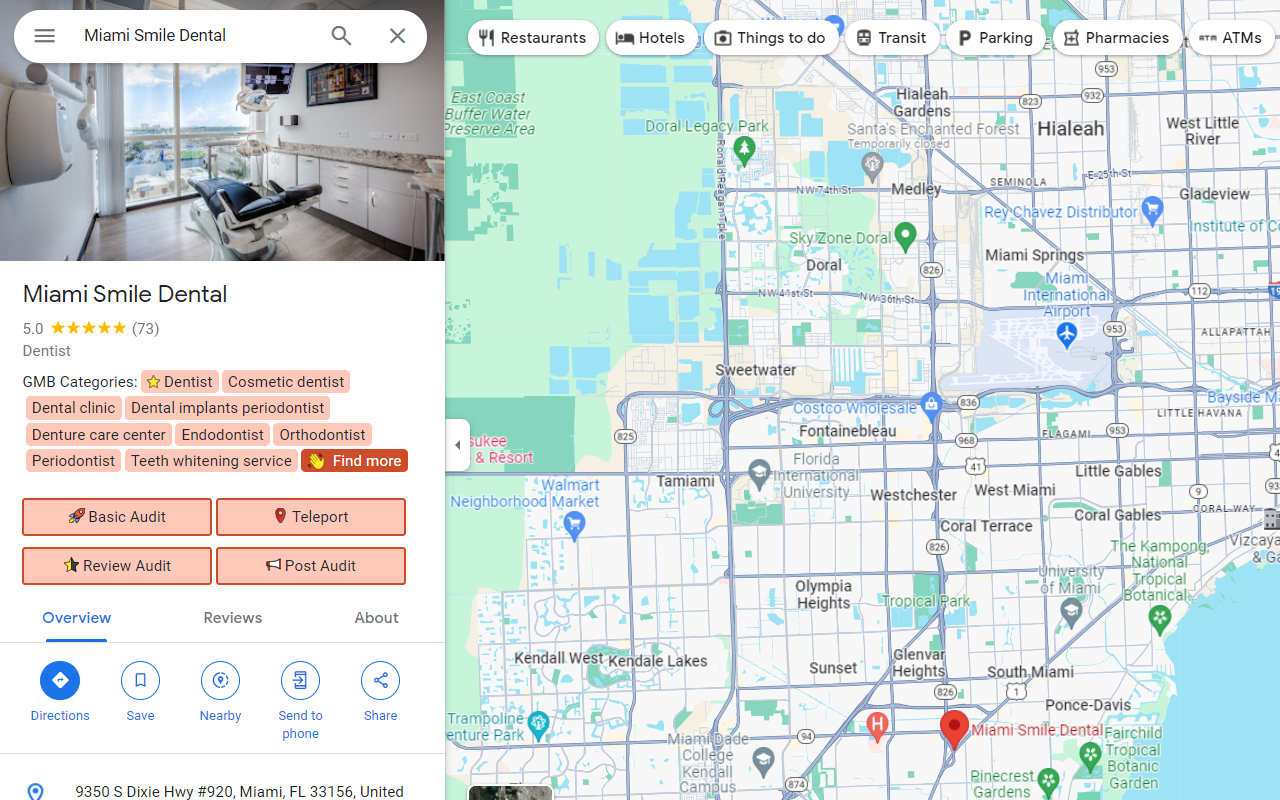
Then the Basic Audit button pulls the profile details, such as claimed status, Place ID, CID and the knowledge panel link. Review Audit and Post Audit sit right next to it. One note: GMB Everywhere does not export data from Google Maps.
Who needs it? Local SEOs and business owners who want to know why a rival sits in the map pack.
Collaborator Link Assistant for backlink checks
Collaborator Link Assistant, also called Racoon Link Checker, is an SEO Chrome extension for link builders. You add your domains once. After that, it finds your links on any page you open in Chrome.
Its best features:
- Automatic link detection with a “Scroll to link” button
- Dofollow, nofollow and sponsored attribute checks
- Noindex meta tag and X-Robots-Tag checks
- Google index status of the linking page
- Robots.txt and canonical domain checks
- Google Sheets export for every placed link
- A report on the dofollow, nofollow and sponsored split
Say a guest post just went live. Open the page, and a popup confirms the link, the anchor text and the dofollow status.
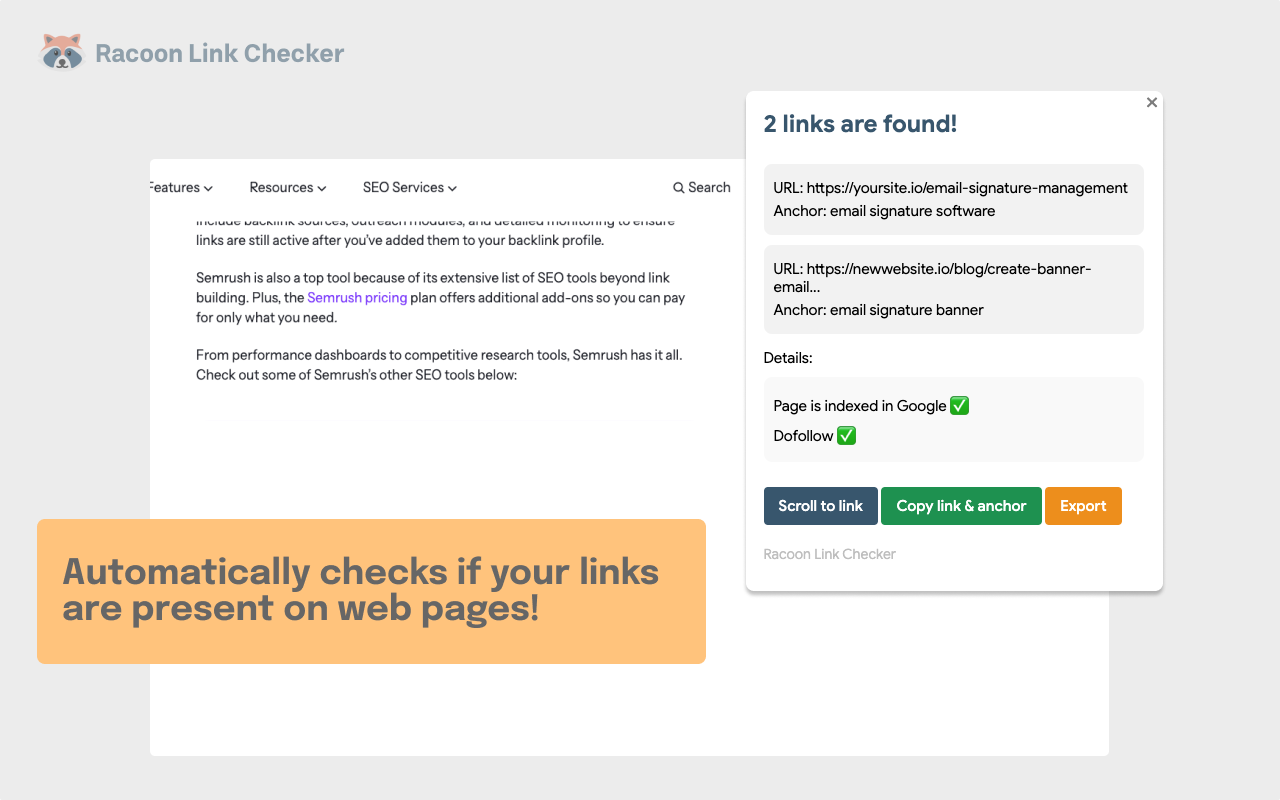
Next come the indexing checks. The extension flags a page closed by a meta tag or an X-Robots-Tag, a page Google has not indexed, and a canonical URL that differs from the page URL.
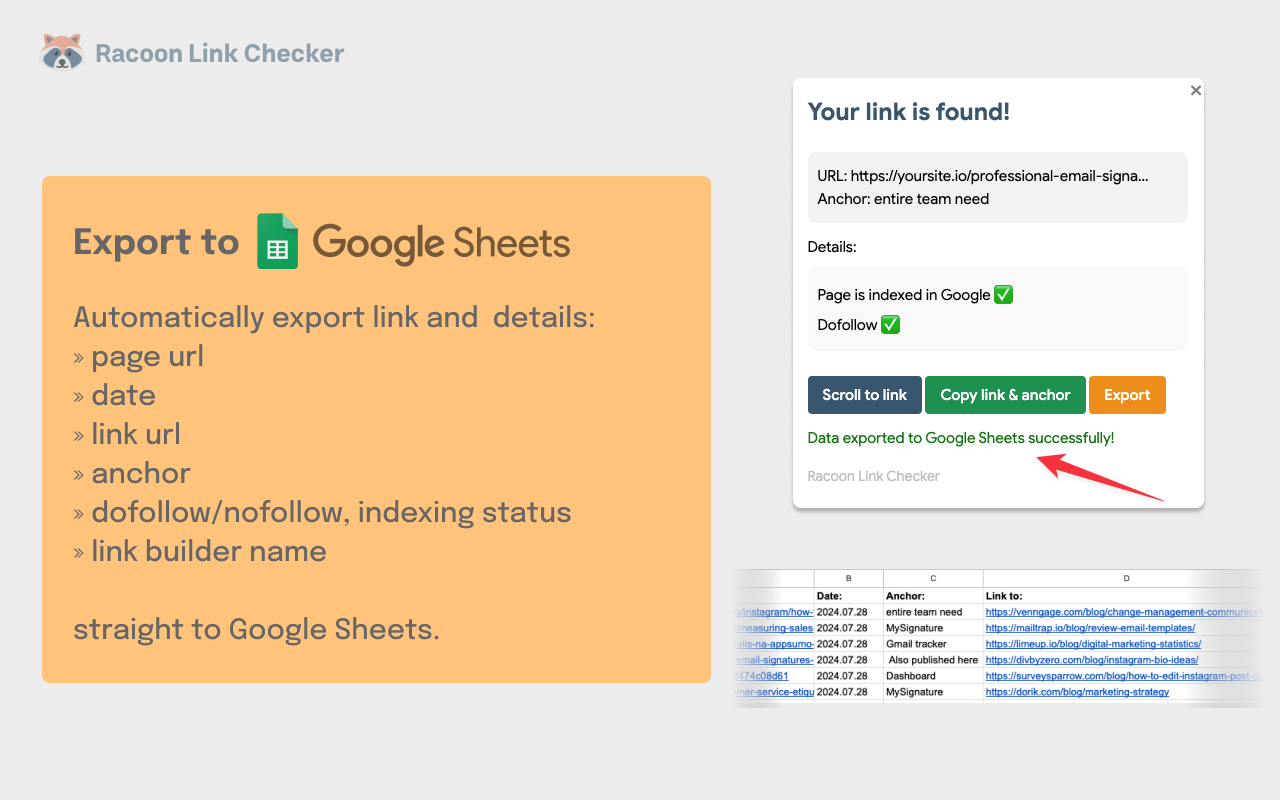
Finally, one click sends the page URL, date, link URL, anchor, attribute, index status and link builder name to Google Sheets. As a result, the outreach log fills itself.
Who needs it? Link builders and outreach teams who check dozens of placed links every week.
How to keep SEO Chrome extensions safe
Here’s a thing most people forget: every extension you install can see some of what happens in your browser. We treat our extension bar like a client’s admin login, and you should too.
Before you hit “Add to Chrome”, read the privacy section on the listing. Then read the permission warning Chrome shows you. A link checker has no reason to read your data on every site, so if one asks for that, cancel the install.
Once a tool is installed, open chrome://extensions, click Details and set site access to “On click”. The extension then stays asleep until you need it, and it never runs on your bank or email tabs.
Also, if you haven’t touched an extension in a month, remove it. Two tools doing the same job don’t give you better data. They just give one more company access to your browser.
FAQs
Which free Google Chrome extensions cover the most SEO checks?
Detailed SEO Extension, the Ahrefs SEO Toolbar and All in One SEO Analyzer cover the widest range for free. Between them, you get titles, meta tags, headings, schema, links and status codes.
Is the Web Vitals Chrome extension still available?
No. Google has ended support, so updates have stopped and features may break. Use the Performance panel in Chrome DevTools for live Core Web Vitals.
How do I check if a page is indexable in Chrome?
Install Robots Exclusion Checker and load the page. It reads robots.txt, meta robots, X-Robots-Tag headers and canonical tags, then shows any block as a red, amber or green icon.
Which Chrome extension shows Domain Authority?
MozBar shows Domain Authority and Page Authority once you sign in with a free Moz account. The free tier allows up to 1,000 metric calls a month.
Are Chrome SEO extensions safe to use?
Most are, but check each one before you install it. Read the privacy section and the permission warning, set site access to “On click” and remove tools you stop using.
Start the conversation by posting the first comment