


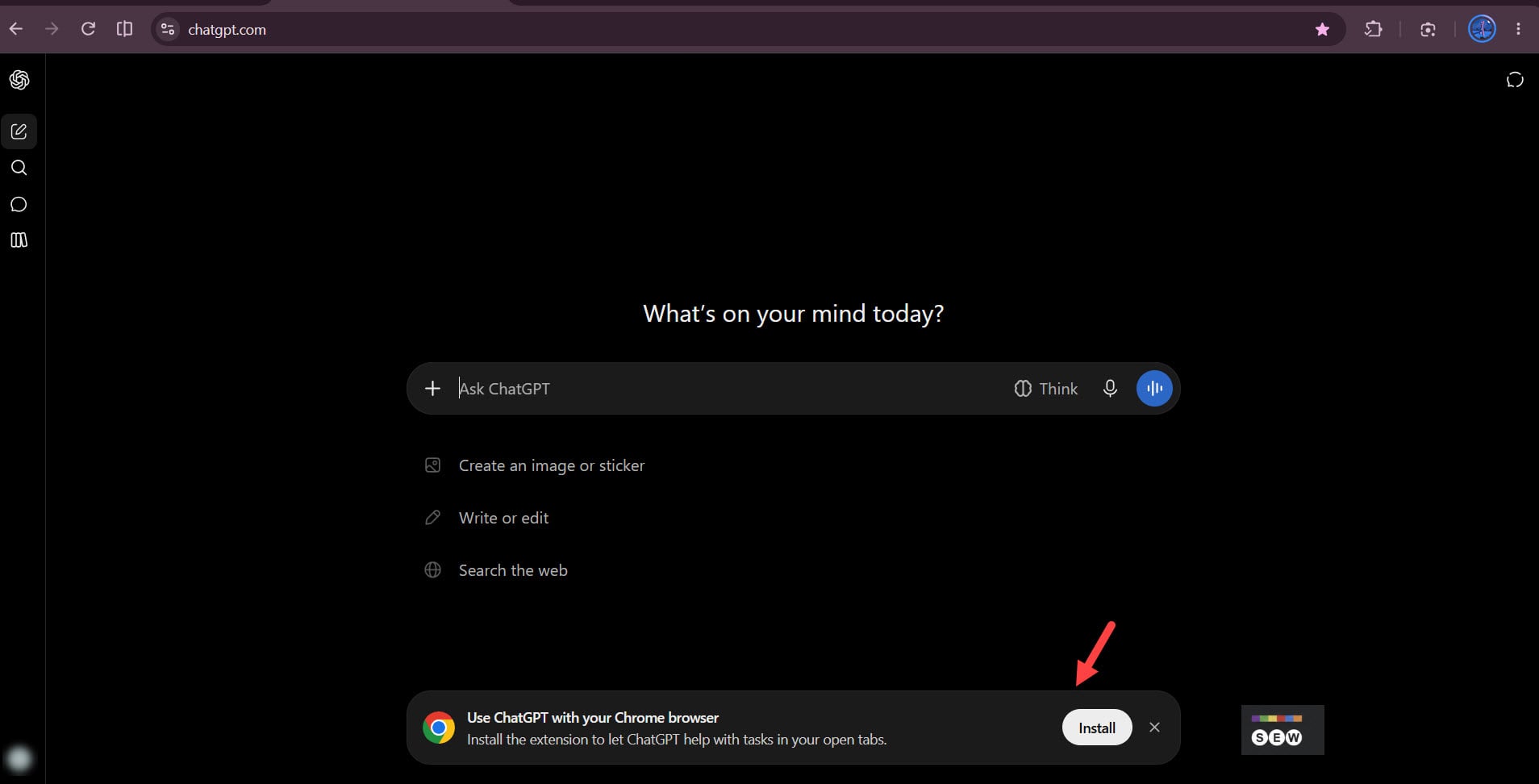
OpenAI wants more ChatGPT users to try its Chrome extension and is now displaying an installation prompt directly on ChatGPT’s homepage when users access the service in Chrome.
The banner reads, “Use ChatGPT with your Chrome browser”, followed by “Install the extension to let ChatGPT help with tasks in your open tabs.”
Clicking Install takes users to the ChatGPT extension’s listing in the Chrome Web Store.
OpenAI announced its Chrome integration upgrades on October 16, adding open-tab access and browser-control features to ChatGPT across all plans.
The extension lets ChatGPT look across multiple open tabs and gather information from them. Users can compare products, research websites, and collect details without copying and pasting content into a chat.
It also adds ChatGPT’s conversation history and Chat and Work modes to a Chrome side panel.
With Work, ChatGPT can take actions in open tabs. It can fill out forms, send messages, download files, and organize tabs.
Unlike chatgpt.com, the extension lets ChatGPT interact directly with websites in the user’s existing Chrome session and complete tasks across tabs.
Chrome’s large user base gives OpenAI a direct route to put its browser extension in front of millions of potential users. Instead of waiting for users to discover it in the Chrome Web Store, OpenAI is bringing the option to install it directly to ChatGPT.
Start the conversation by posting the first comment