

All Google Testing released some new code for Bing users to display expanded search cards by inserting a specific set of code into the browser’s Web developer tools.
How Does It Work?
Below are screenshots, which show Bing’s functionality prior to loading the code into the browser and the results after it is installed.
Before

After

Below are the instructions as shown on All Google Testing:
Go to Bing and load your browser’s developer console:
- Google Chrome: Tools, Developer Tools
- Mozilla Firefox: Web Developer, Web Console
- Internet Explorer: Developer Tools (F12), Console
Copy and paste the following code:
document.cookie=”MUID=25232B19D7E560830A2C2C2DD602610E; path=/; domain=.bing.com”;document.cookie=”MUIDB=; path=/; domain=.bing.com”;window.location.reload();
Press Enter and you’ll see the experiment.
If doesn’t work, try this other method:
- Open Chrome and install this extension.
- Go to Bing and select “Edit Cookies” option on the context menu:
- Find the cookies named MUIDB and MUID, and replace the value with this cookie value: 25232B19D7E560830A2C2C2DD602610E
Click “Submit cookie changes” and refresh the page.
Yahoo Tries Google Interface
All Google Testing also released a code that overlays Google’s search interface onto the Yahoo search engine. If you didn’t see “Yahoo” in the top left corner, you’d assume that you were using Google. The image below shows what the search engine looks like once the code is installed.
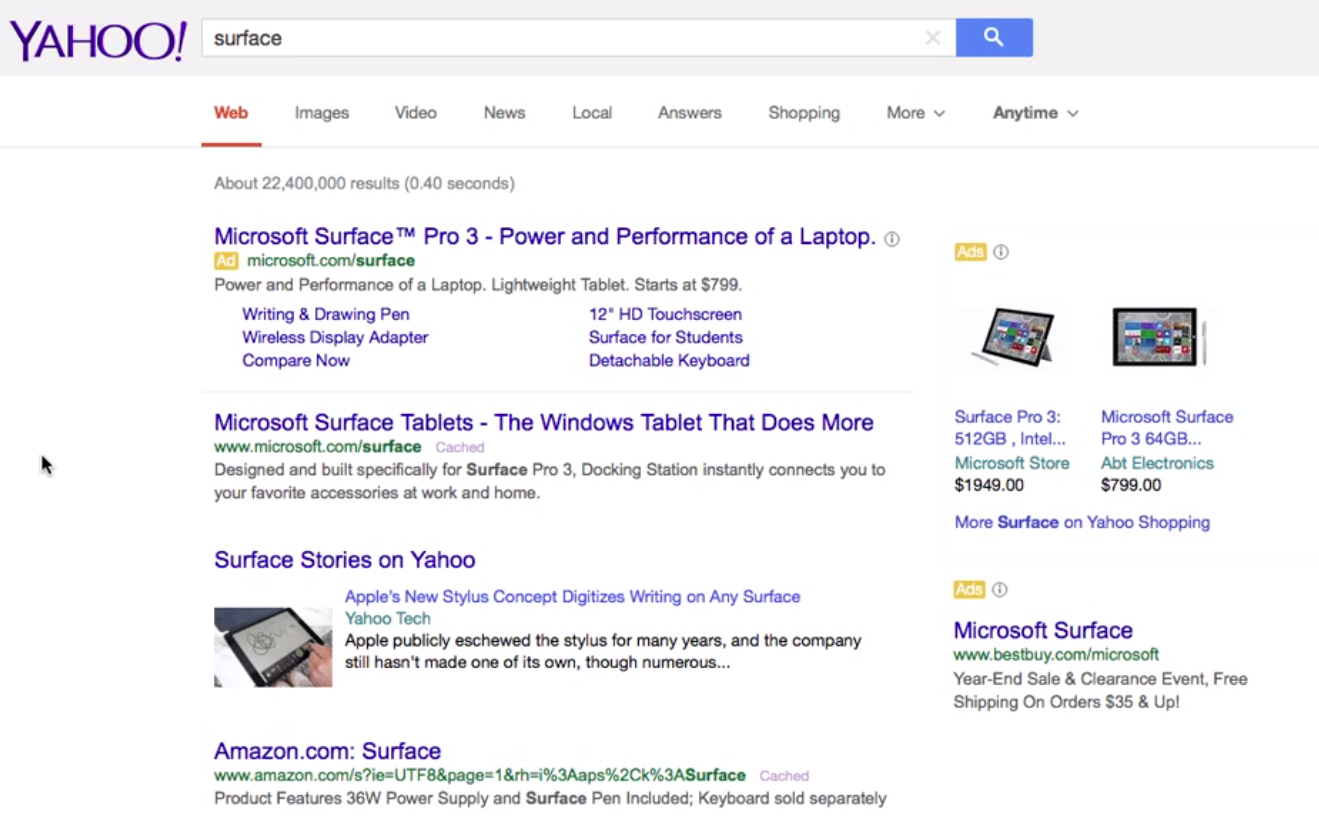
Below are the instructions for inserting the code from All Google Testing:
Go to Yahoo.com and load your browser’s developer console:
- Google Chrome: Tools, Developer Tools
- Mozilla Firefox: Web Developer, Web Console
- Internet Explorer: Developer Tools (F12), Console
Copy and paste the following code:
document.cookie=”B=c9nt1nla7kjhj&b=3&s=kr; path=/; domain=.yahoo.com”;window.location.reload();
Press Enter, refresh the page, and you’ll see the experiment.
If doesn’t work, try this other method:
- Open Chrome and install this extension.
- Go to Yahoo.com and select “Edit Cookies” option on the context menu:
- Find a cookie named B and replace the value with this cookie value:c9nt1nla7kjhj&b=3&s=kr
Click “Submit cookie changes” and refresh the page.