


Google has updated Chrome’s “On-device AI” setting in Canary with clearer details on how its local AI models work, including when Chrome removes unused models and how the feature differs from Gemini in Chrome.
The new text appears under Settings > AI in Chrome > On your device > On-device AI. It says Chrome and websites can use on-device AI for features such as summaries, proofreading and captions. Google also explicitly states that this is separate from Gemini in Chrome.
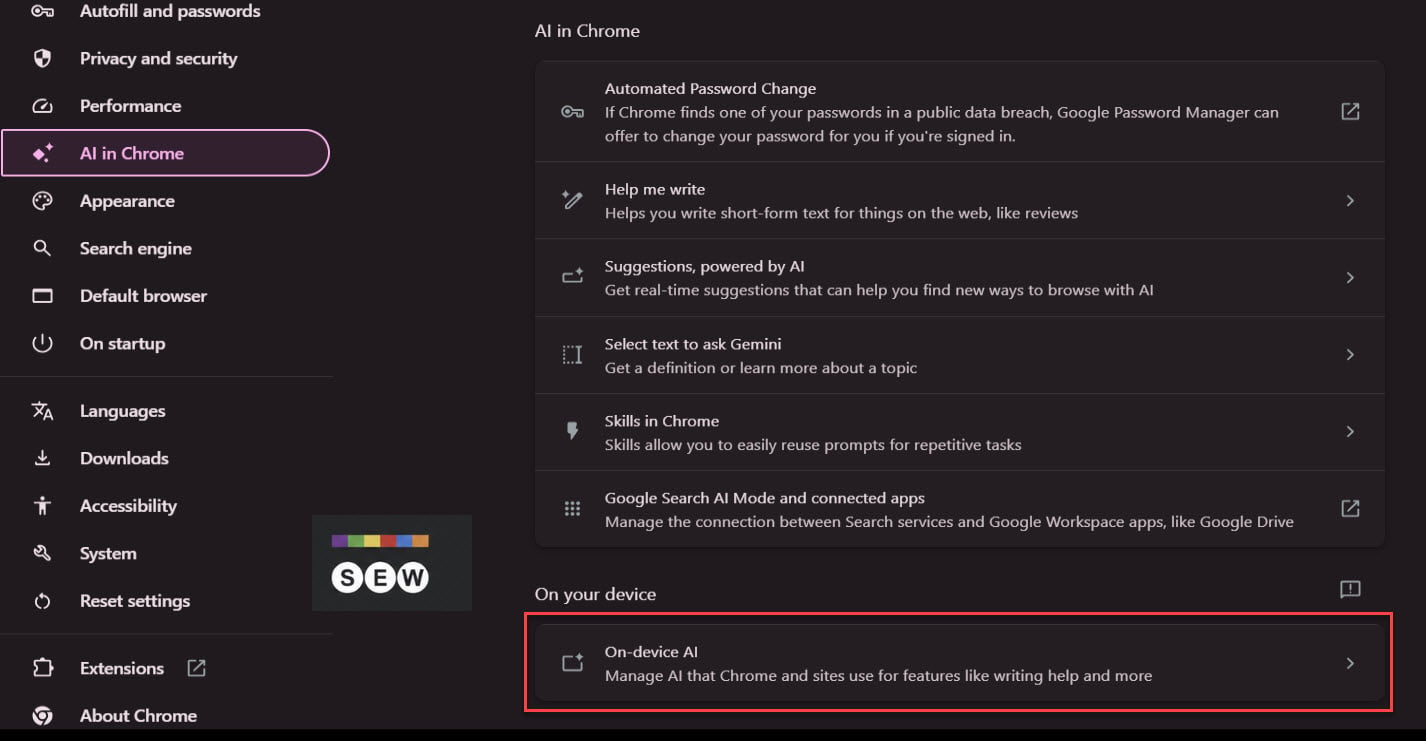
The previous description was brief: “To power features like scam detection, Chrome can use AI models that run directly on your device. When this is off, these features might not work.”

The new wording explains what happens when users enable or disable the setting.
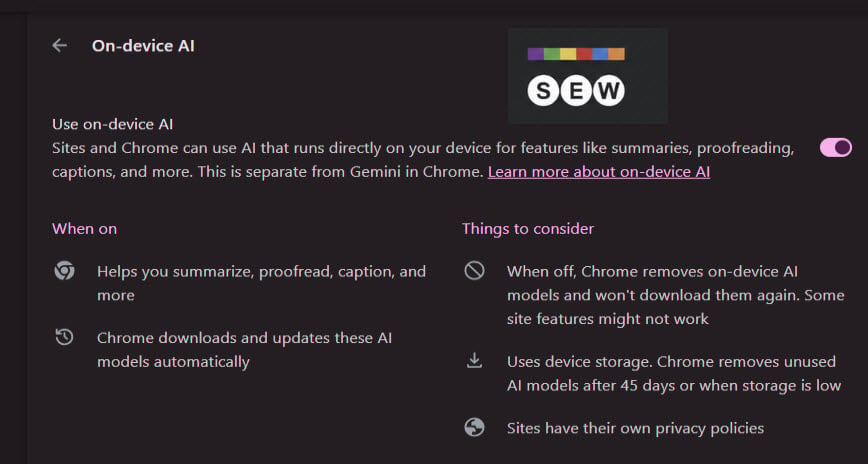
When enabled, Chrome downloads and updates the required AI models automatically. These models use device storage, and Chrome removes unused ones after 45 days or when storage runs low. The description also reminds users that websites have their own privacy policies.
Turning off On-device AI removes the downloaded models and prevents Chrome from downloading them again. Google warns that some website features might not work without them.
Google’s Help Center article on on-device AI provides additional details about the download requirements. Chrome needs approximately “20 GB” of free disk space to download on-device generative AI models. The device also needs an unmetered network connection and sufficient performance. Chrome only downloads these models on eligible devices.
Start the conversation by posting the first comment