

Google Ads Editor is switching on AI-generated ad text and automatic landing page selection by default for new Search campaigns. Version 2.14 activates those settings alongside AI Max, Google’s package of automated targeting and creative tools.
The change appears in Google’s release notes for its desktop campaign editor. It makes the initial settings worth checking when you build your next campaign in the app.
Google can generate the words in your ad and choose where a click lands
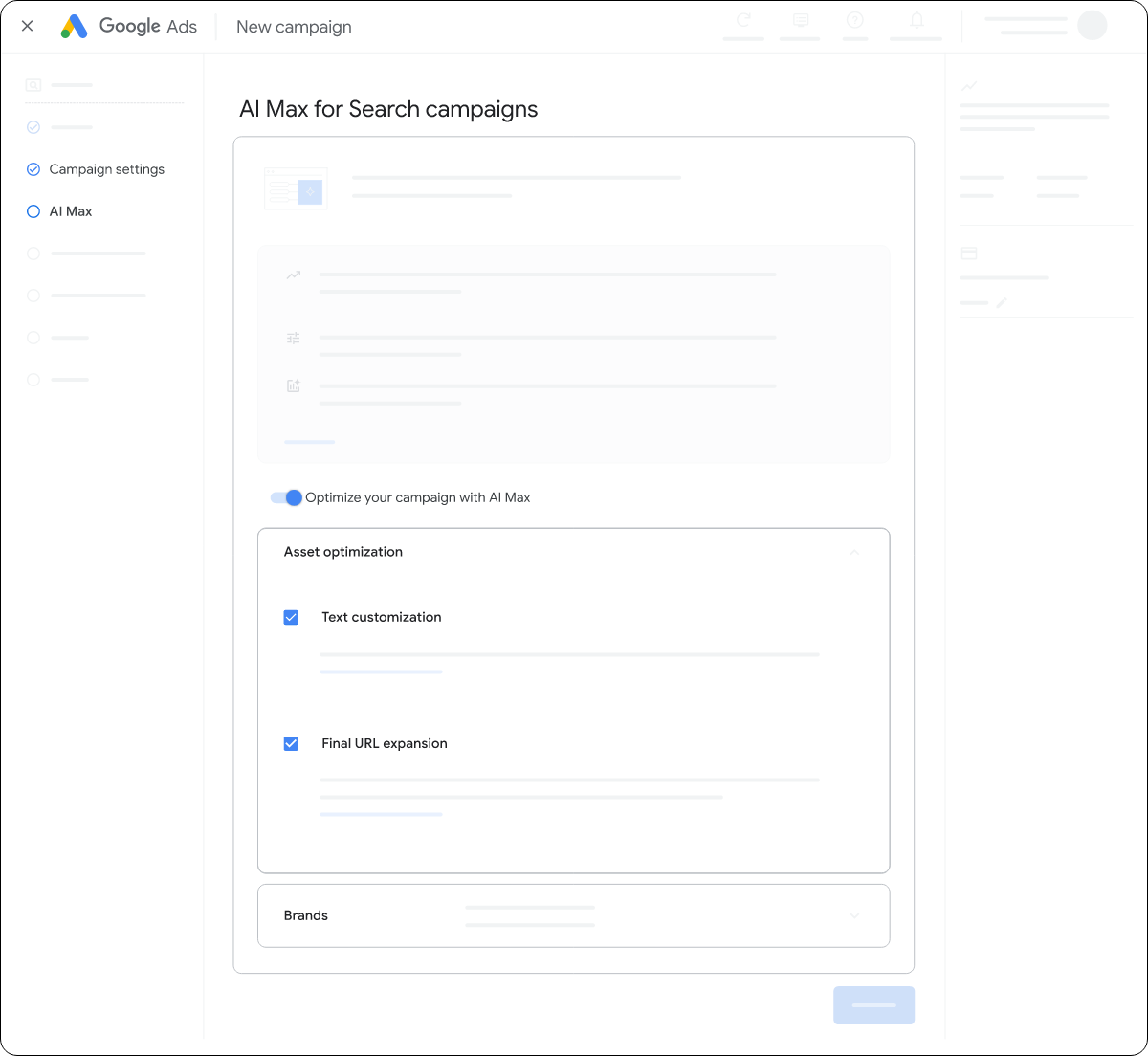
Text customization draws on your website, landing pages, existing ads and keywords to produce additional headlines and descriptions. Google combines those assets with the copy you supply when assembling a responsive search ad.
Final URL expansion gives Google another choice. It can send a person to a different page on your domain when that page fits their search and your ad group’s theme.
That also affects pinned headlines and descriptions, which advertisers use to keep specific wording in place. Google’s landing page guidance says pinned text can be dropped when the system selects a different destination. URL inclusions also affect whether pinned text appears.
You can choose which parts of AI Max your campaign uses
In the Google Ads web interface, open your campaign’s Settings and select AI Max. The Asset optimization panel contains the text customization and Final URL expansion controls. Switching off text customization also switches off Final URL expansion.
Google’s setup guide already describes AI Max as the default for new Search campaigns in the web interface. Editor 2.14 brings those defaults into the desktop creation workflow.
For a campaign built around one offer, the practical question is where someone lands after clicking. A product page, a category page and a dedicated promotion page can present different prices, choices and routes to purchase.
If you’re comparing two versions of an offer, allowing Google to change the text and destination introduces more variables into that comparison. Record those settings alongside the budget and audience when assessing the result.
Google has also expanded its testing tools. SEW covered its multi-campaign AI Max experiments in August, including support for keeping brand and location controls during a test.
You can keep editing while Editor downloads account data
Version 2.14 adds background downloads for full account data and performance statistics. Once an account download finishes, you can refresh the server data while preserving local edits. Choosing to replace the account data discards those edits.
The update also adds support for loyalty retention settings and a bidding option focused on lapsed customers.
Source: Google
Start the conversation by posting the first comment